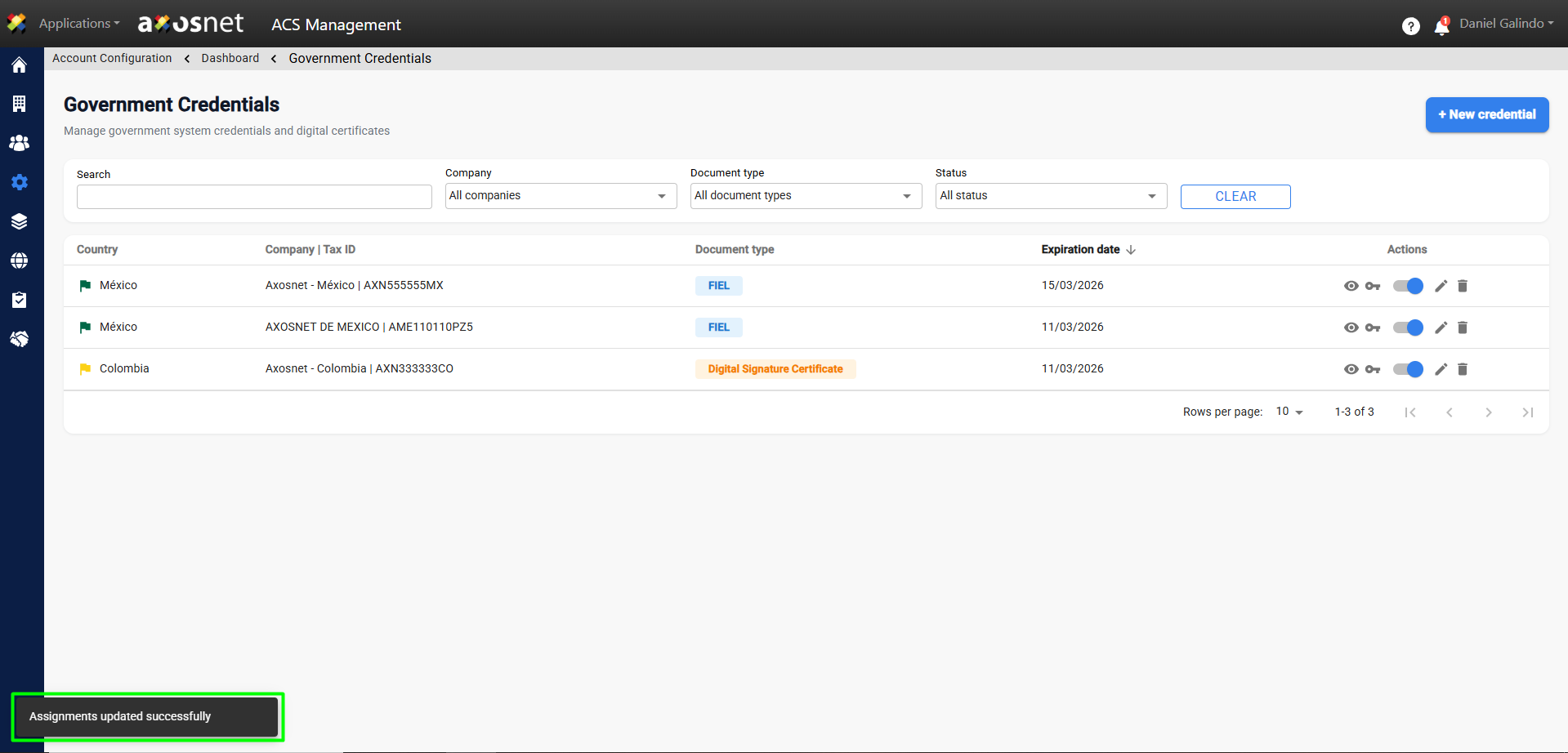
To assign credentials, follow these steps:
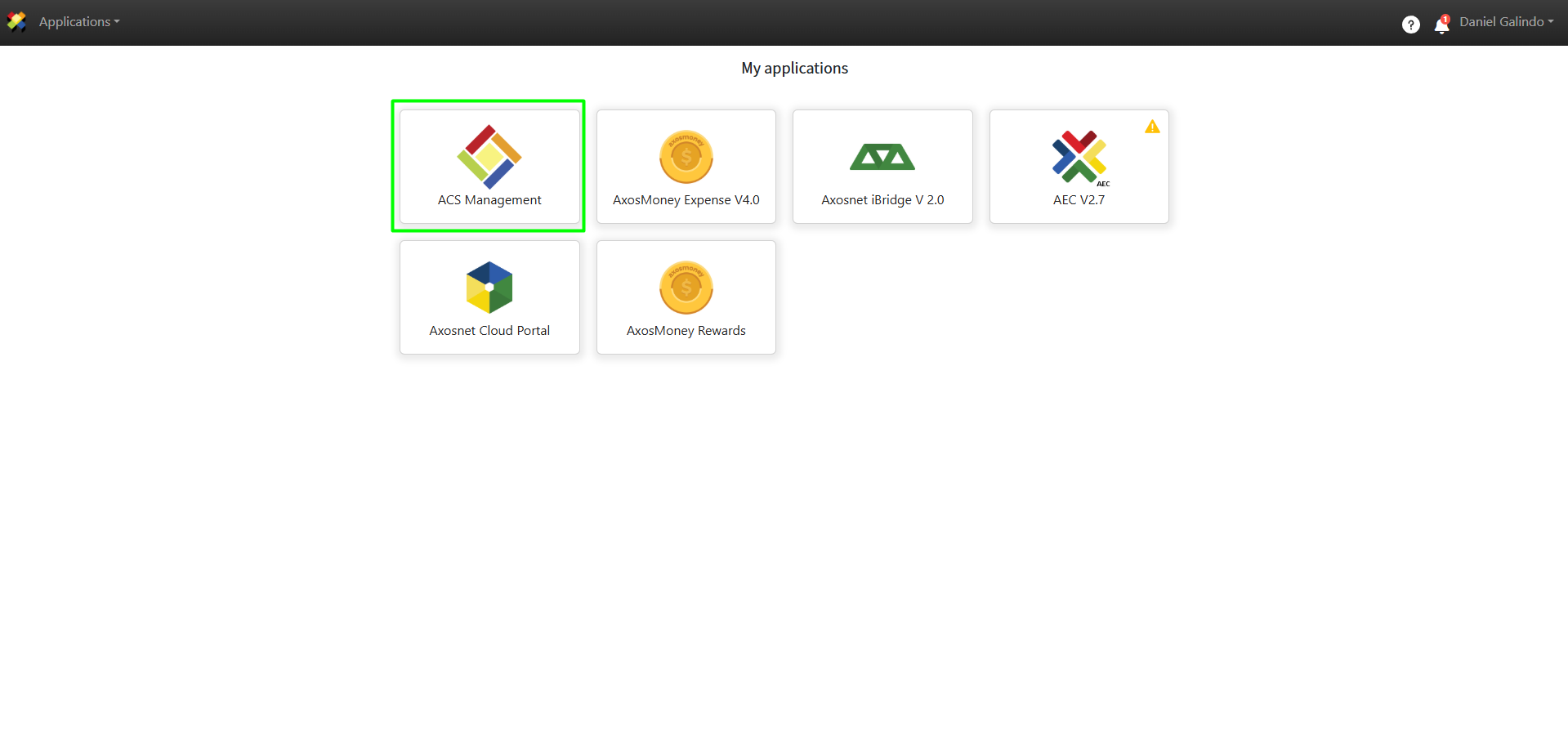
1. Log in to ACS Management.
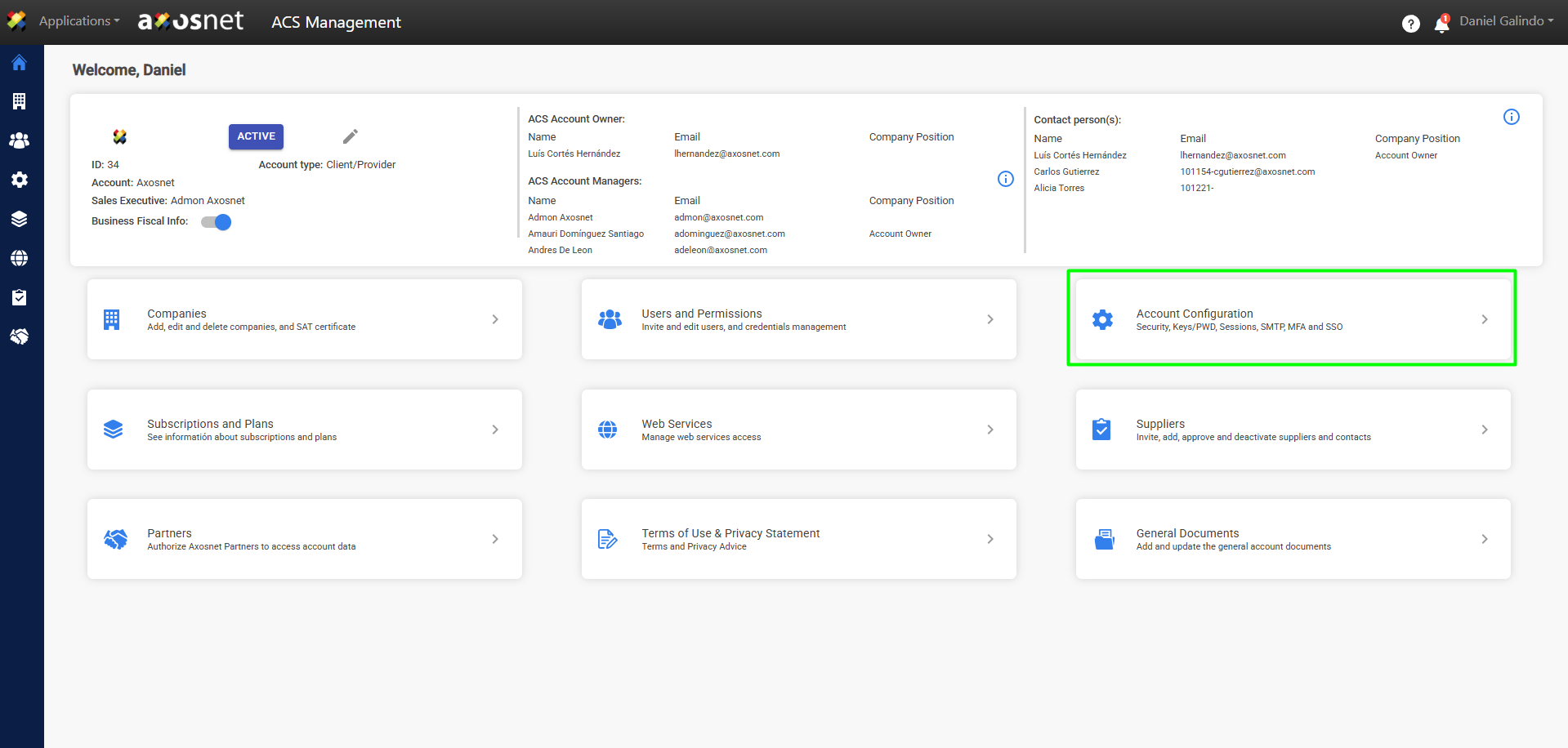
2. Go to the Account Configuration section.
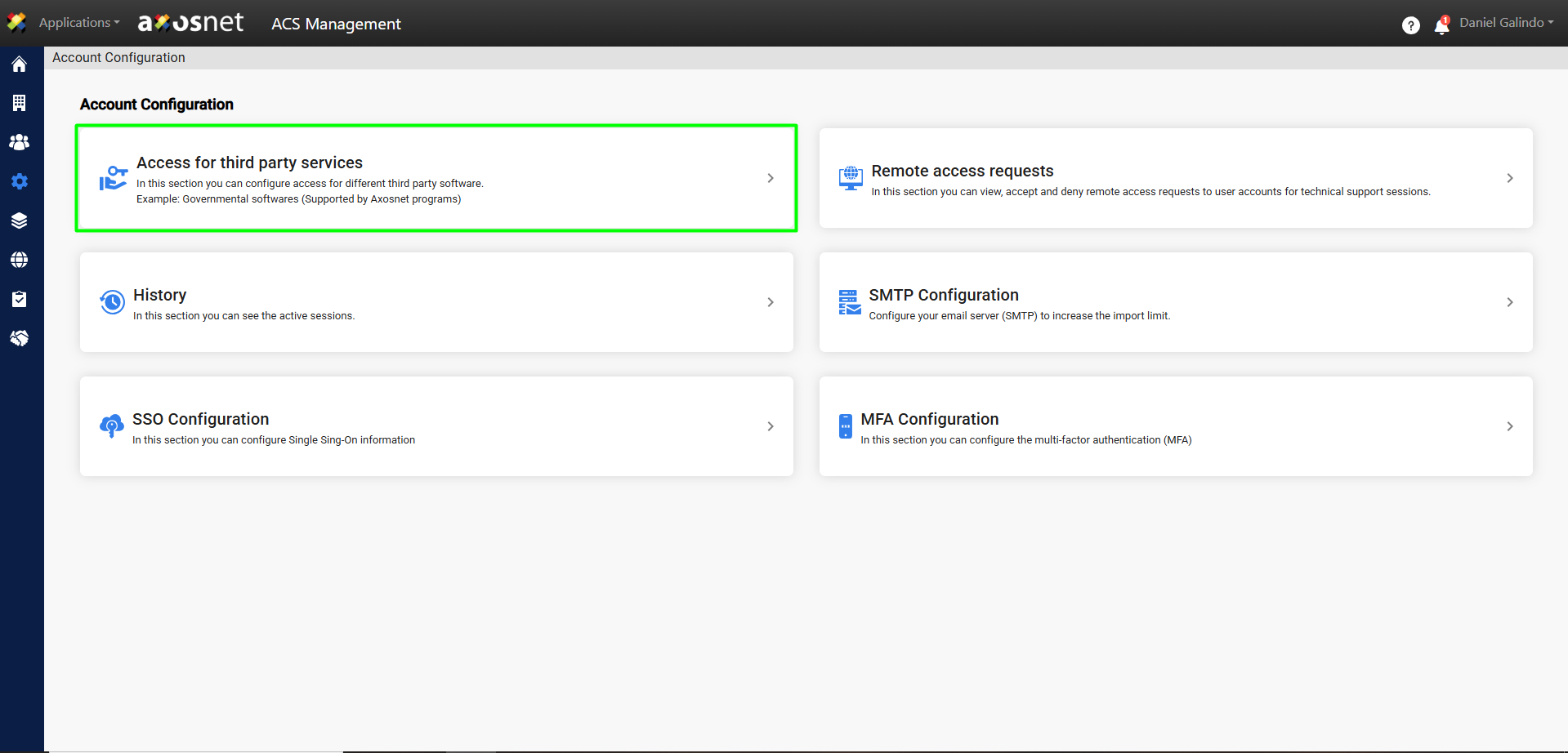
3. Click on Access to Third-Party Services.
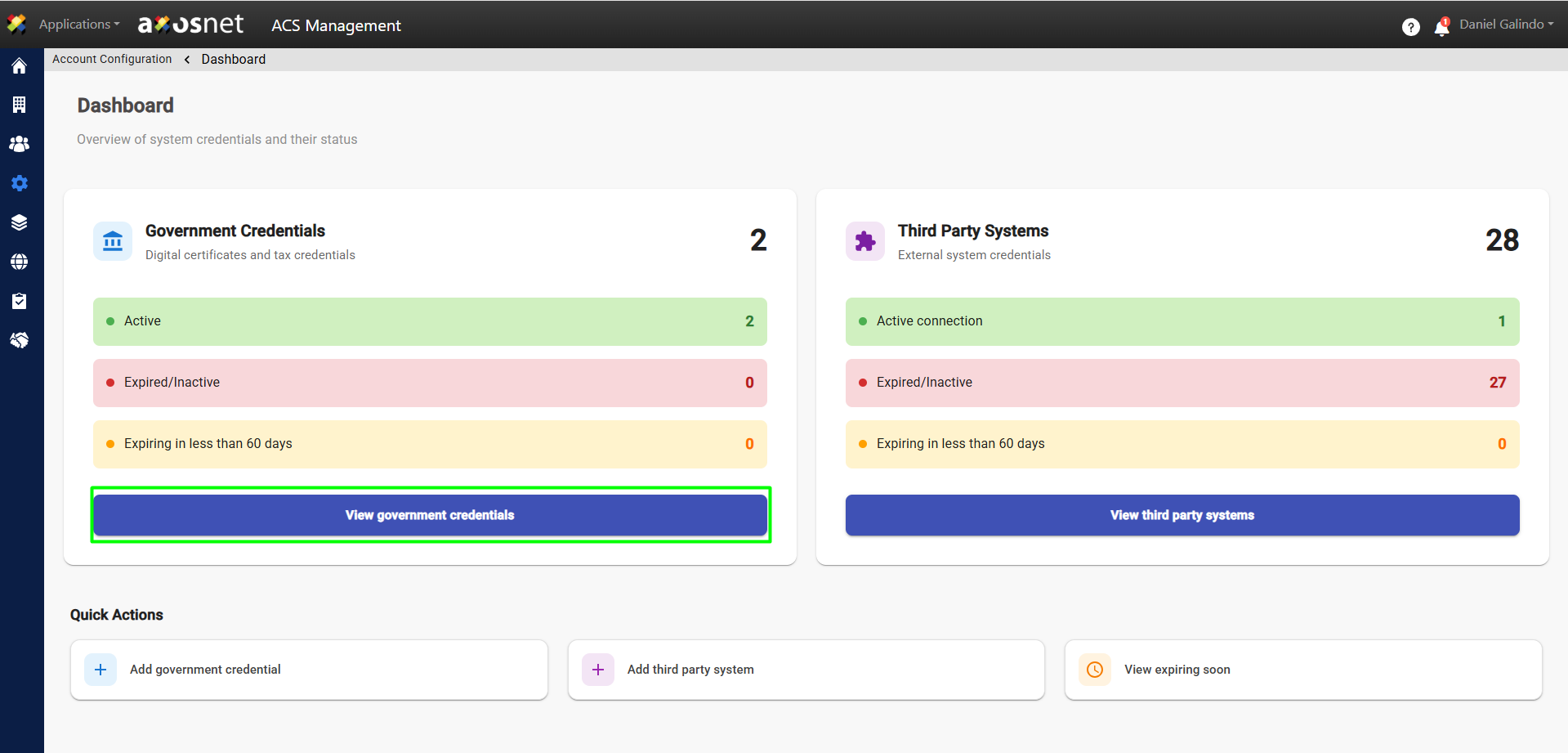
4. Click View Government Credentials.
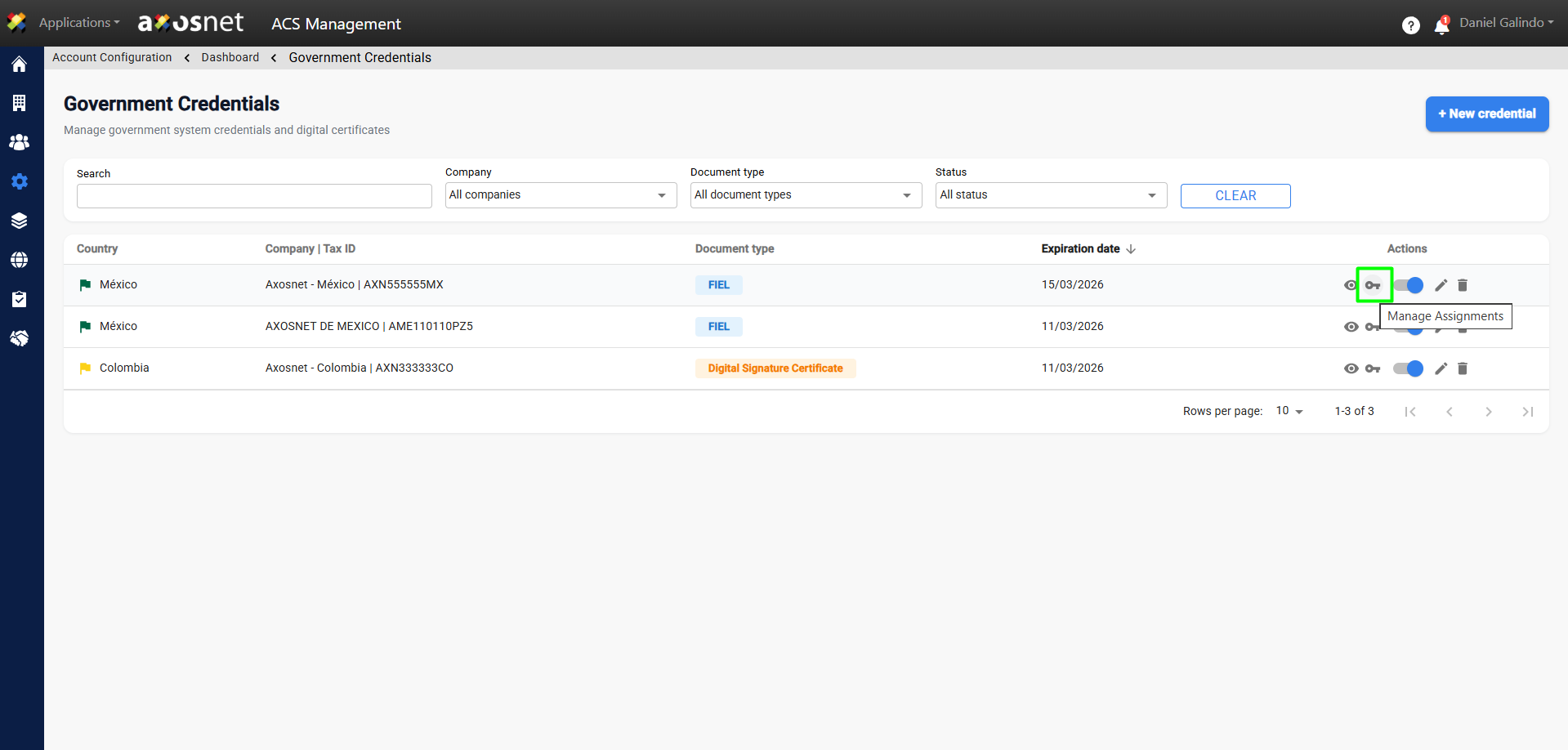
5. Click on the key icon in the actions column to manage assignments.
Note: This action allows you to manage (assign or remove) the Axosnet applications that will be available to the selected company.
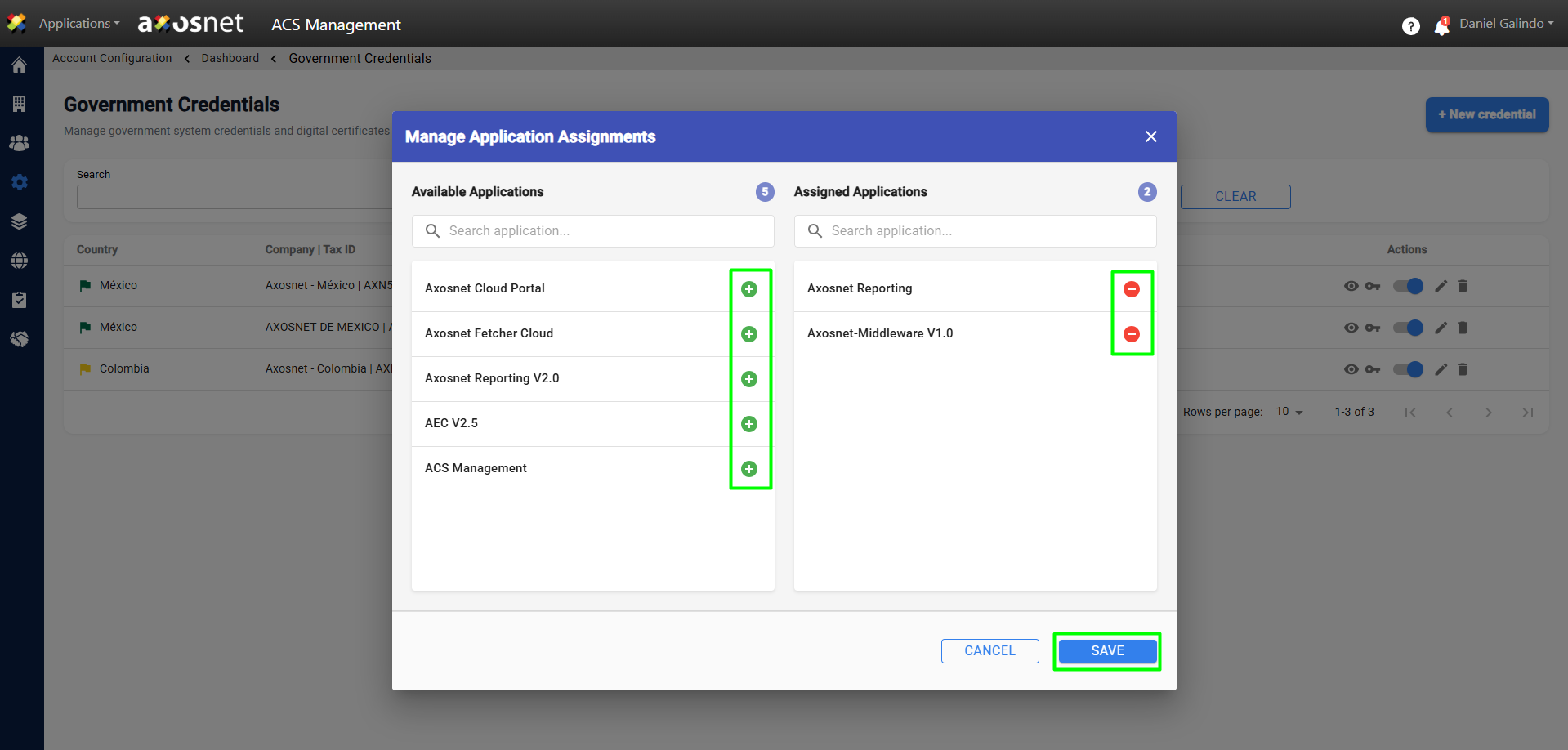
6. A pop-up window will open where you can add or remove applications by clicking on the + and – icons respectively. When you are finished, click save.
7. After saving the changes, a confirmation message will appear.