The Business Documents section is a solution integrated into Axosnet Cloud Solutions designed to centralize the storage, organization, and sharing of corporate files.
This tool streamlines interactions with suppliers by allowing you to request and receive documents directly within the system, enabling immediate validation by the client through approval or rejection processes.
To manage your documents, follow these steps:
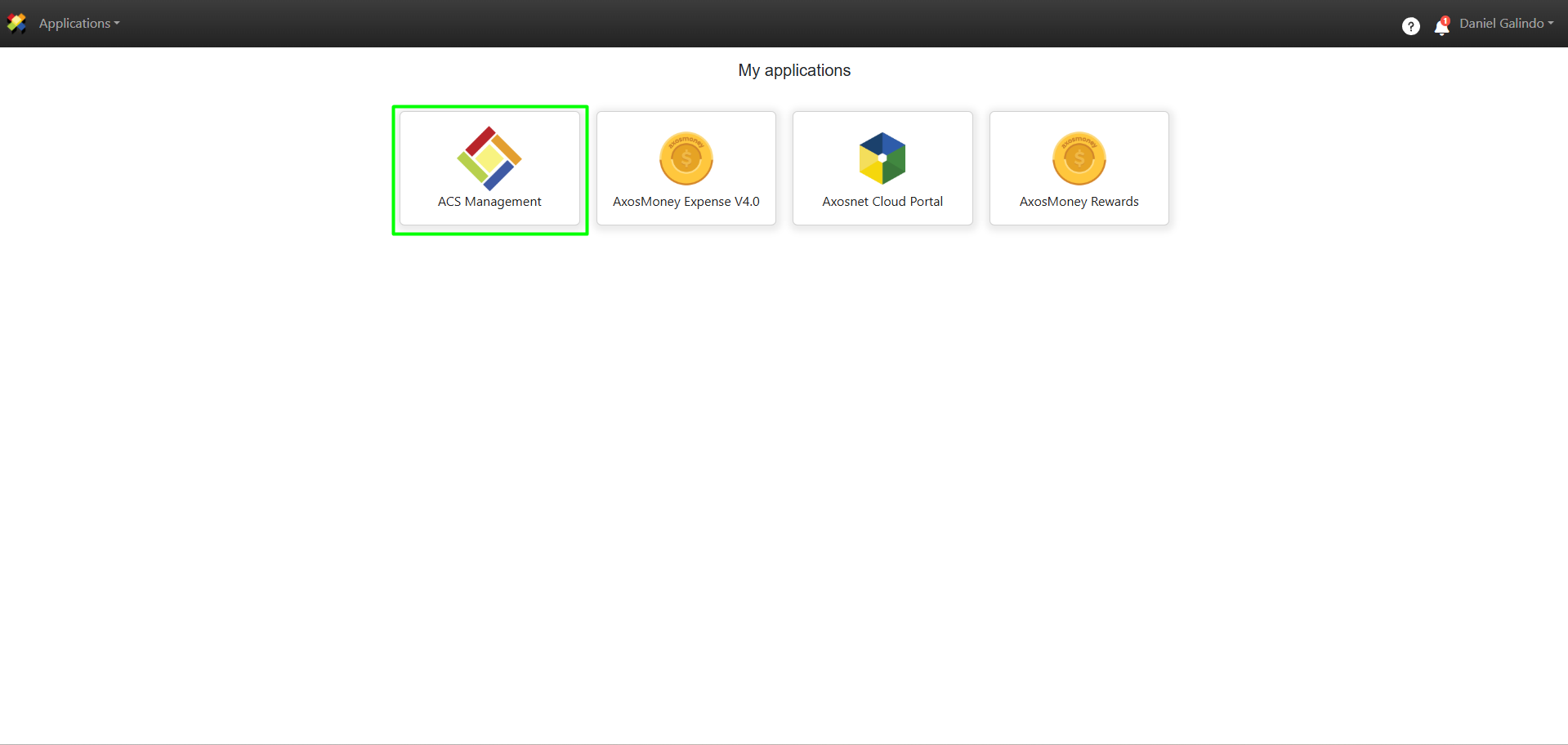
1. Log in to ACS Management.
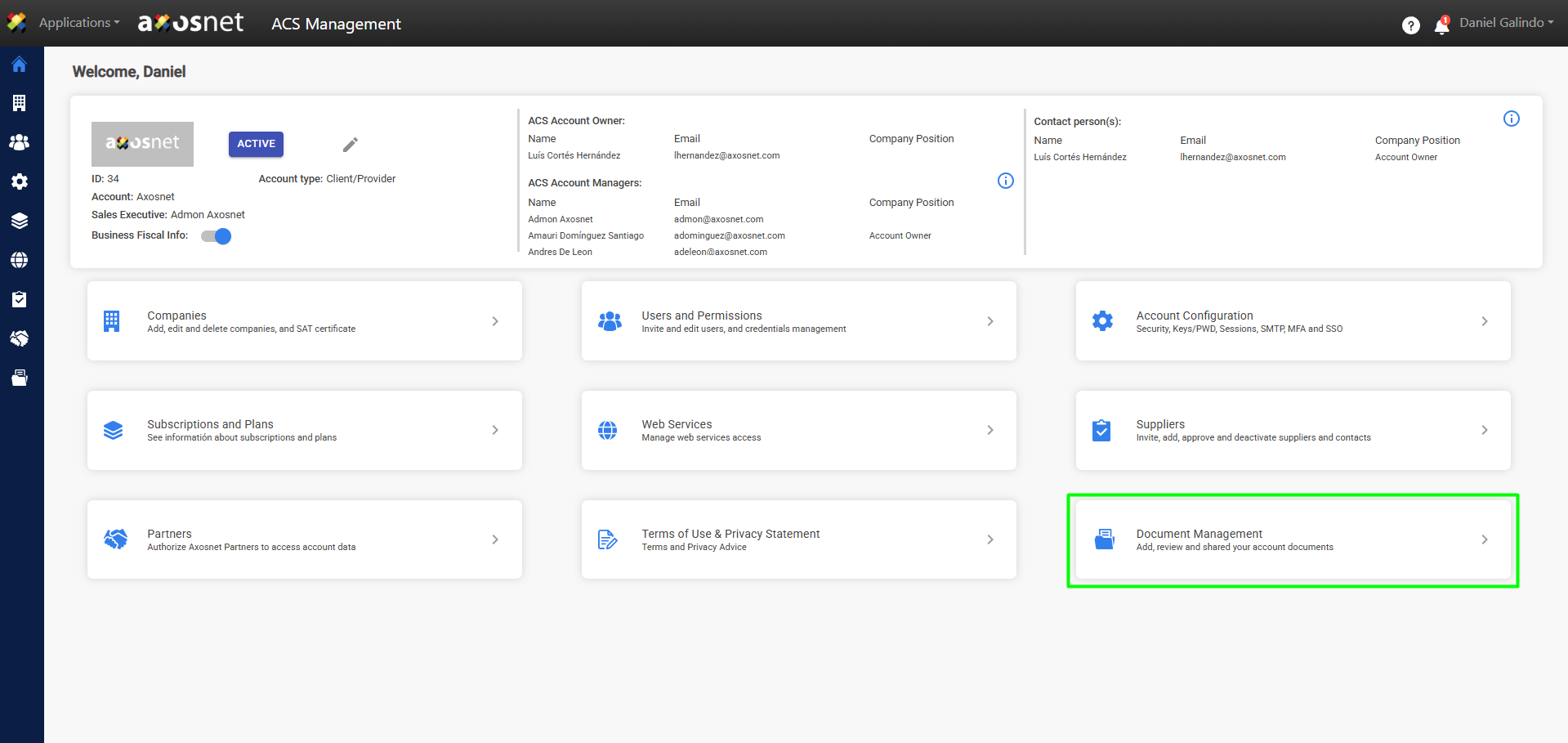
2. Select the Document Management option.
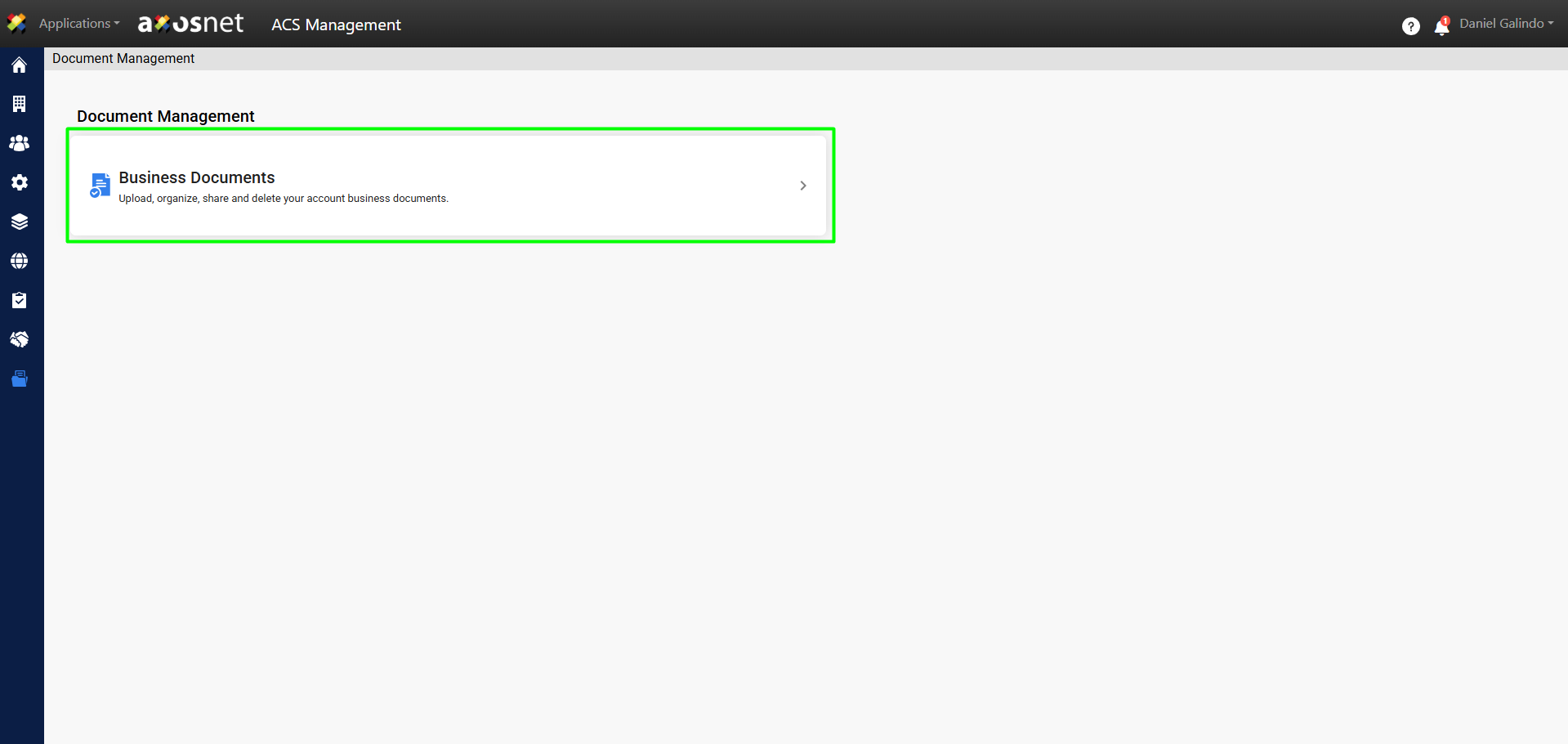
3. Go to Business Documents.
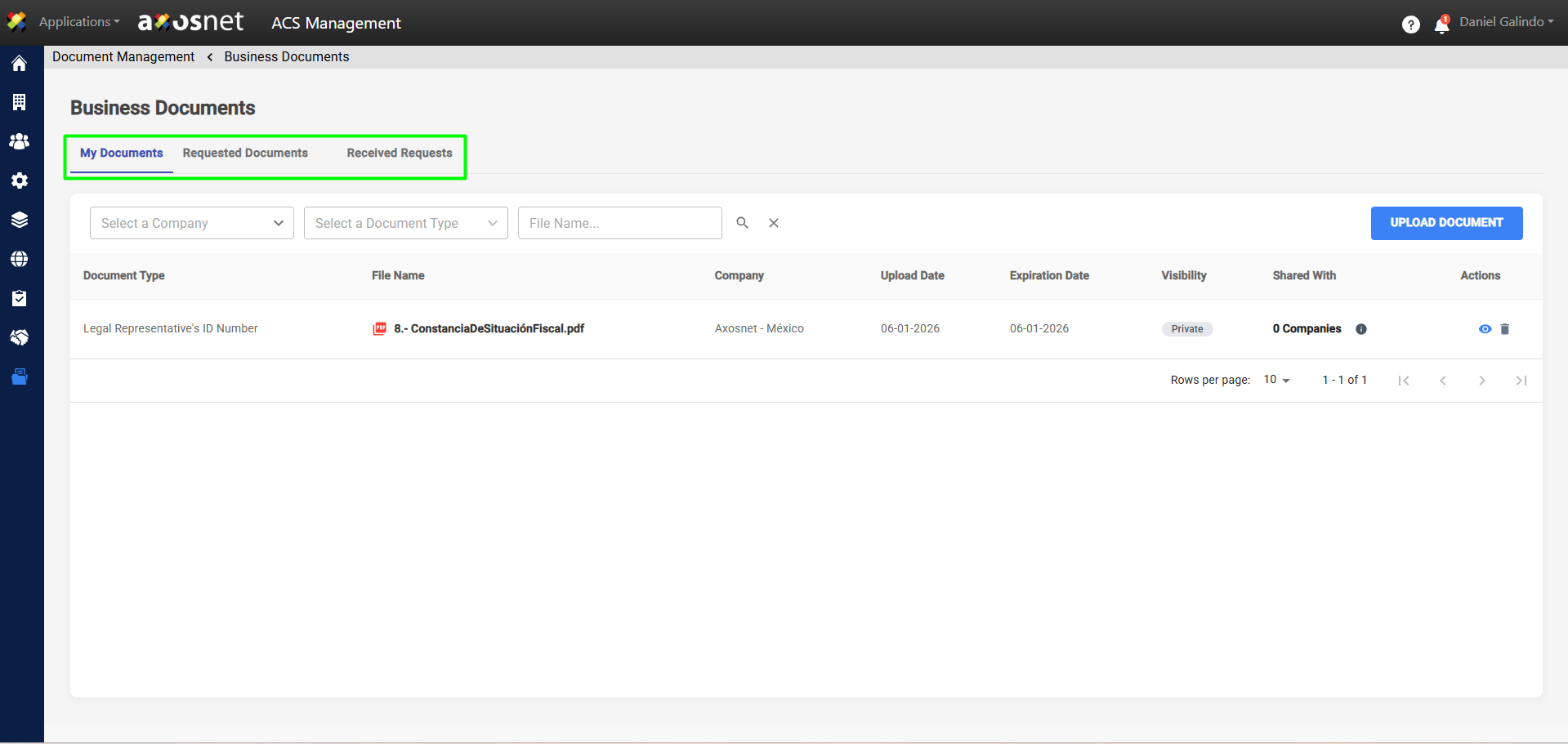
4. Here you will see three tabs, which will vary depending on your account role—whether you are a Customer, Supplier, or Customer/Supplier:
Note: All customers and suppliers can access “My Documents,” but only customers with an ACP subscription can manage or exchange documents.