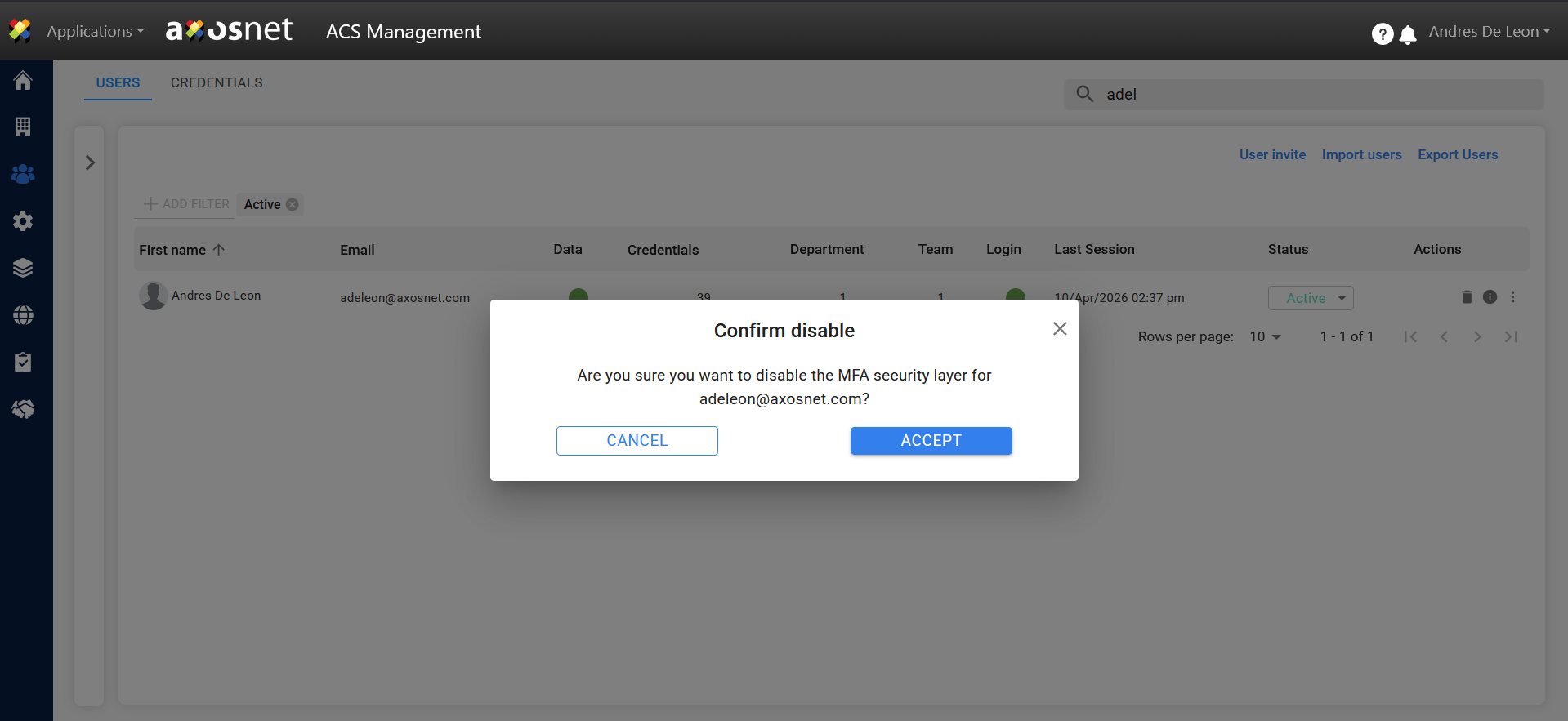
If you are unable to log in, the account administrator can disable “TWO-FACTOR AUTHENTICATION” or “MFA” in the Users section of ACS Management.
To do this, follow these steps:
1. Log in to ACS Management.
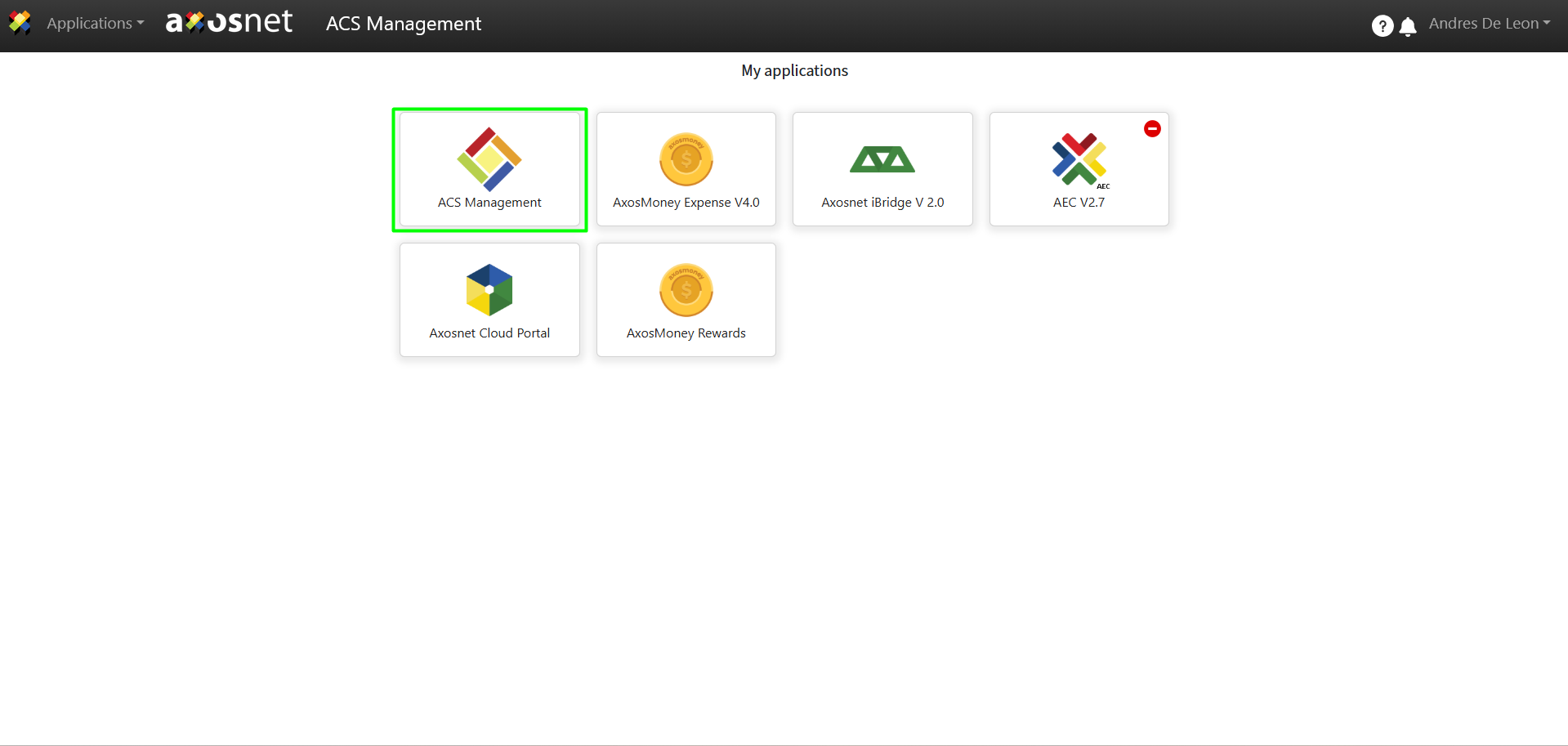
2. Select the “Users and Permissions” option.
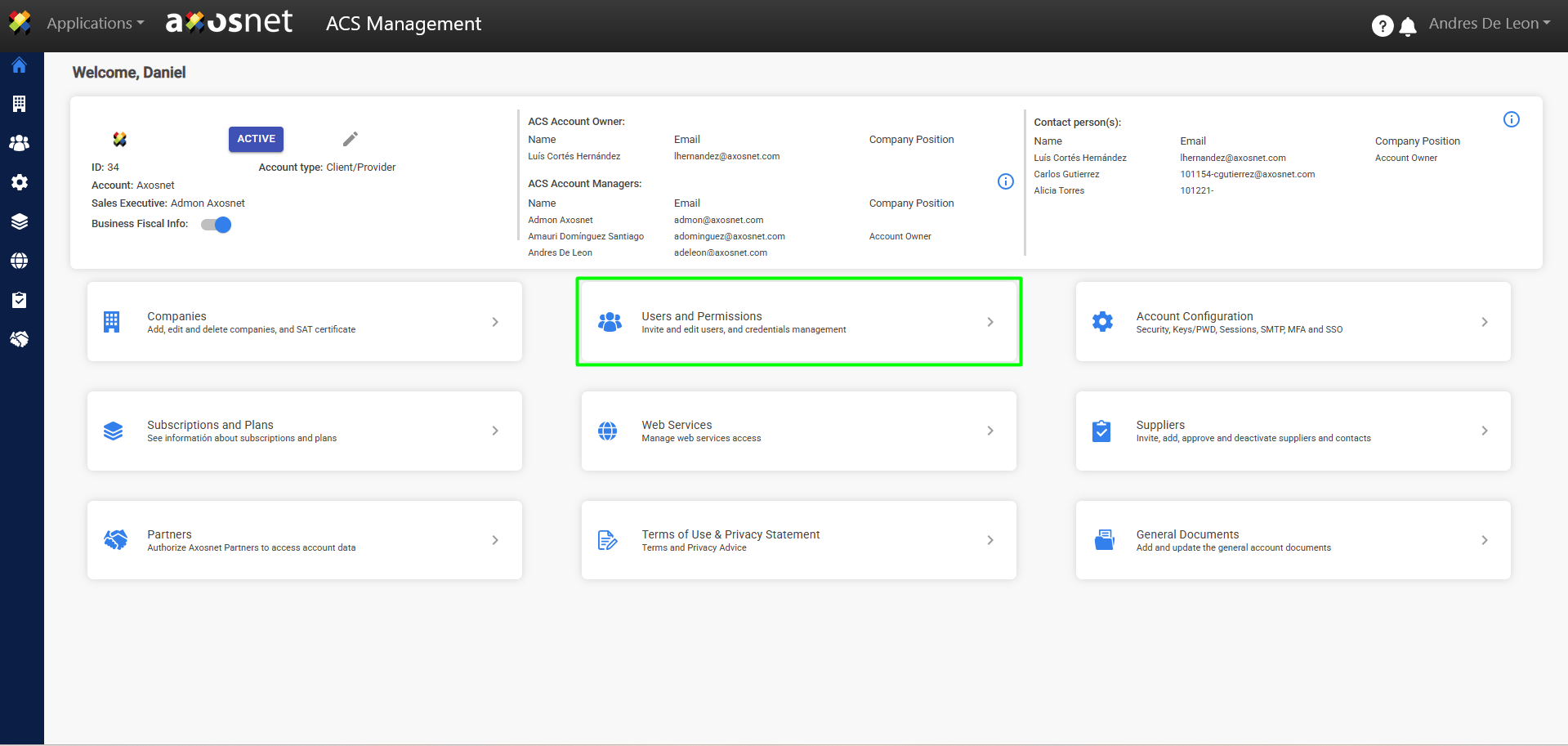
3. Click the three-dot menu to display the available actions, then select “Disable MFA.”
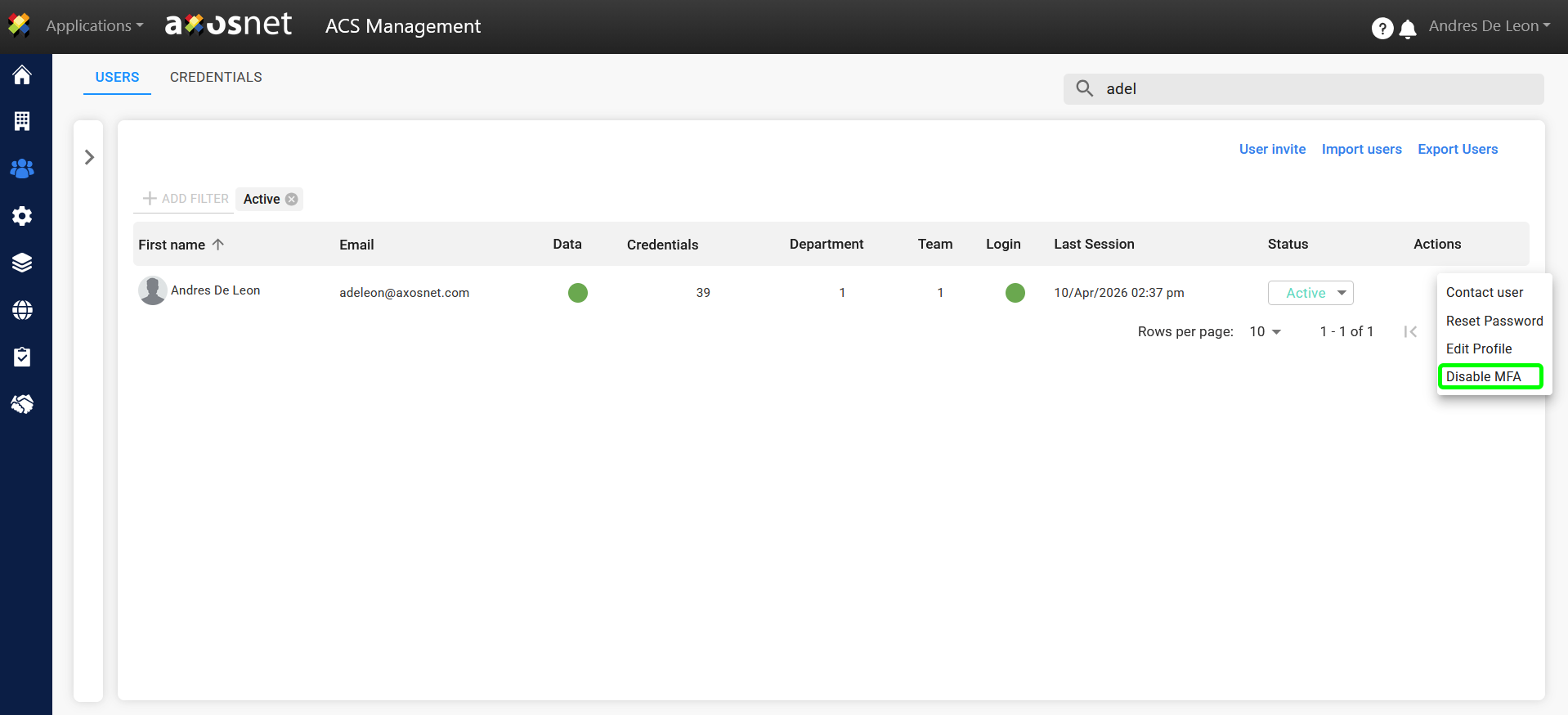
4. A confirmation window will appear. Click “ACCEPT” to disable MFA.