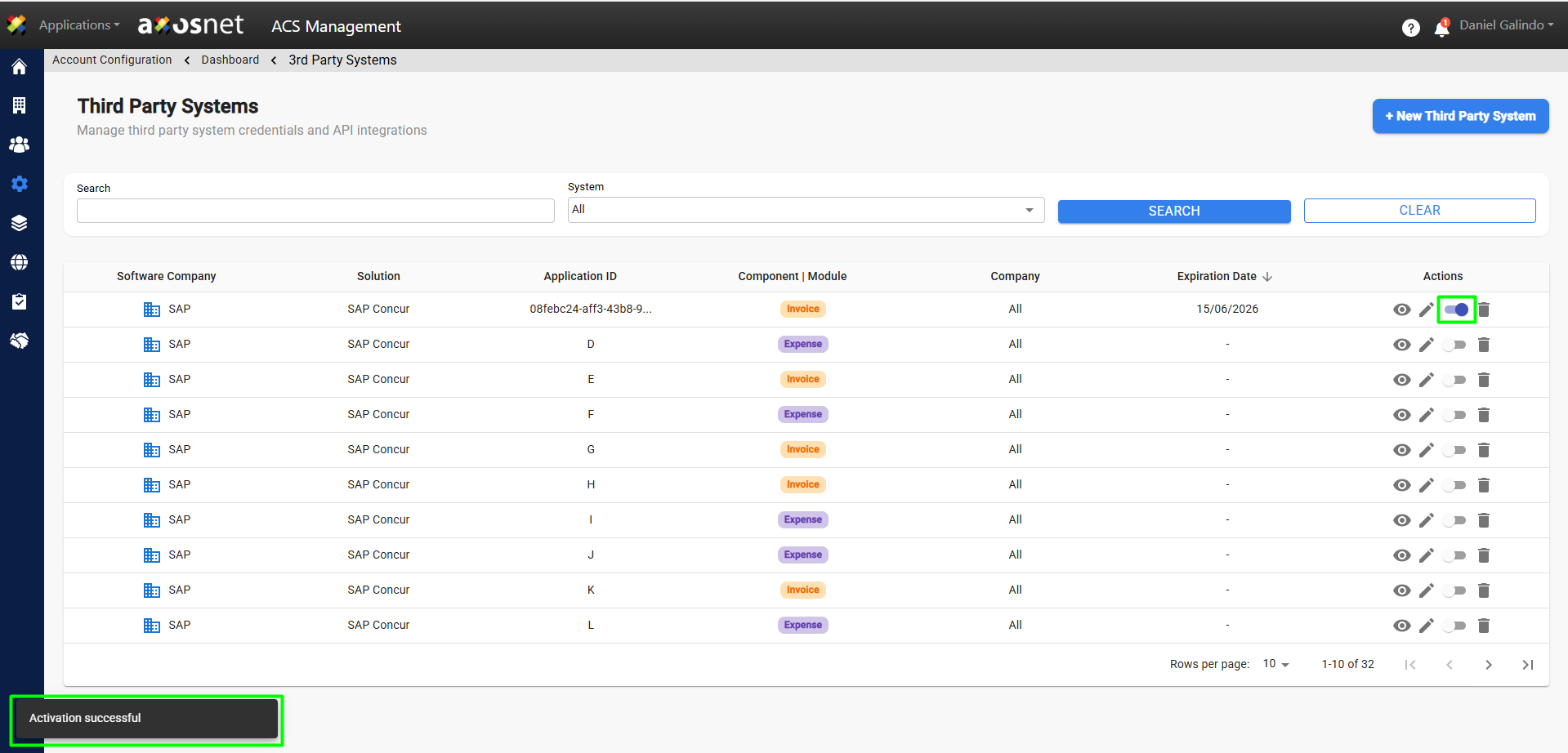
To activate the third-party system, you can follow these steps:
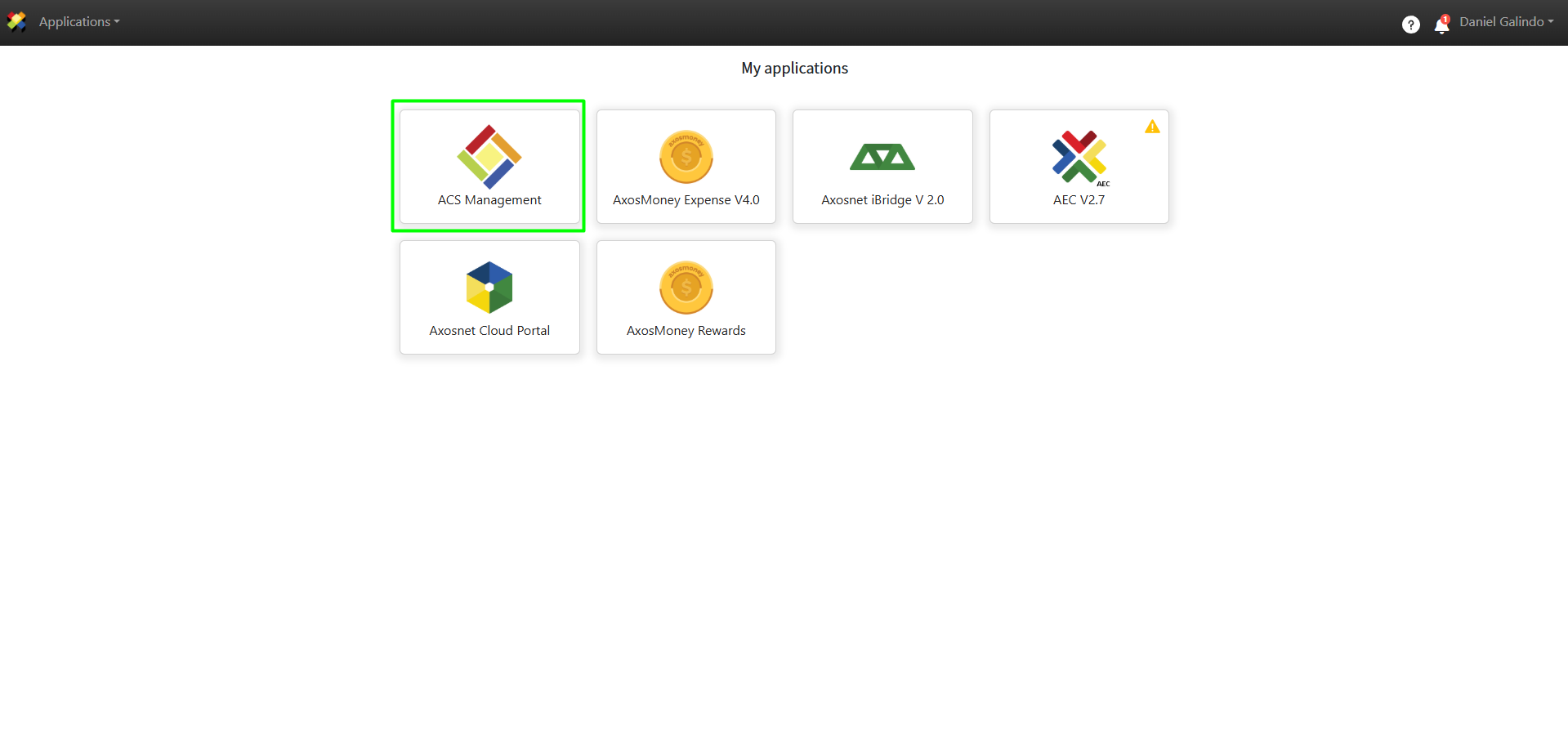
1. Log in to ACS Management.
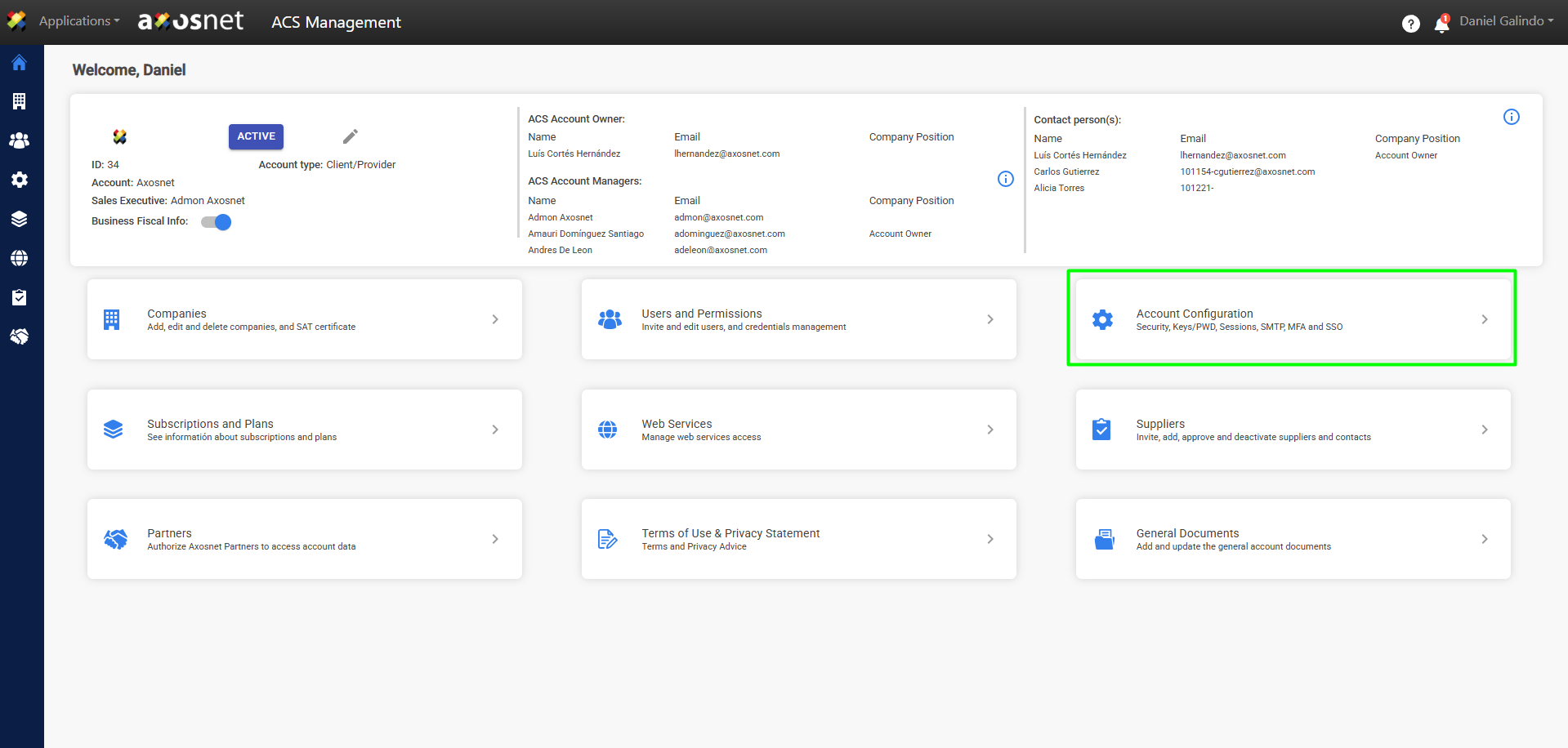
2. Go to the Account Configuration section.
3. Click on Access to Third-Party Services.
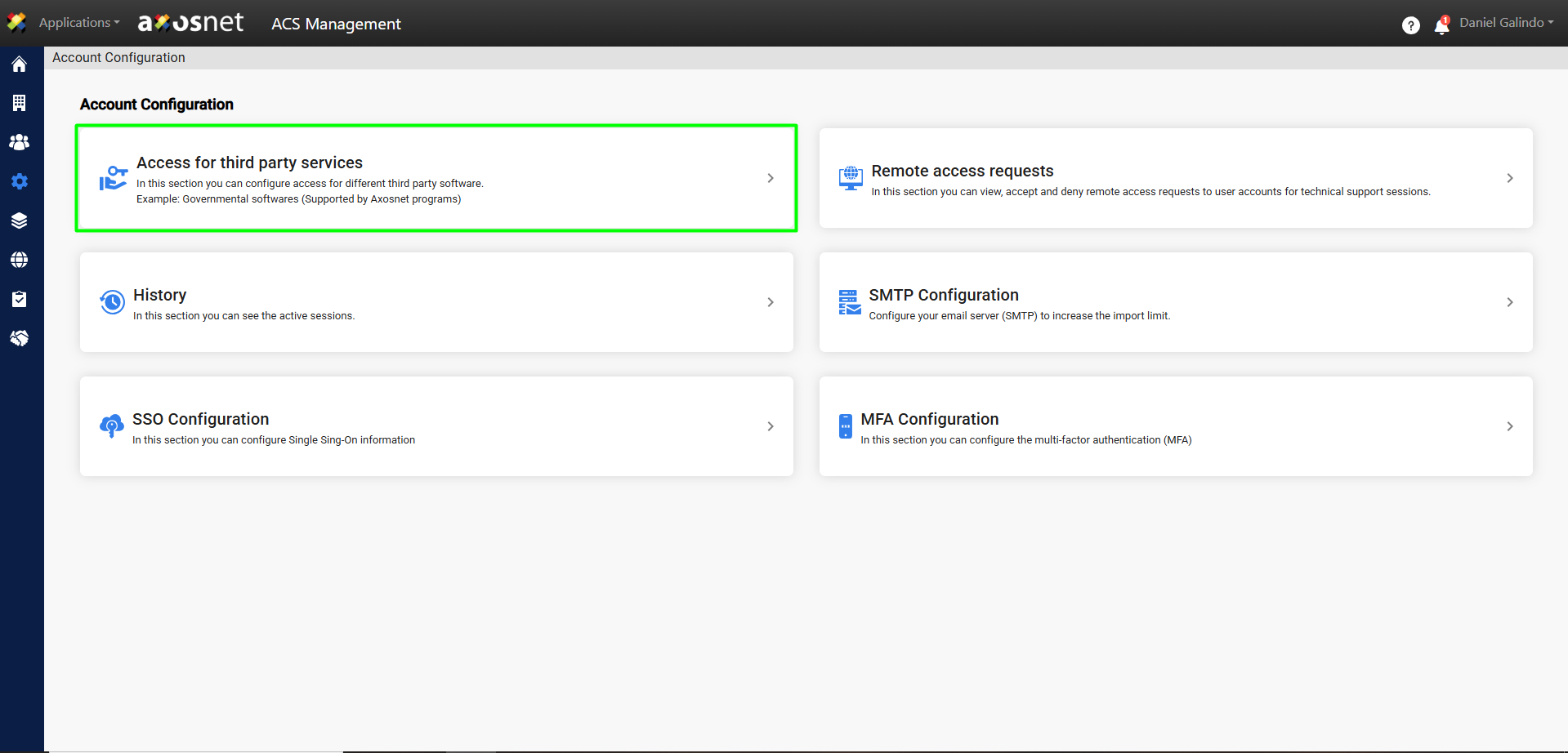
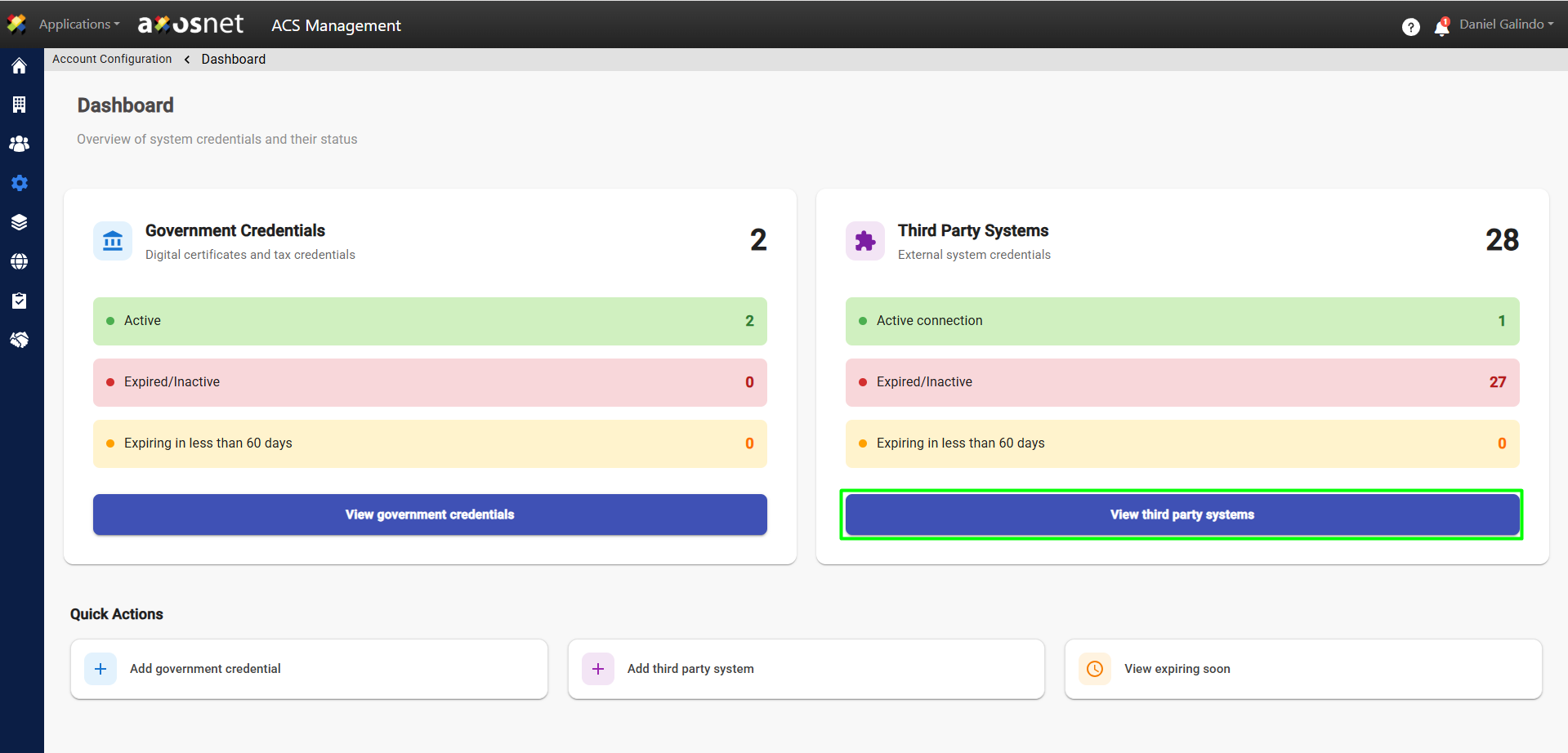
4. Click View Third-Party Systems.
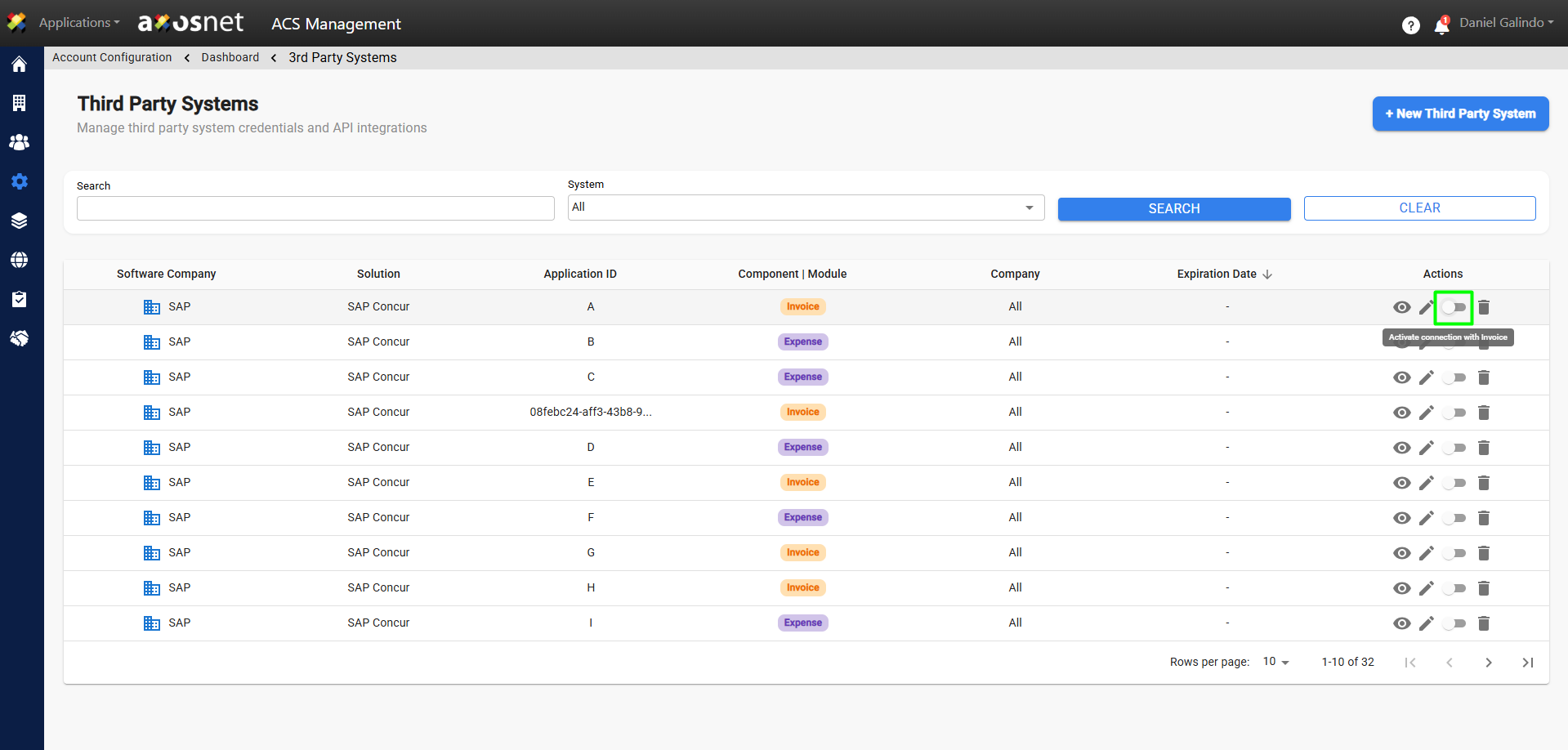
5. Identify the system to be activated and click the switch button to activate it.
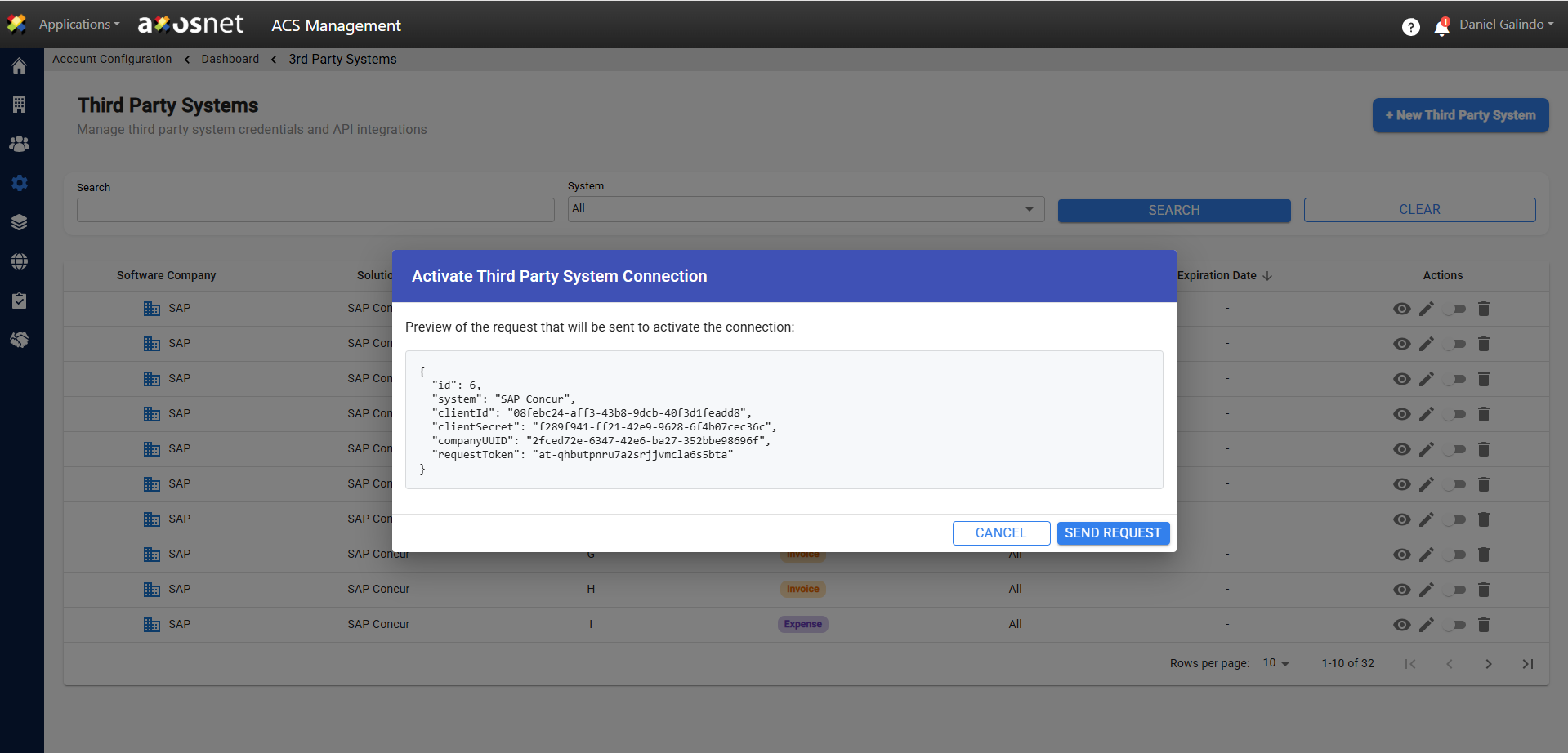
6. A pop-up window with a code will appear. Click Submit Request.
7. Once the application has been submitted, the system will switch to active status.