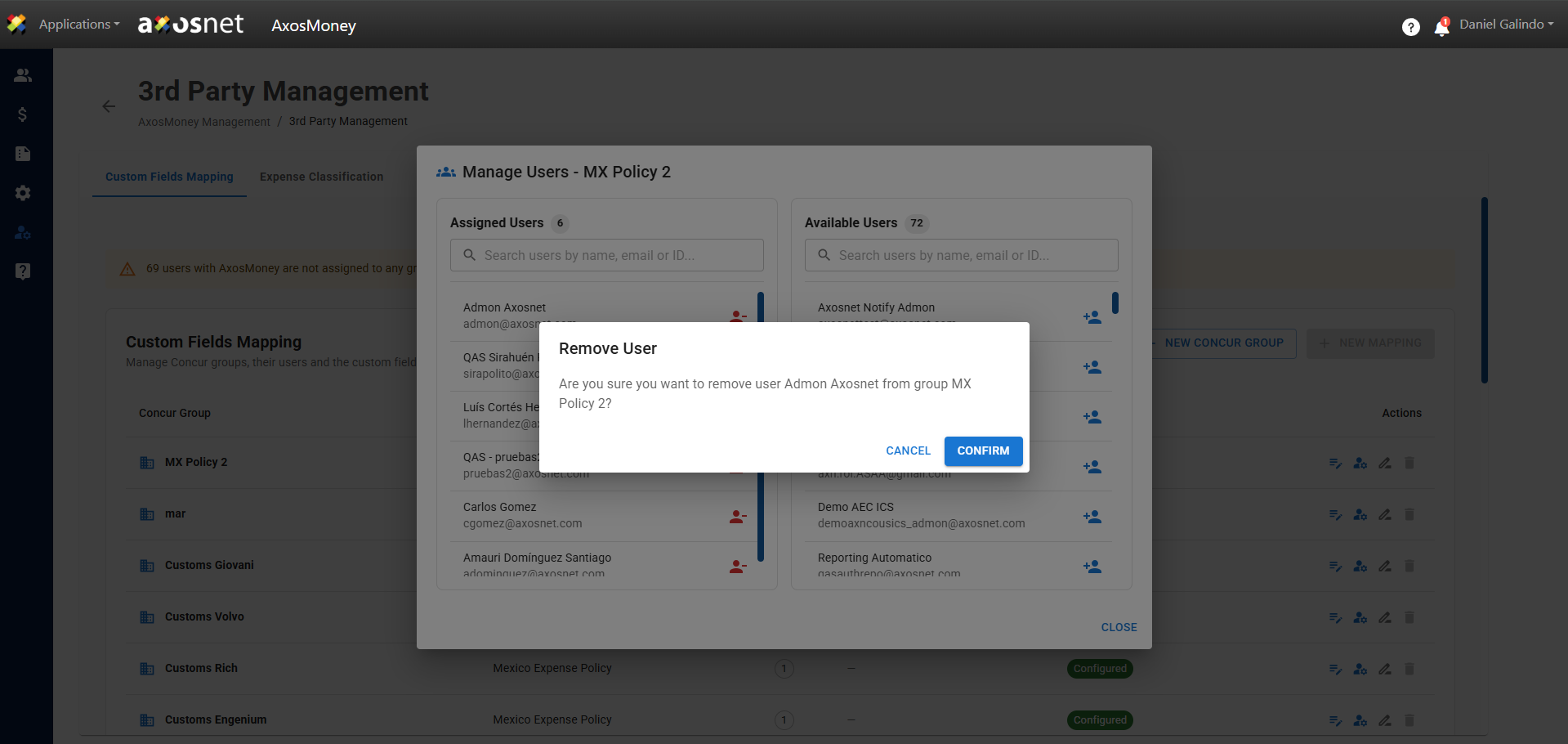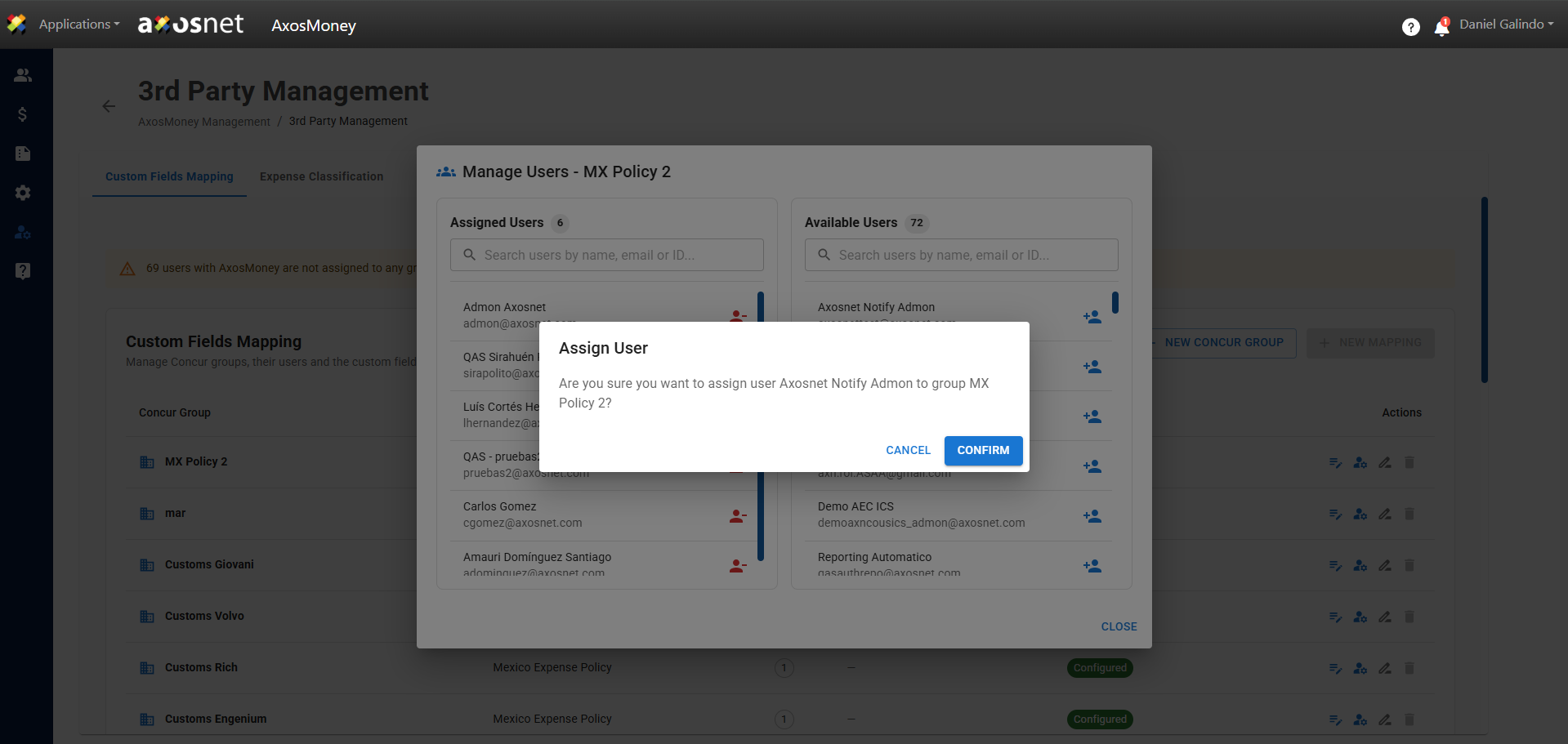
SAP Concur has the functionality to create policies with specific specifications for each one. This section will allow account administrators to assign a specific policy to their users based on their needs. To assign users, follow these steps:
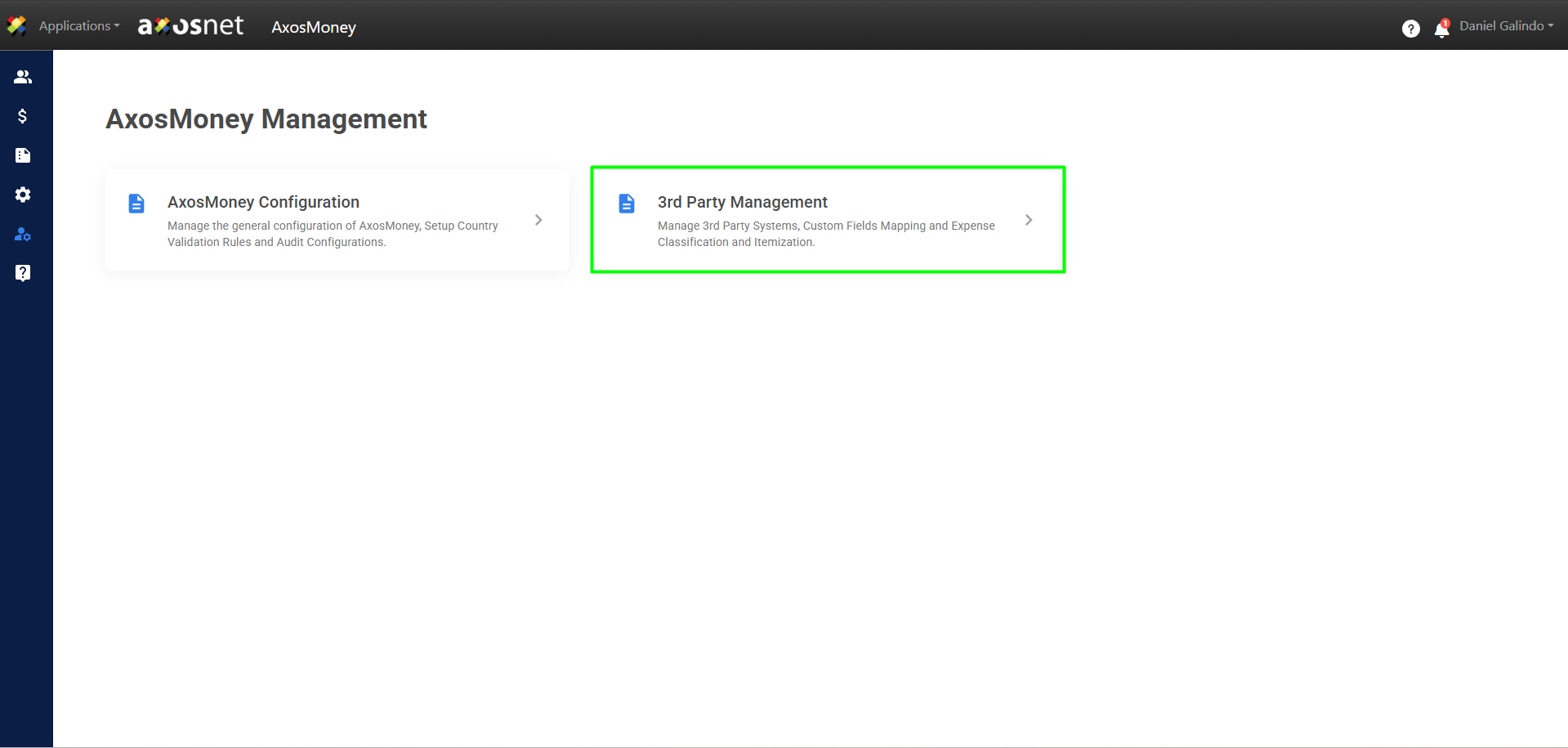
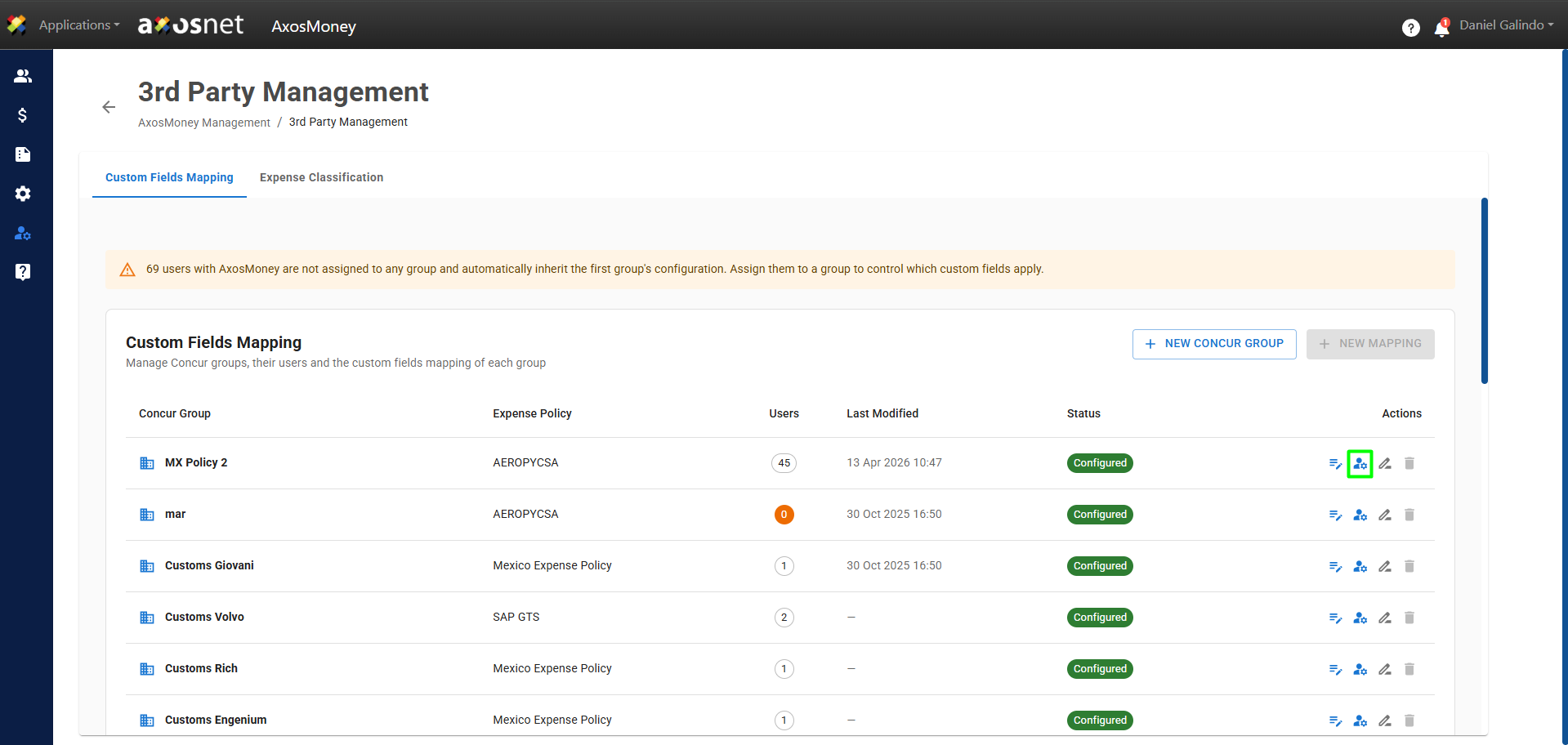
1. Go to the Administration section in the left side menu and click on 3rd Party Management.
2. In the 3rd Party Management section, click the Custom Field Mapping tab.
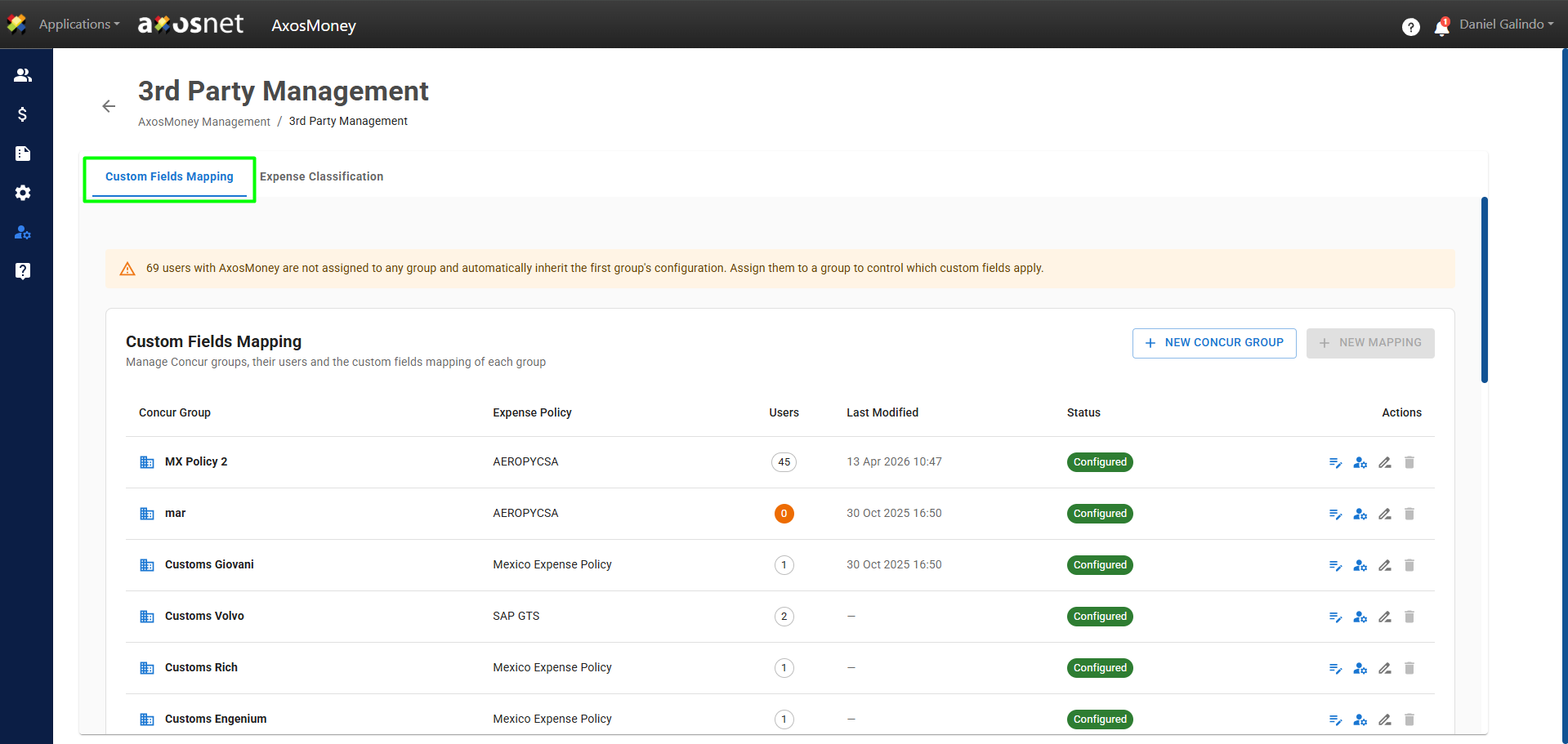
3. To assign a user to a group, click the Manage Users icon in the actions column.
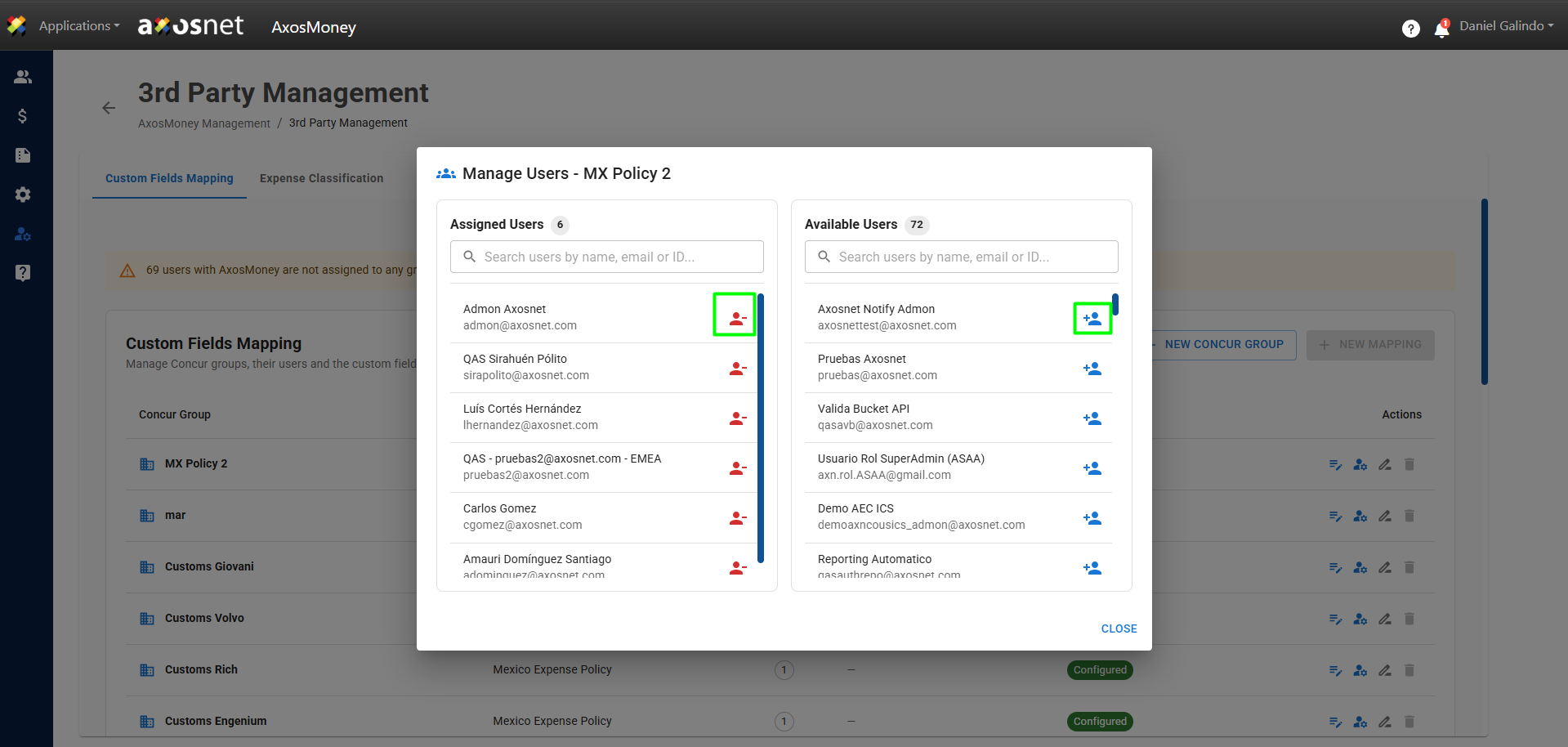
4. A pop-up window will open where you can see Assigned Users and Available Users.
To remove a user from the group, simply click on the red icon in the Assigned Users section, as shown in the image. Similarly, you can add users by clicking on the blue icon in the Available Users section.
Note: You can use the search field to find a specific user.
5. When removing or assigning users to a group, a pop-up window will appear to confirm the action.