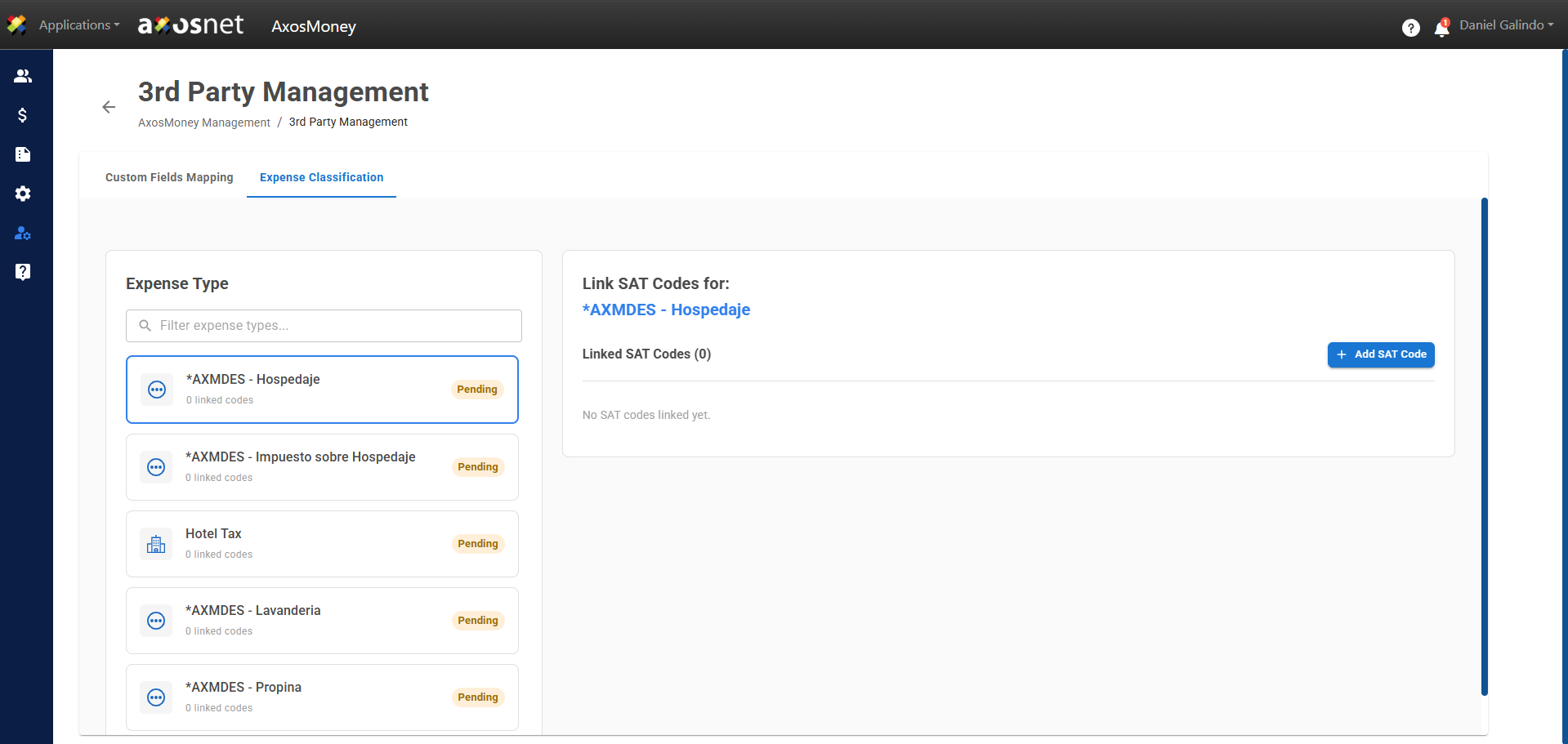
The AxosMoney Management section, accessible exclusively to administrators, is the centralized hub for managing and customizing the system’s operational settings. Its primary function is to allow users to view and adjust business rules, tax limits, and special configurations, ensuring that the platform aligns with the company’s specific policies.
In the AxosMoney Management, you will see the following sections with their corresponding tabs:
AxosMoney Configuration
- General Configuration
- Country Validation Rules
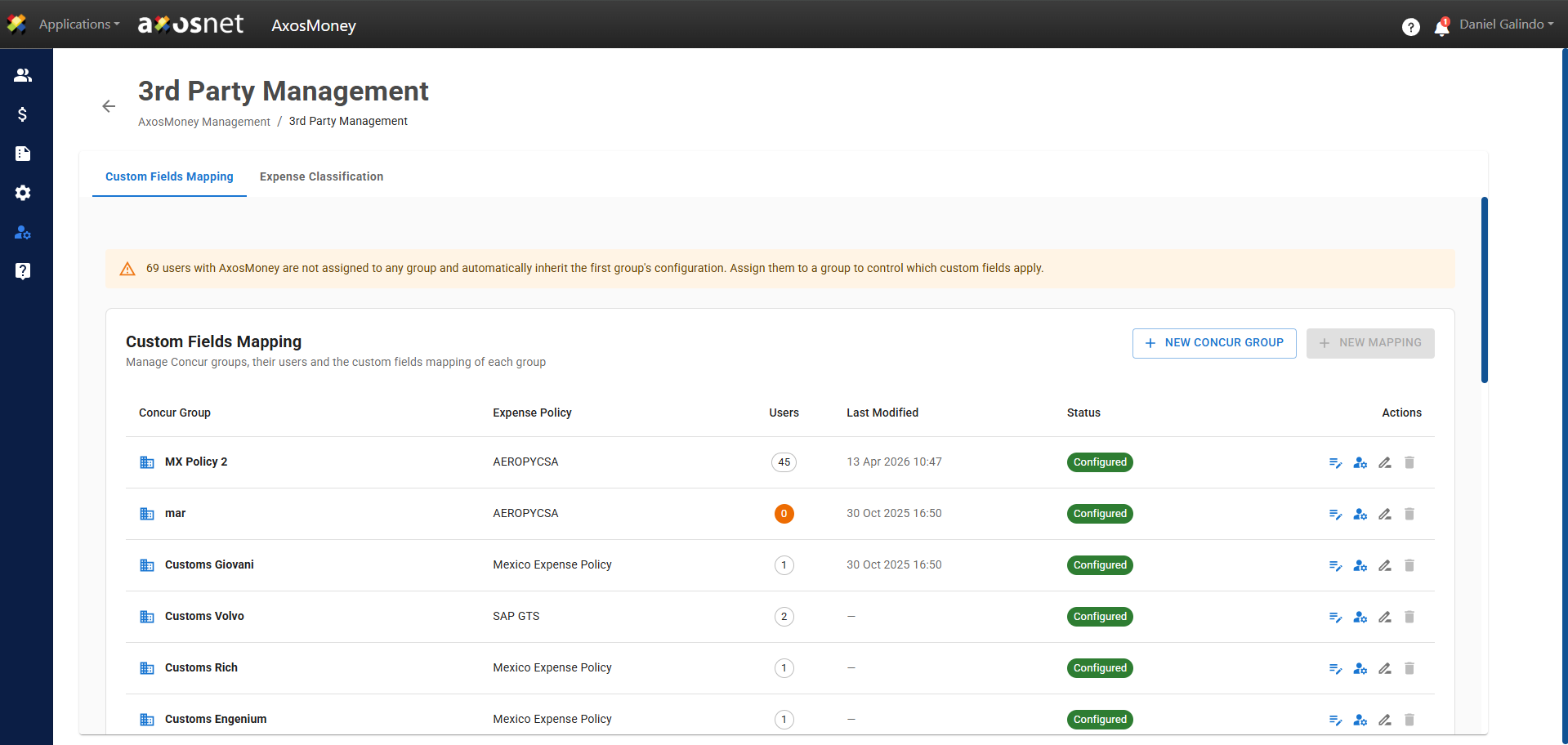
3rd Party Management
- Custom Fields Mapping
- Expense Classification
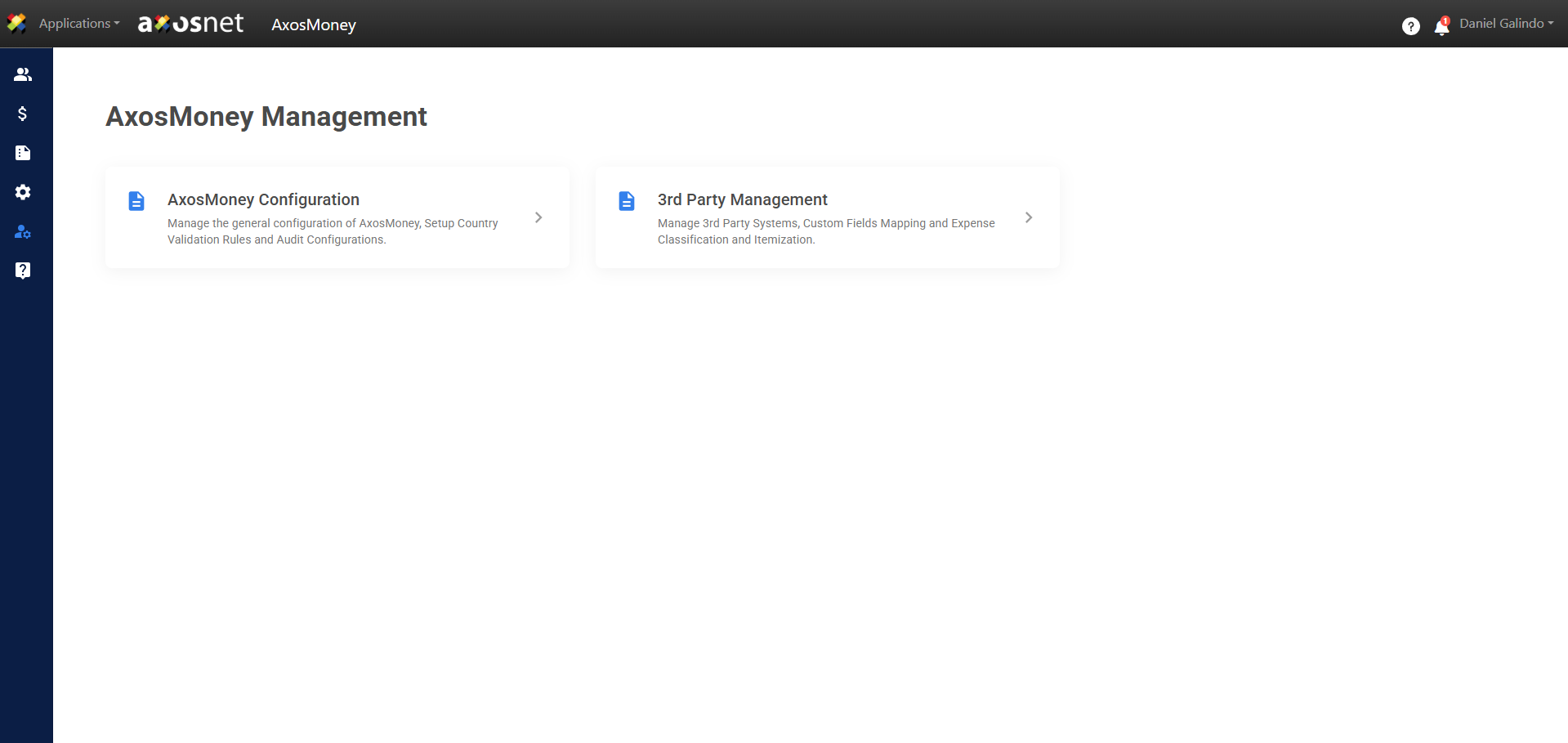
General Configuration.
In the General Configuration tab, you can adjust document processing and validation rules (such as tolerances and date limits), manage group integrations, and view active add-ons, thereby tailoring the platform’s behavior to company policies.
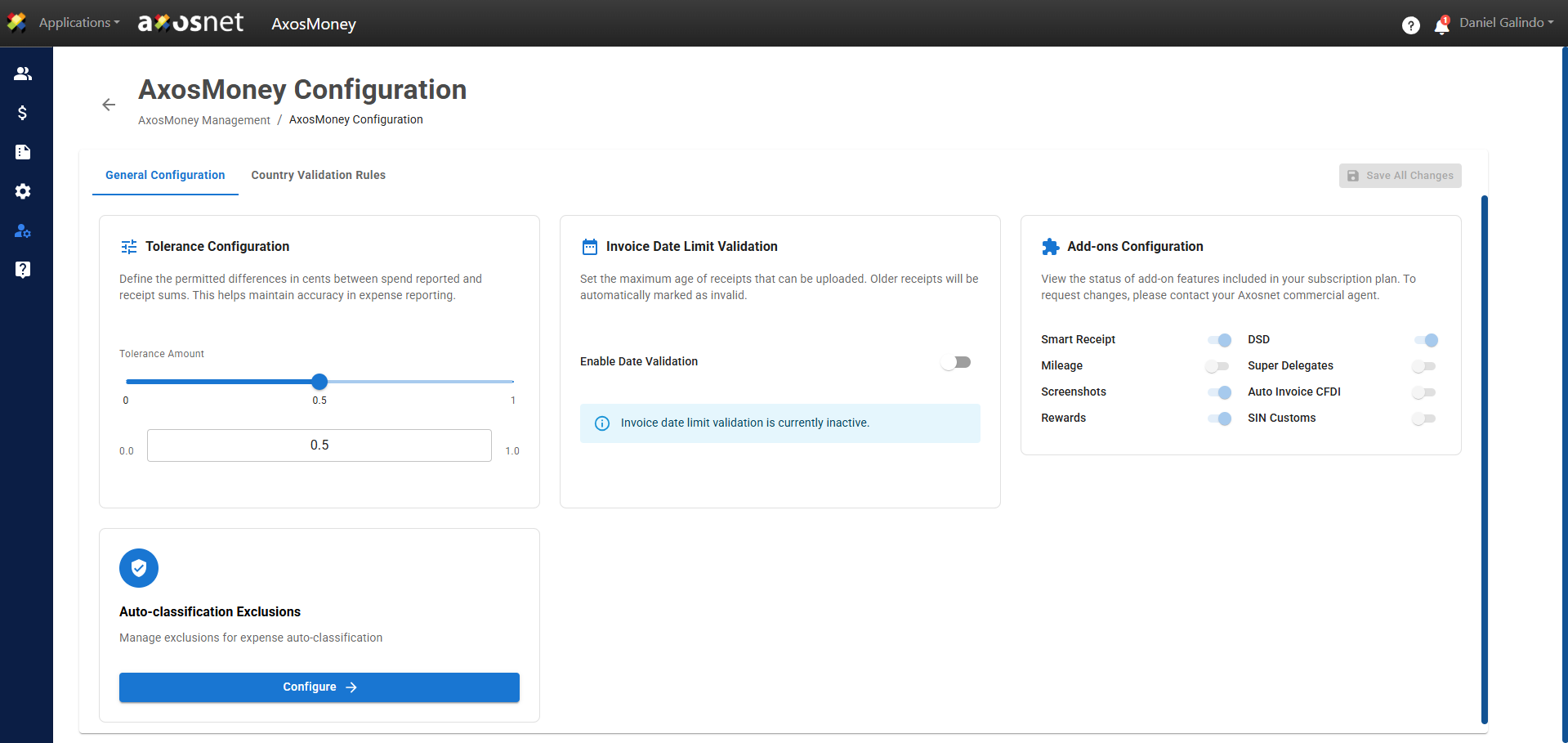
Country Validation Rules
This section allows you to configure region-specific tax and operational settings. From here, you can manage security validations (such as blacklists), requirements for capturing and scanning receipts, and permitted e-invoicing catalogs (use of CFDI, forms, and payment methods), ensuring that all expenses comply with local regulations.
Custom Fields Mapping
Custom fields allow you to define additional JSON-based form fields for dynamic data collection. These fields will be available in expense forms and reports.
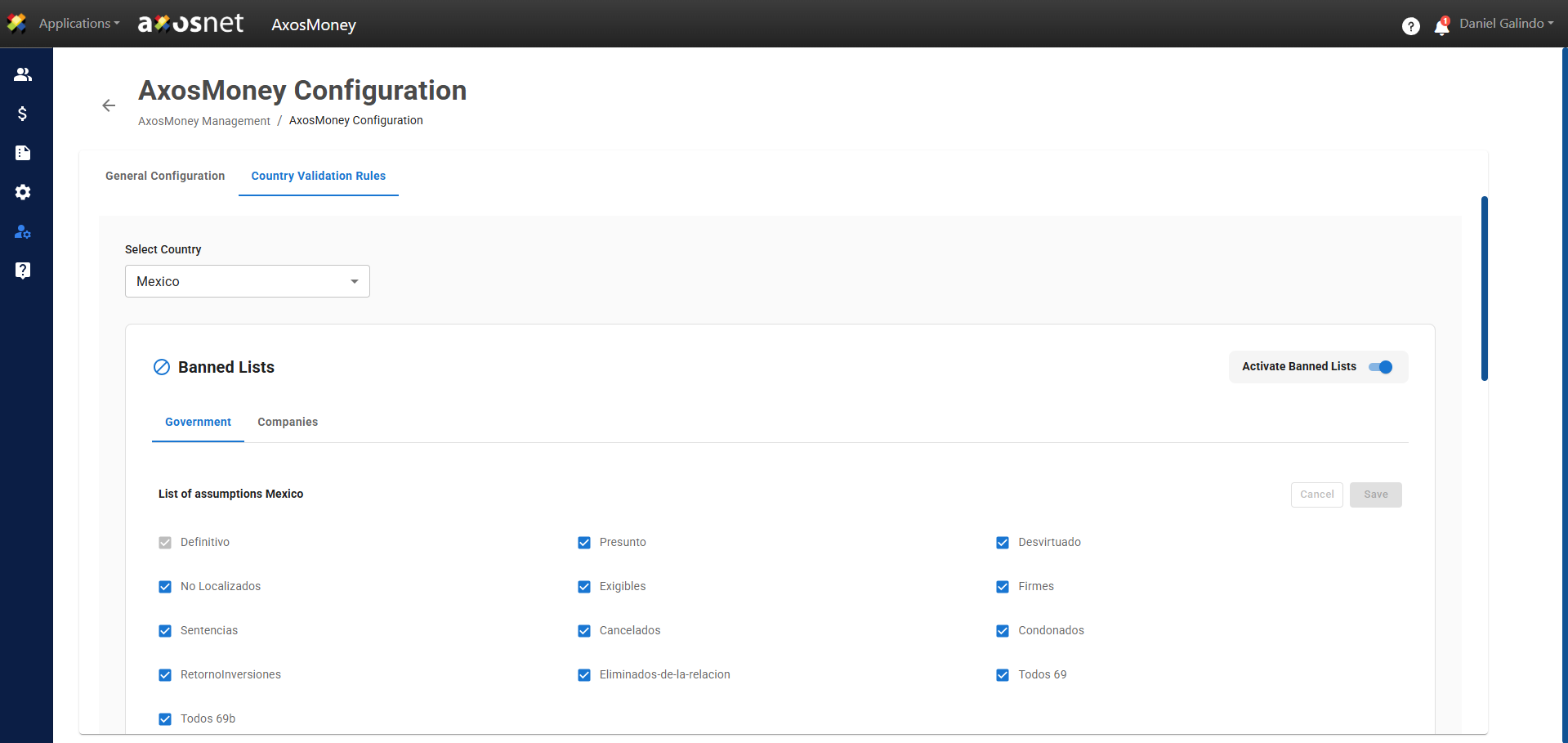
Expense Classificaction
This feature allows you to link expense categories directly to the SAT’s code catalog. Thanks to this linkage, when expenses are recorded and submitted, they are automatically categorized, thereby optimizing and speeding up the validation process. This enhancement complements the existing solution without modifying or altering the current workflow.