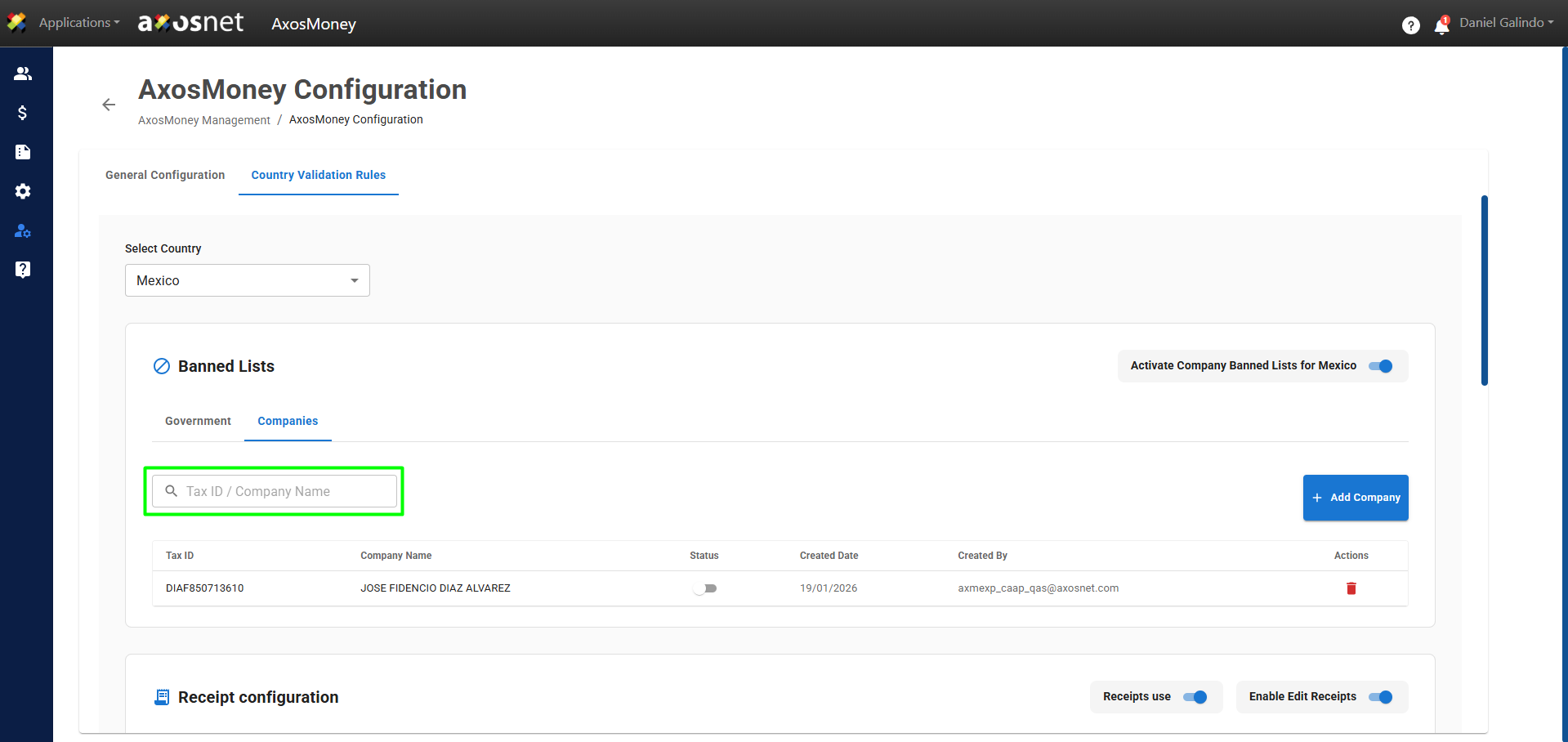
This AxosMoney feature allows application administrators to manage a list of blocked companies and define whether their invoices should enter the system. Administrators can control their individual status: when a company is active, its invoices are not processed; if it is deactivated, they are processed normally. This provides greater control and visibility over invoice processing on the platform.
To manage companies in Banned Lists, you can follow the following steps:
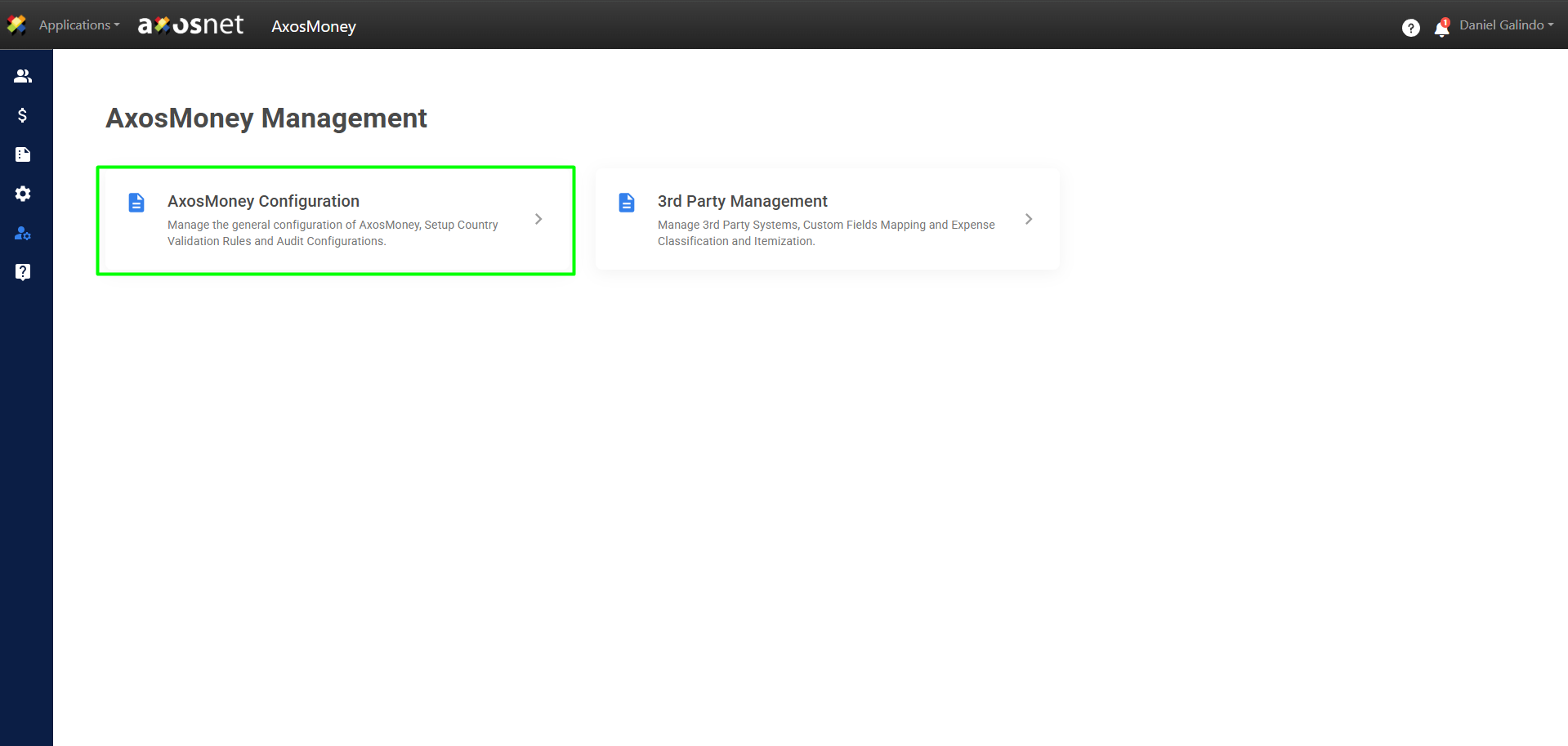
1. Go to the “Administration” section in the left-hand side menu and click on “AxosMoney Settings.”
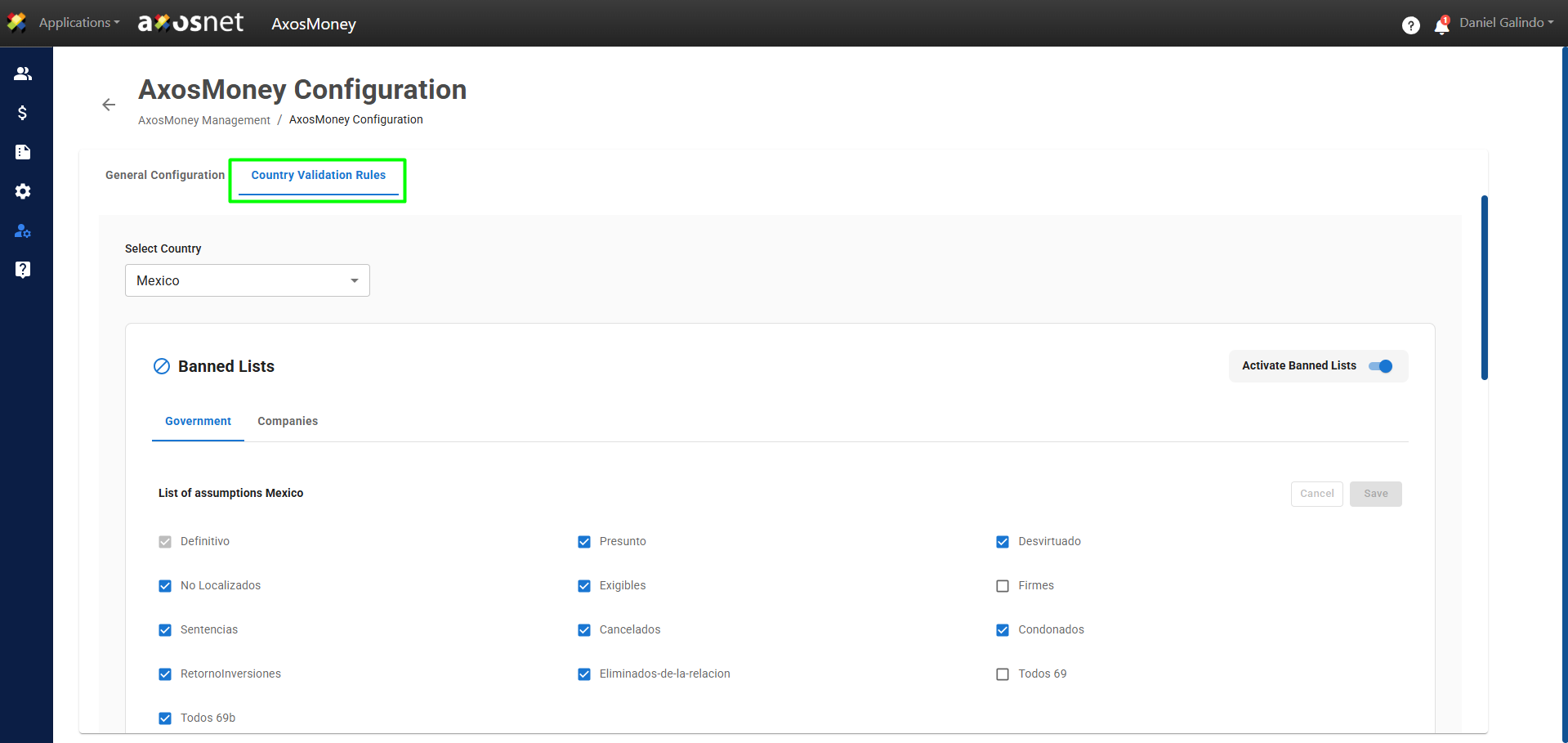
2. Select the “Country Validation Rules” tab.
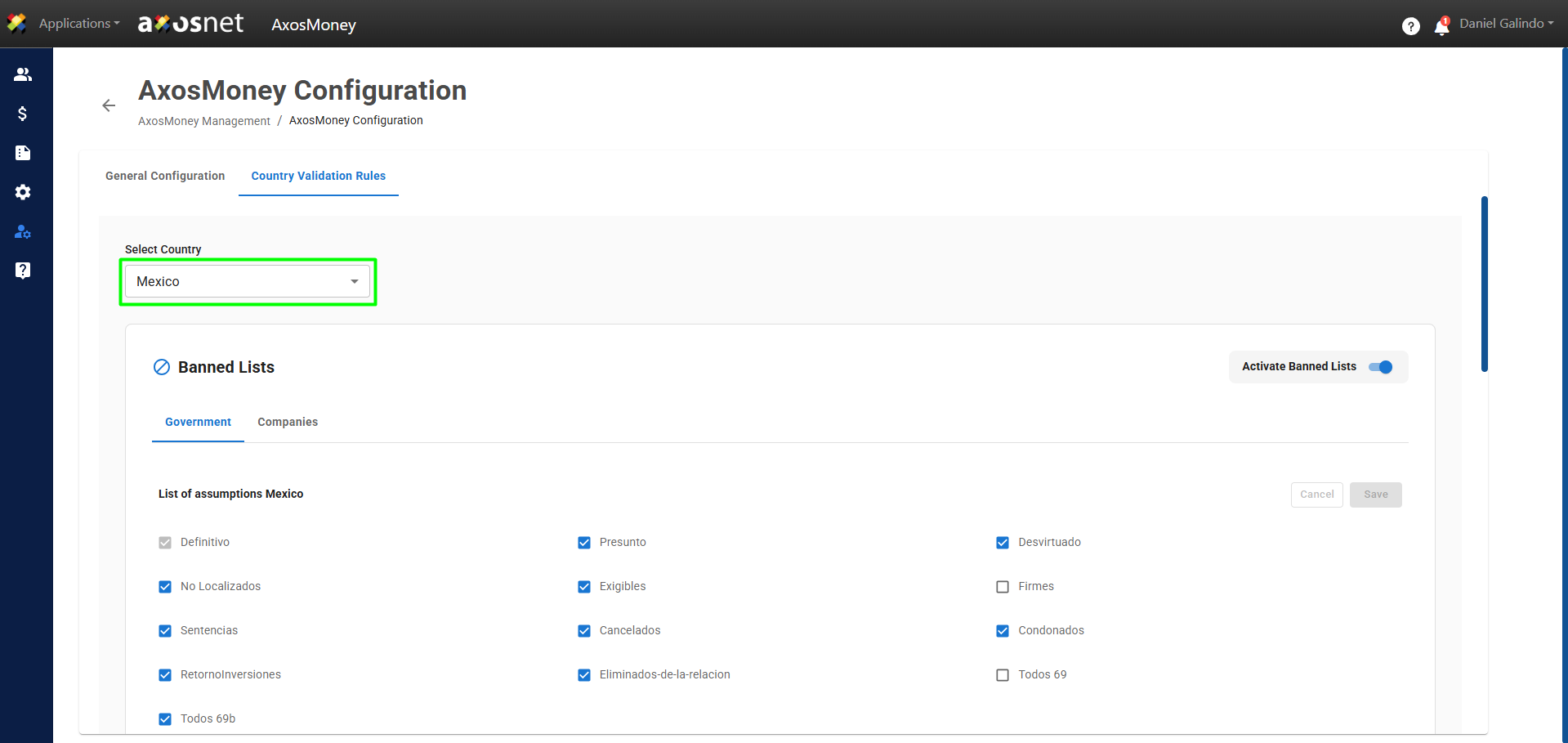
3. Select the country you want to configure.
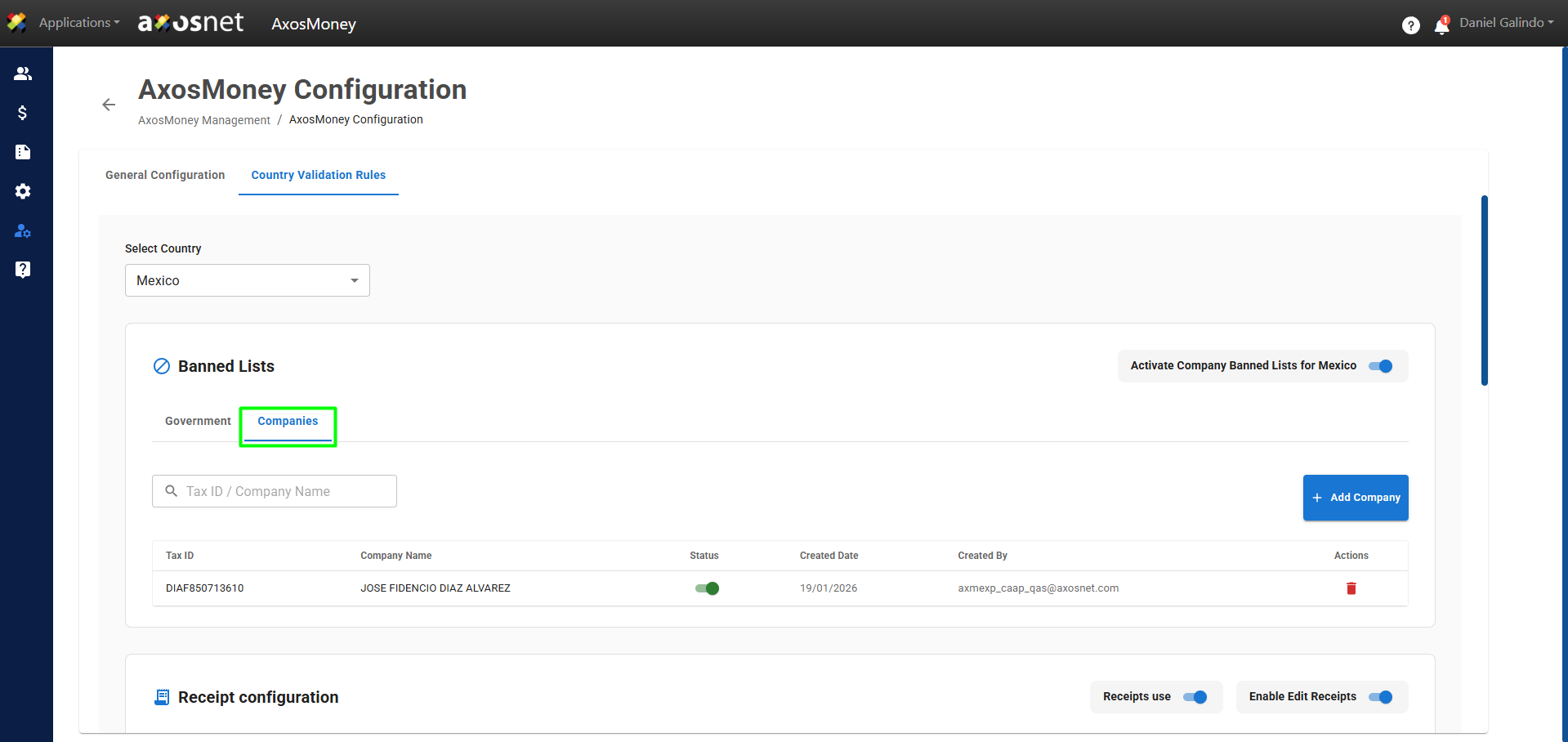
4. Select the “Companies” tab. Here, administrators can manage a list of blocked companies and specify whether their invoices should be entered into the system. Administrators can control each company’s status individually: when a company is active, its invoices are not processed; if it is deactivated, they are processed normally.
Note: At this time, this feature is only available in Mexico.
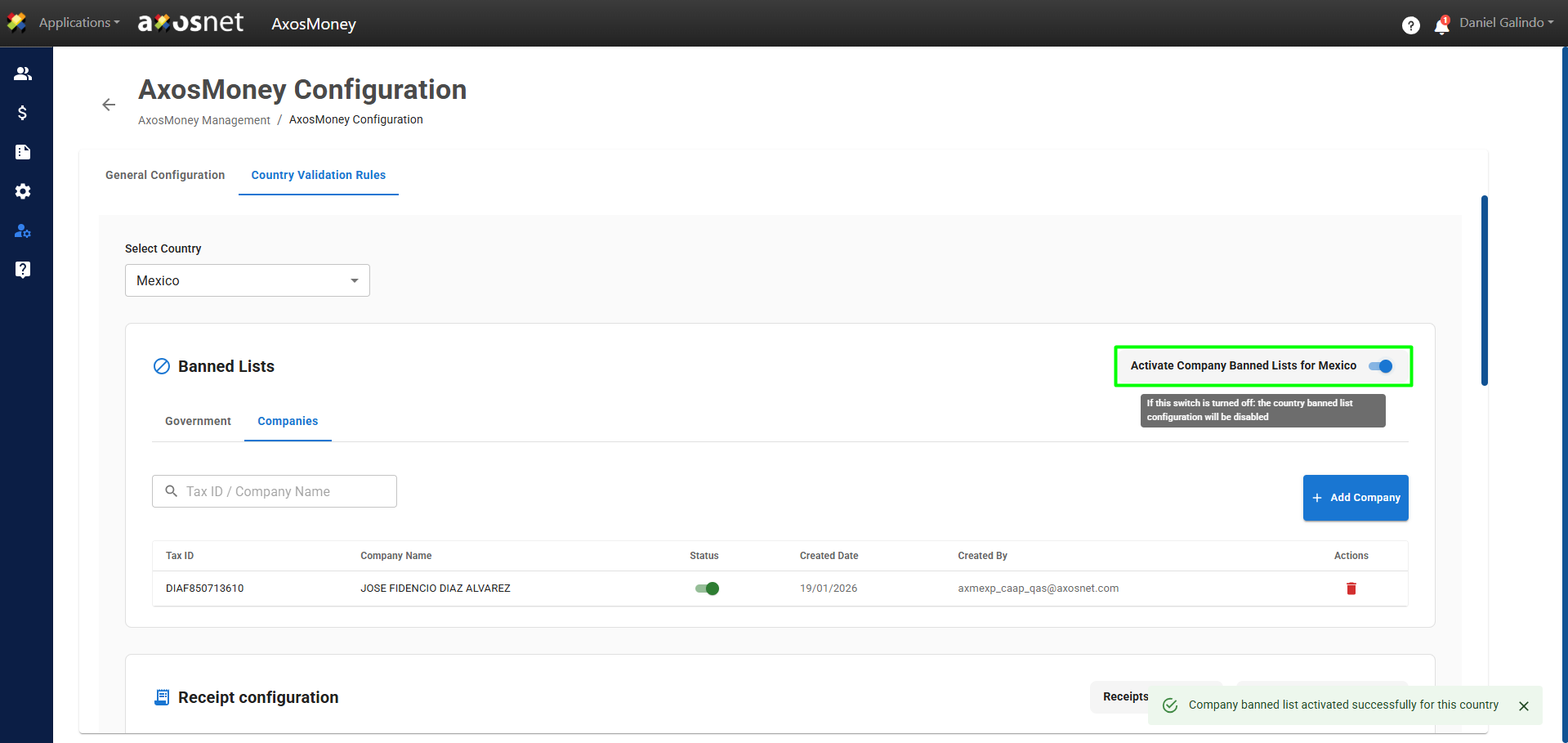
5. Clicking the toggle button will enable or disable the Banned Lists Exceptions setting.
6. To manage the companies on the list, we have four options:
- Add Company
- Delete Company
- Activate / Deactivate Company
- Search Company
Add Company
To add a Company, you can follow these steps:
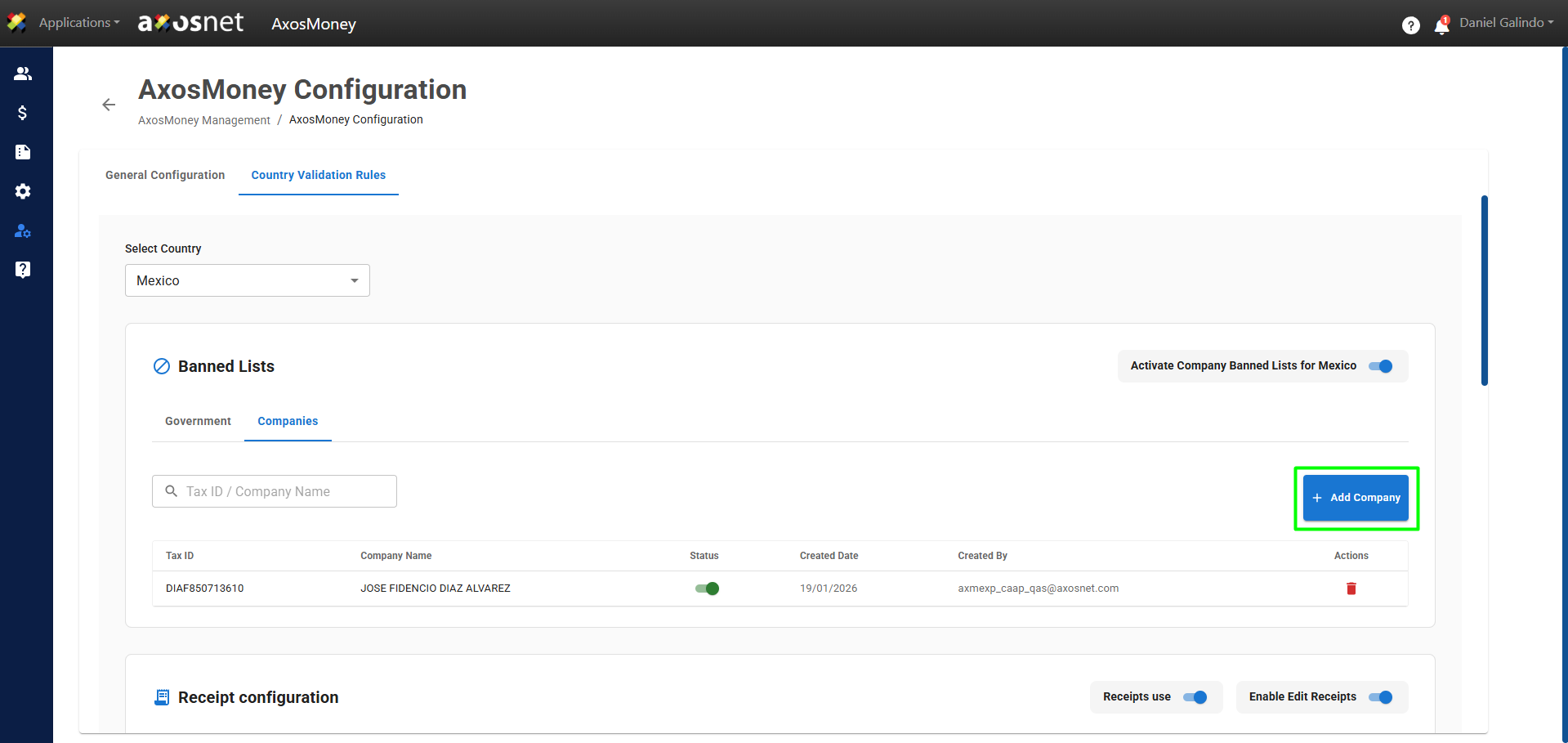
1. Click on Add Company.
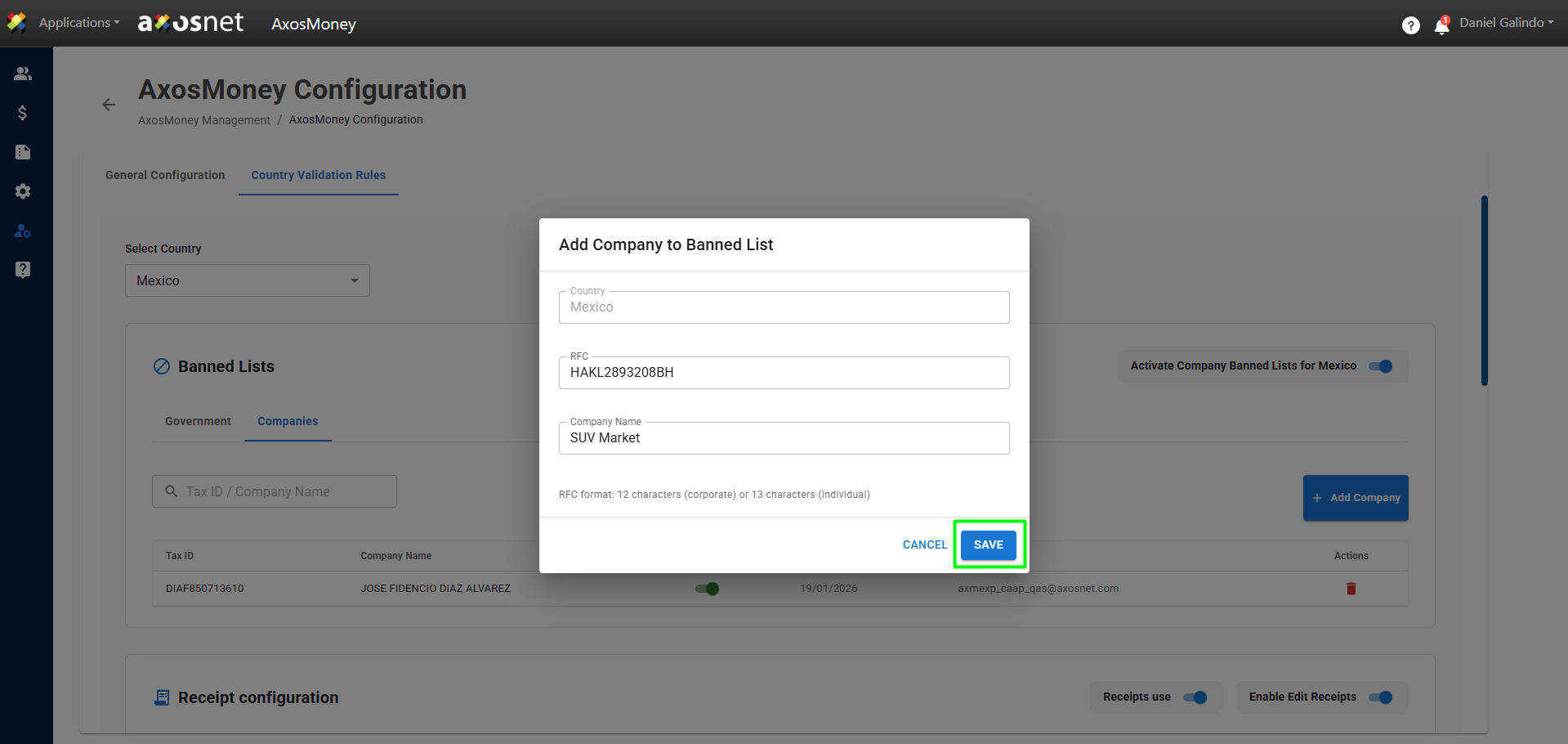
2. A pop-up window will appear in which you will have to enter the following data: Country, RFC, and Company Name. When finished, click Save.
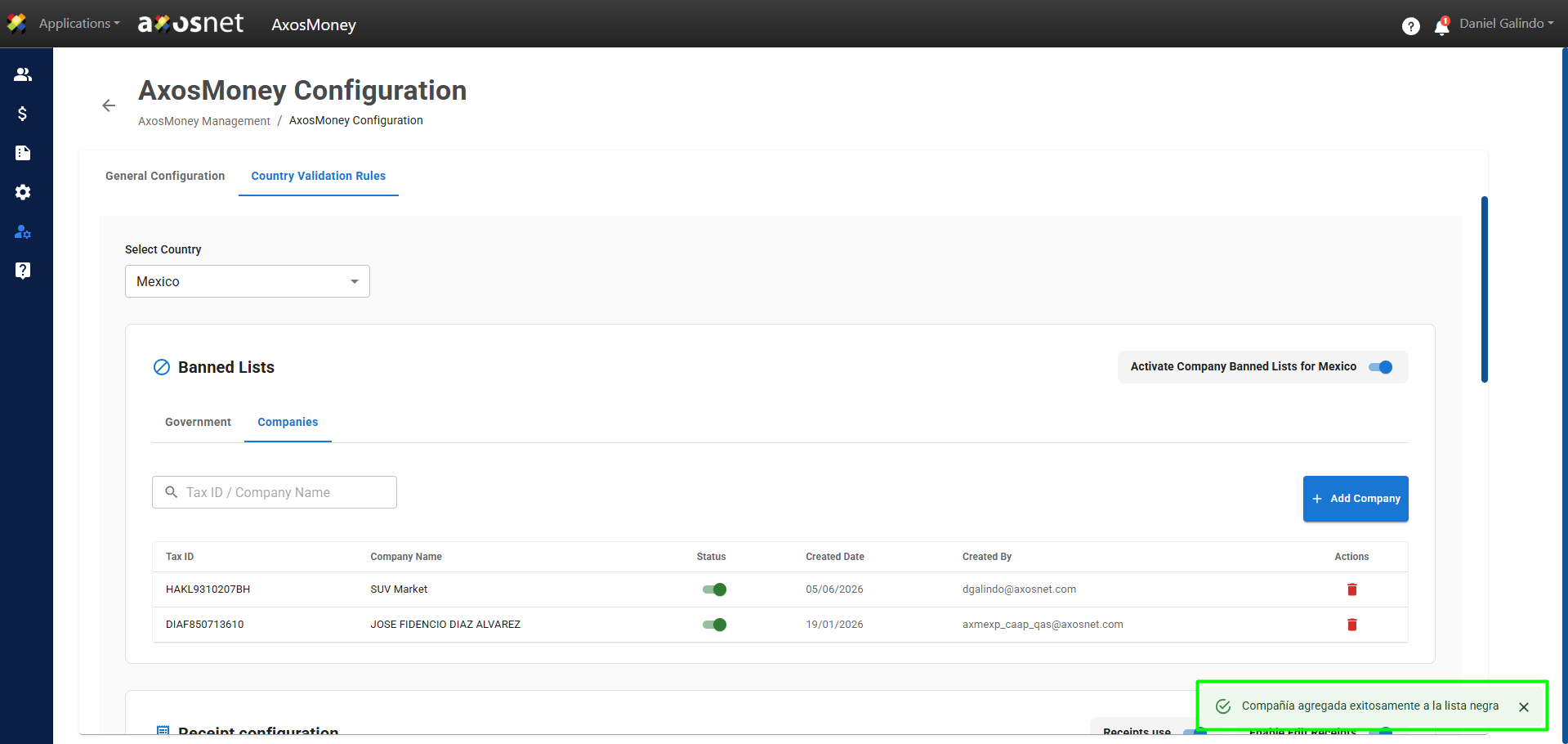
3. Upon completion, a confirmation message and the new company will appear on the list.
Delete Company
To delete a Company, you can follow these steps:
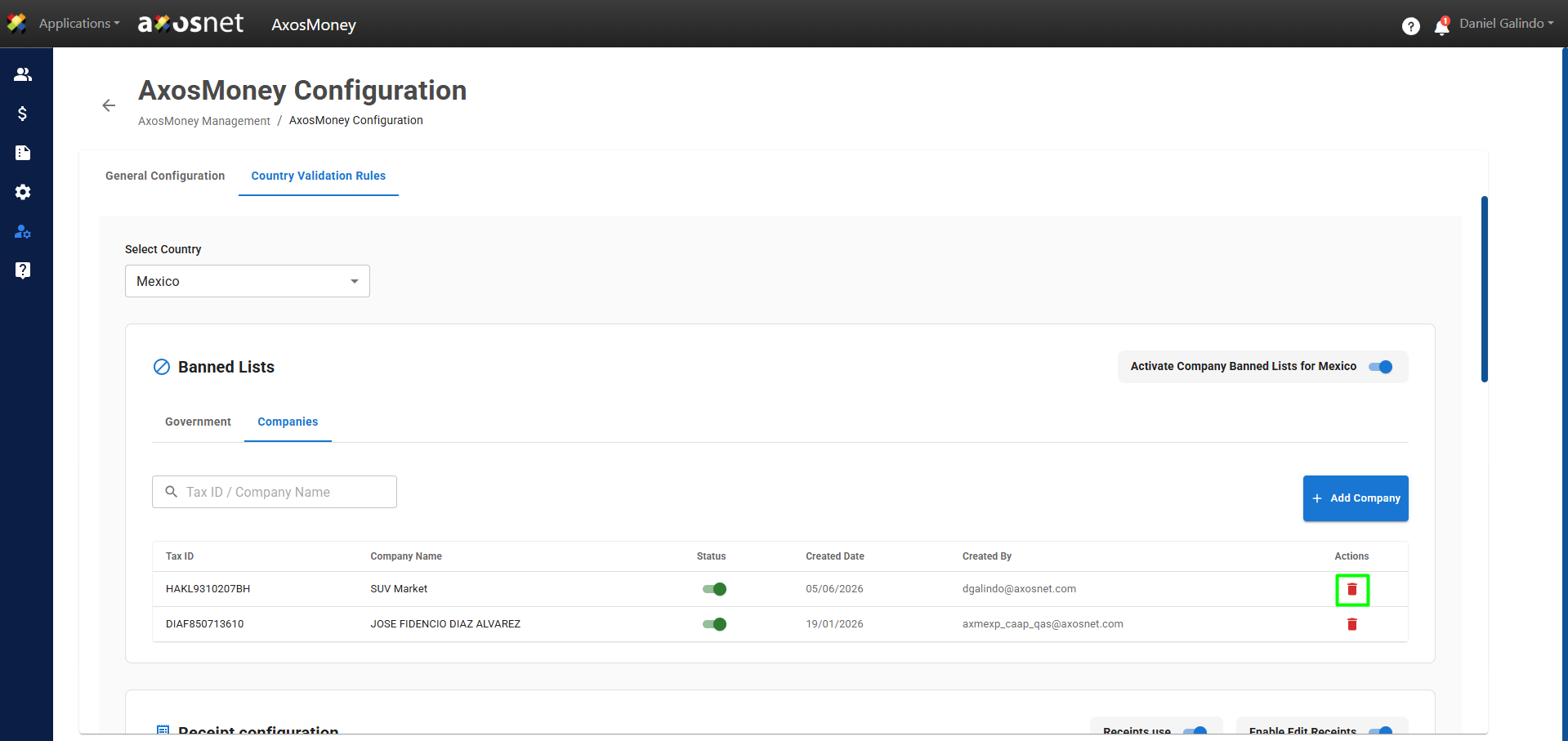
1. Click on the trash can icon to delete the company.
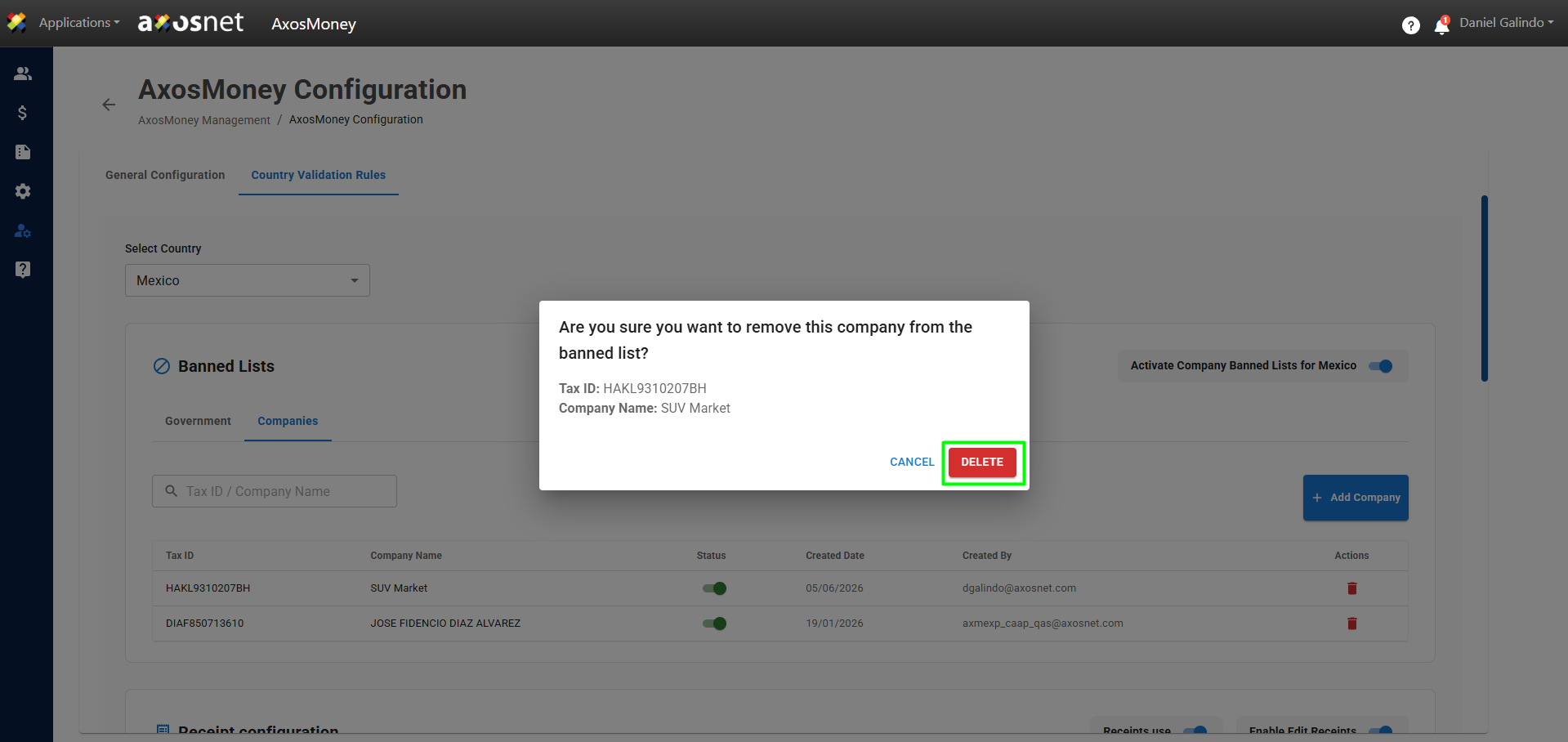
2. A pop-up window will appear. Click Delete to confirm and proceed with the process.
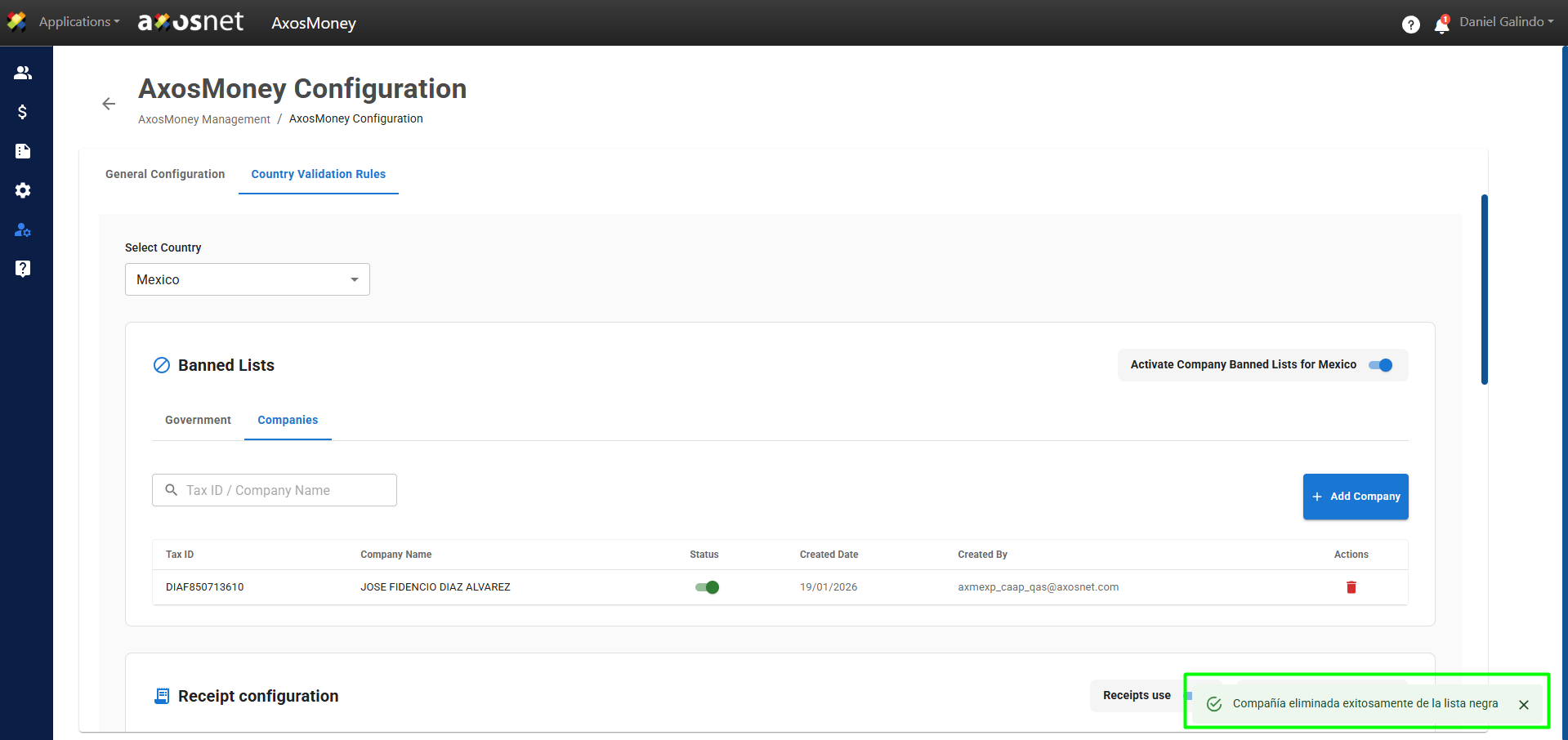
3. A message confirming that the company has been removed from the list will appear.
Activate / Deactivate Company
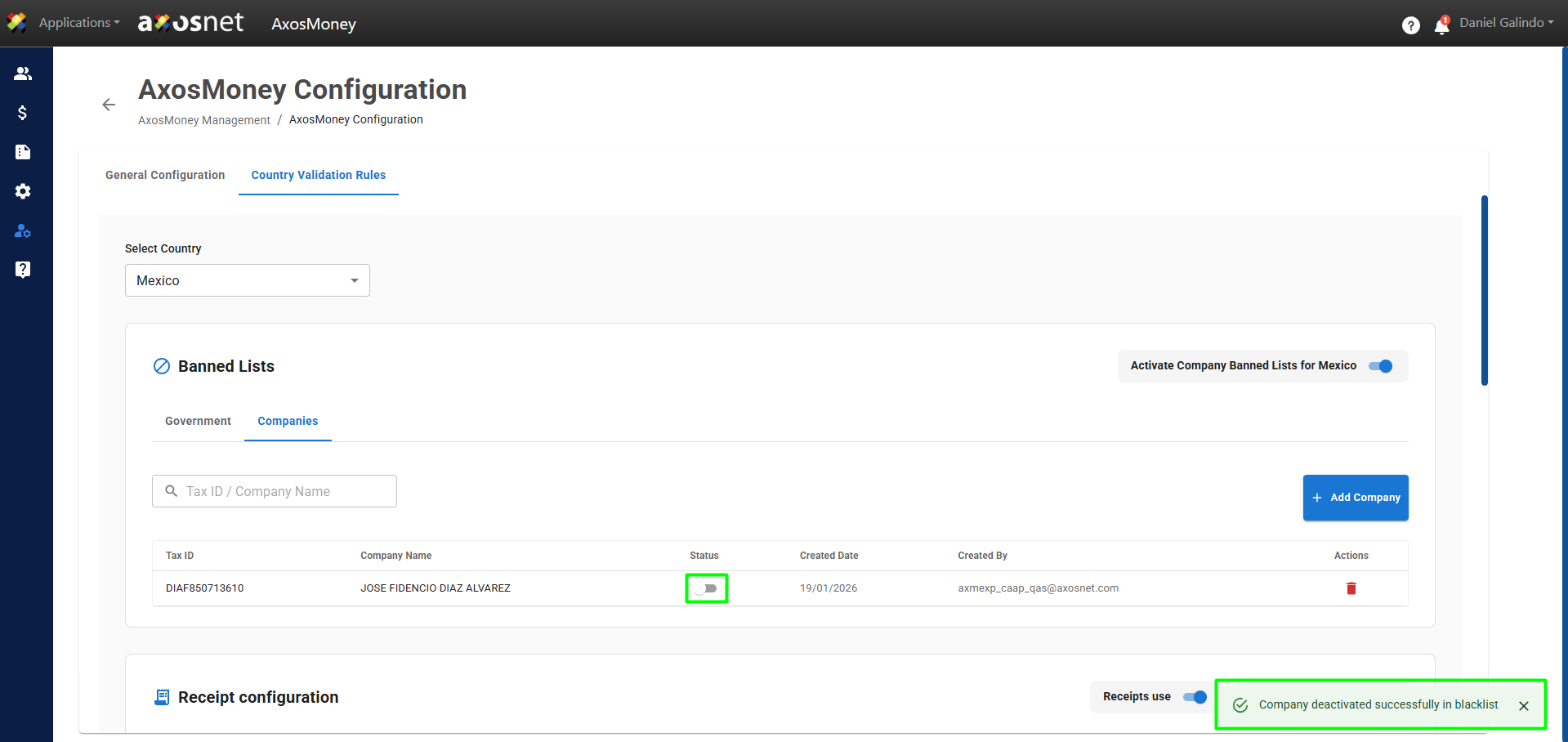
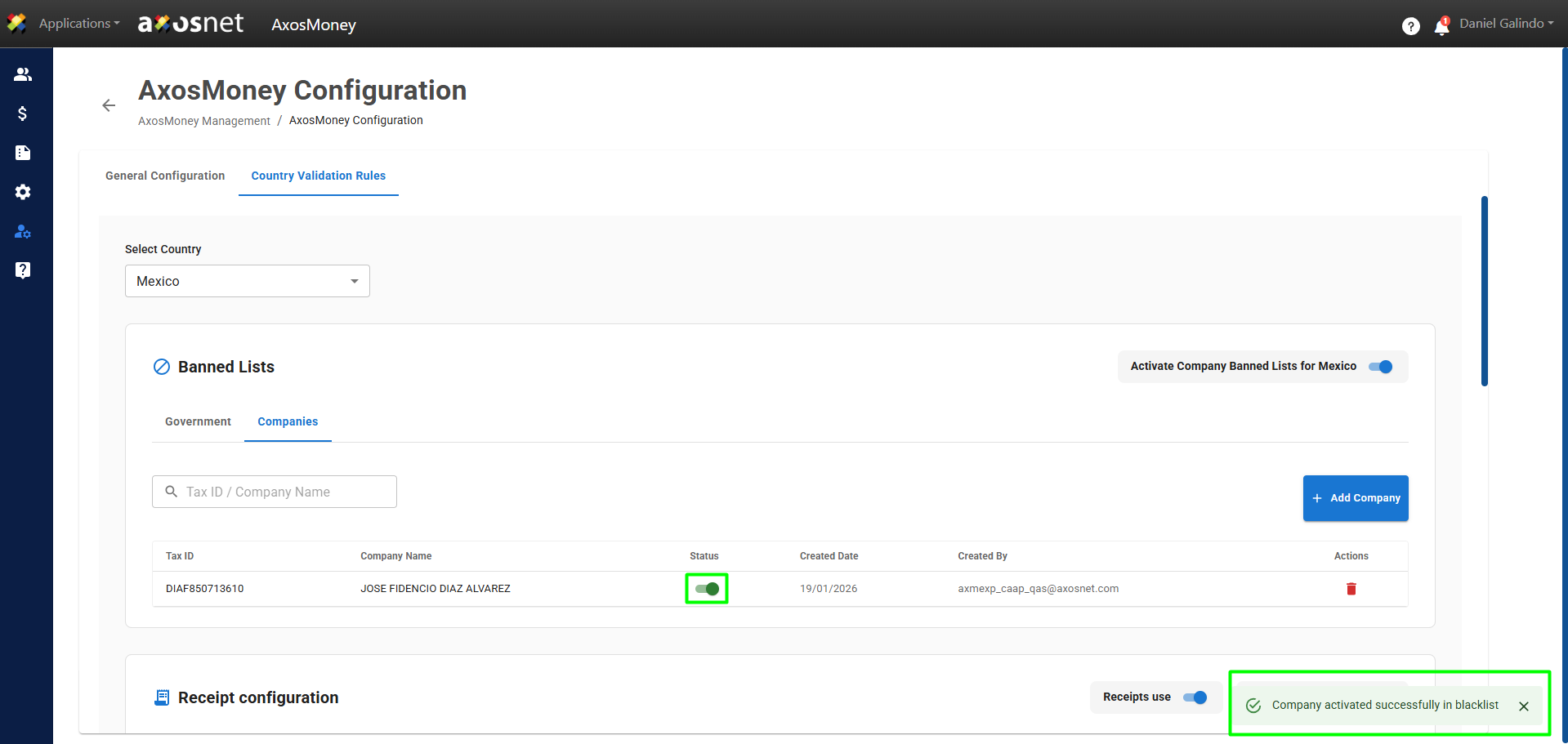
To activate/deactivate a Company, click the switch button to activate or deactivate the company. A message confirming the action will appear.
Note: This function will allow you to activate or deactivate companies individually in the list.
Search Company
If you have an extensive list of companies, you can use the search bar to filter the options. The search can be performed by the company’s name or its RFC.