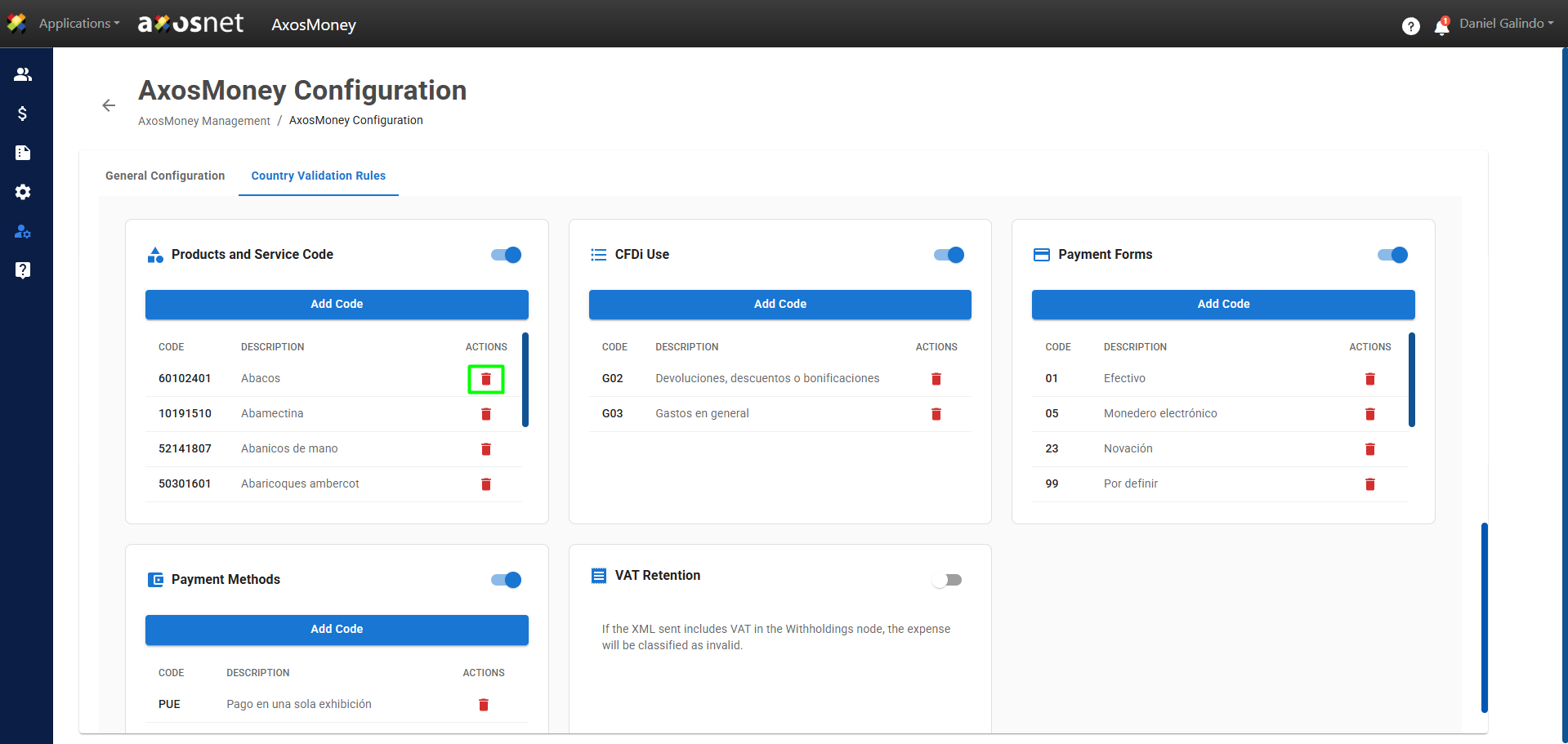
Enabling product and service code validations allows AxosMoney to validate and classify expenses submitted by users using the product and service codes provided by the SAT (the Mexican tax office).
To configure them, follow these steps:
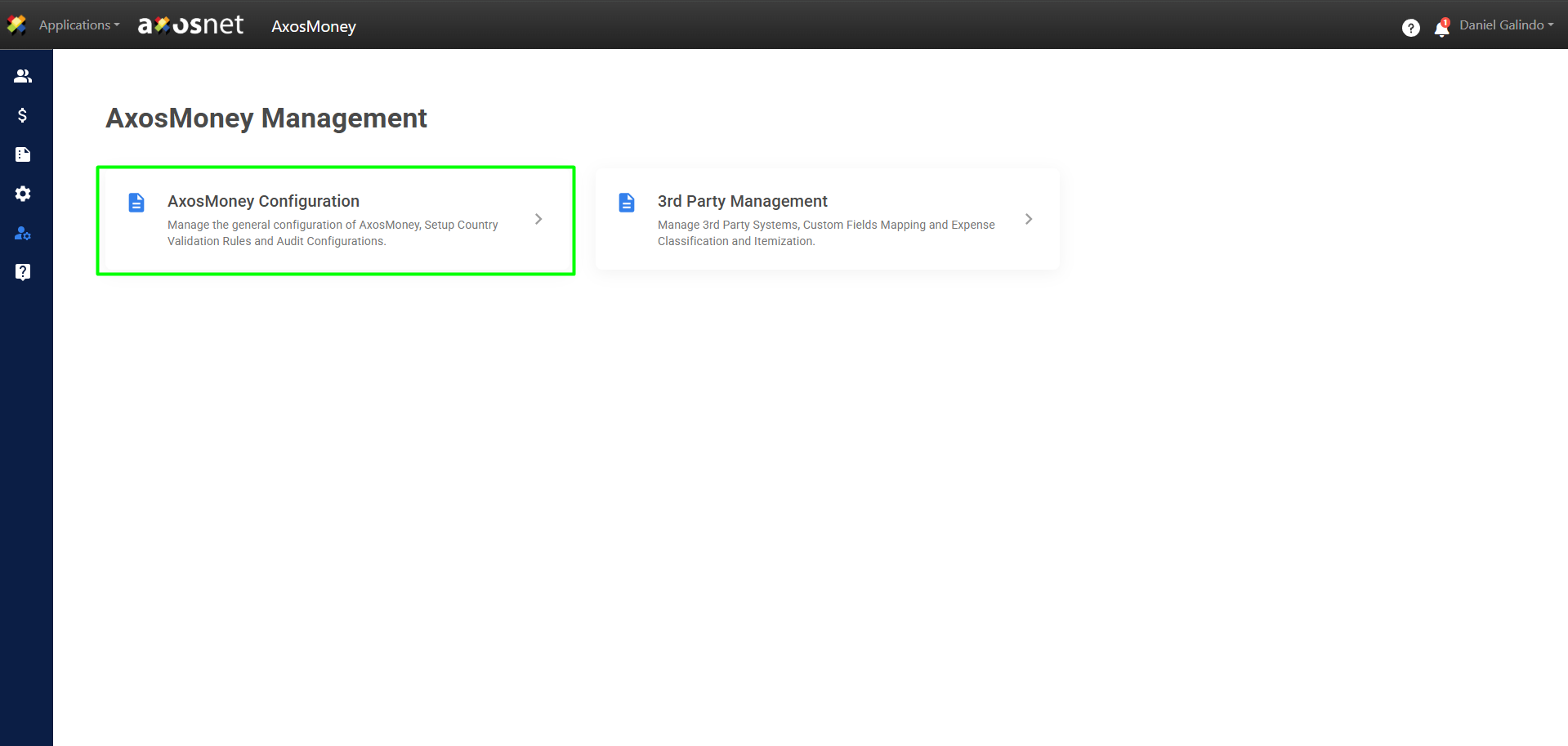
1. Go to the Administration section in the left side menu and click on AxosMoney Configuration.
2. Select the Country Validation Rules tab.
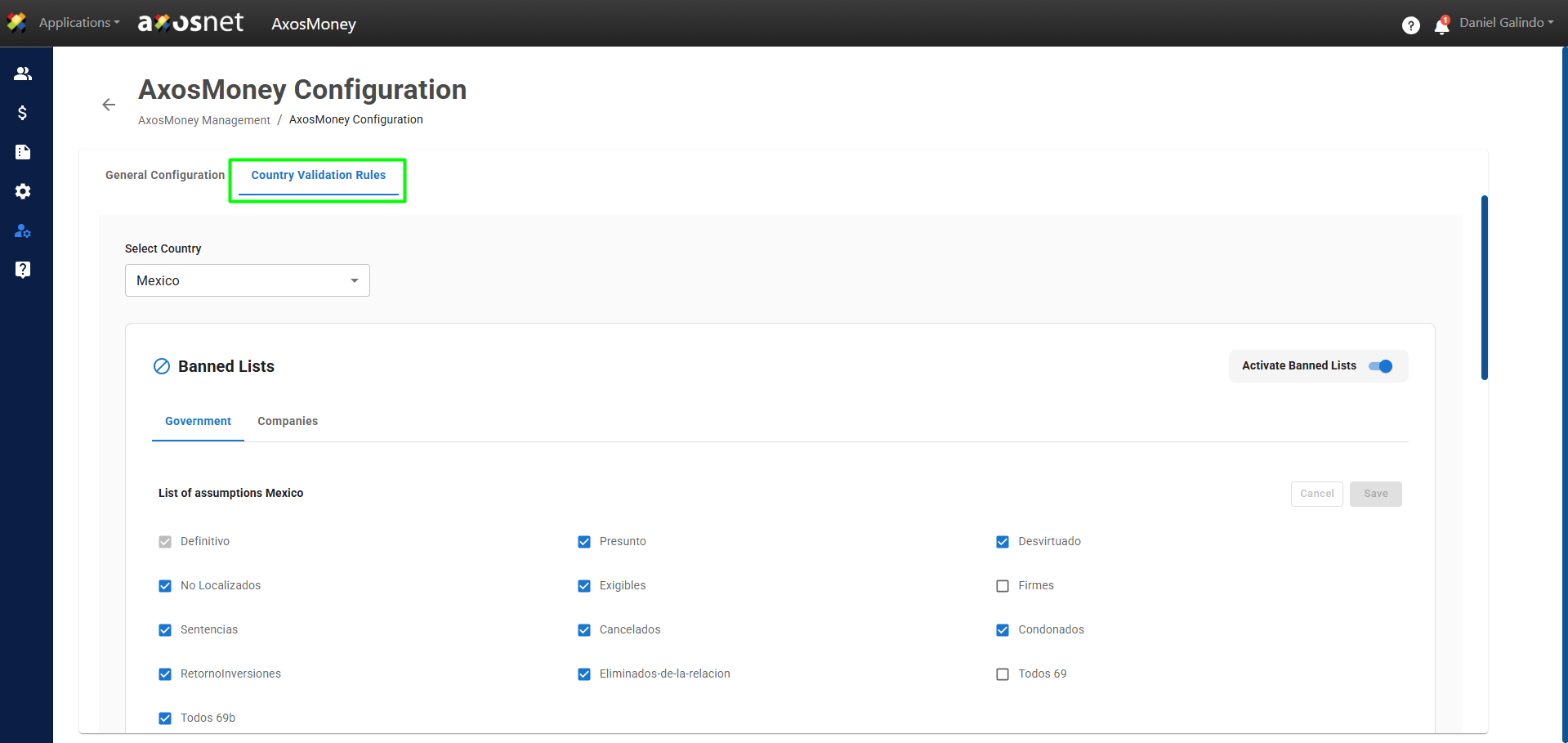
3. Select the country you want to configure.
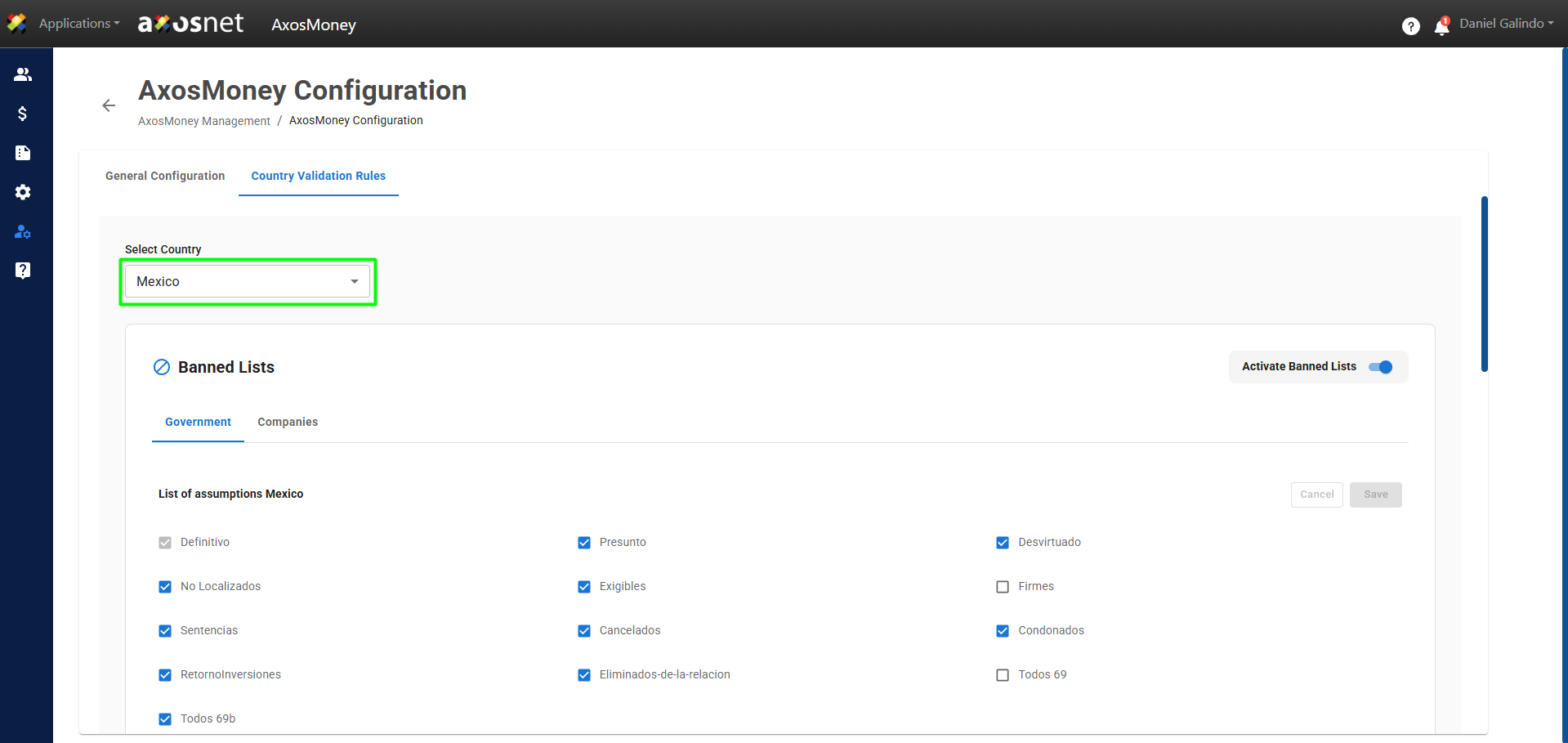
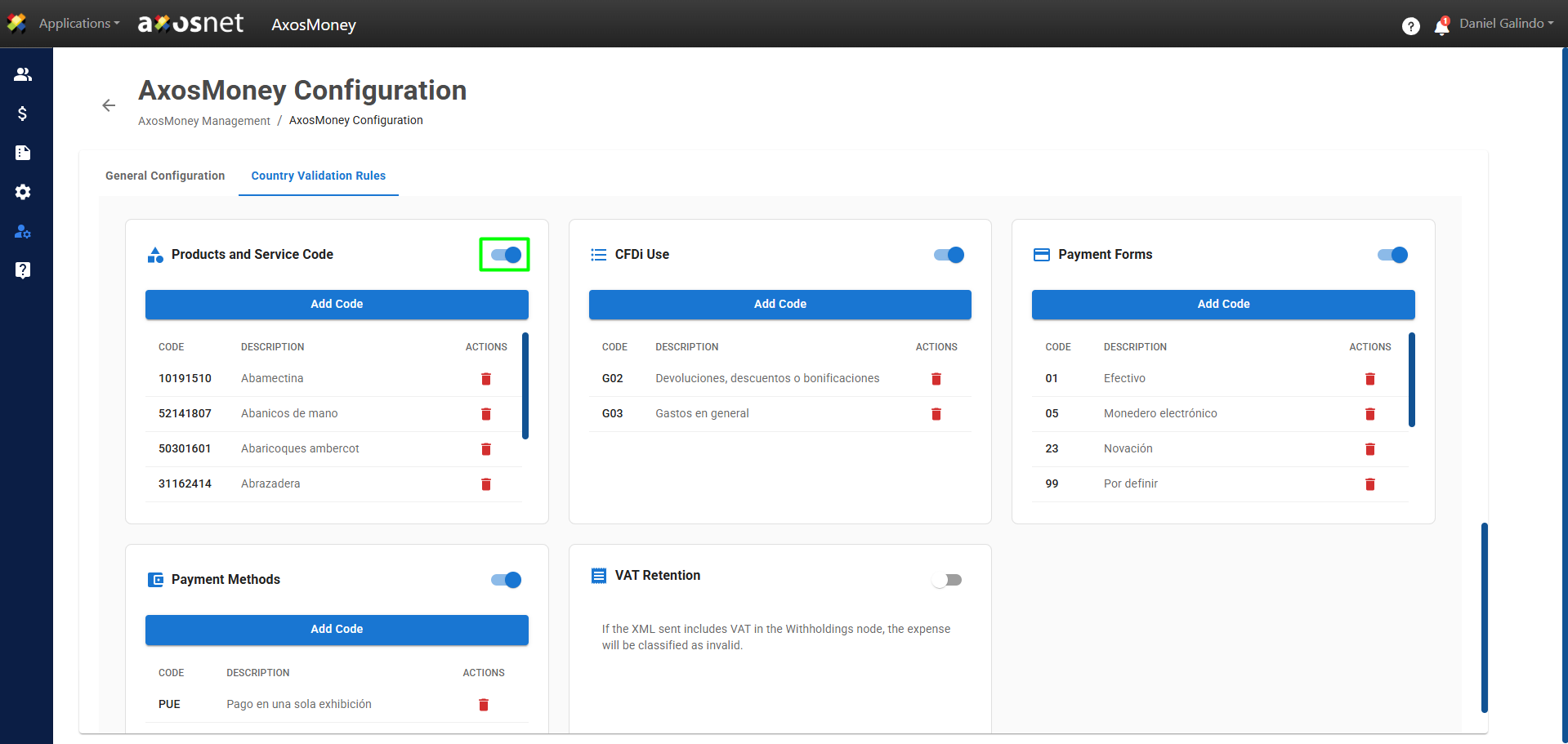
4. Scroll down and locate the Product and Service Codes section. To add a code, make sure the feature is enabled by clicking the toggle button.
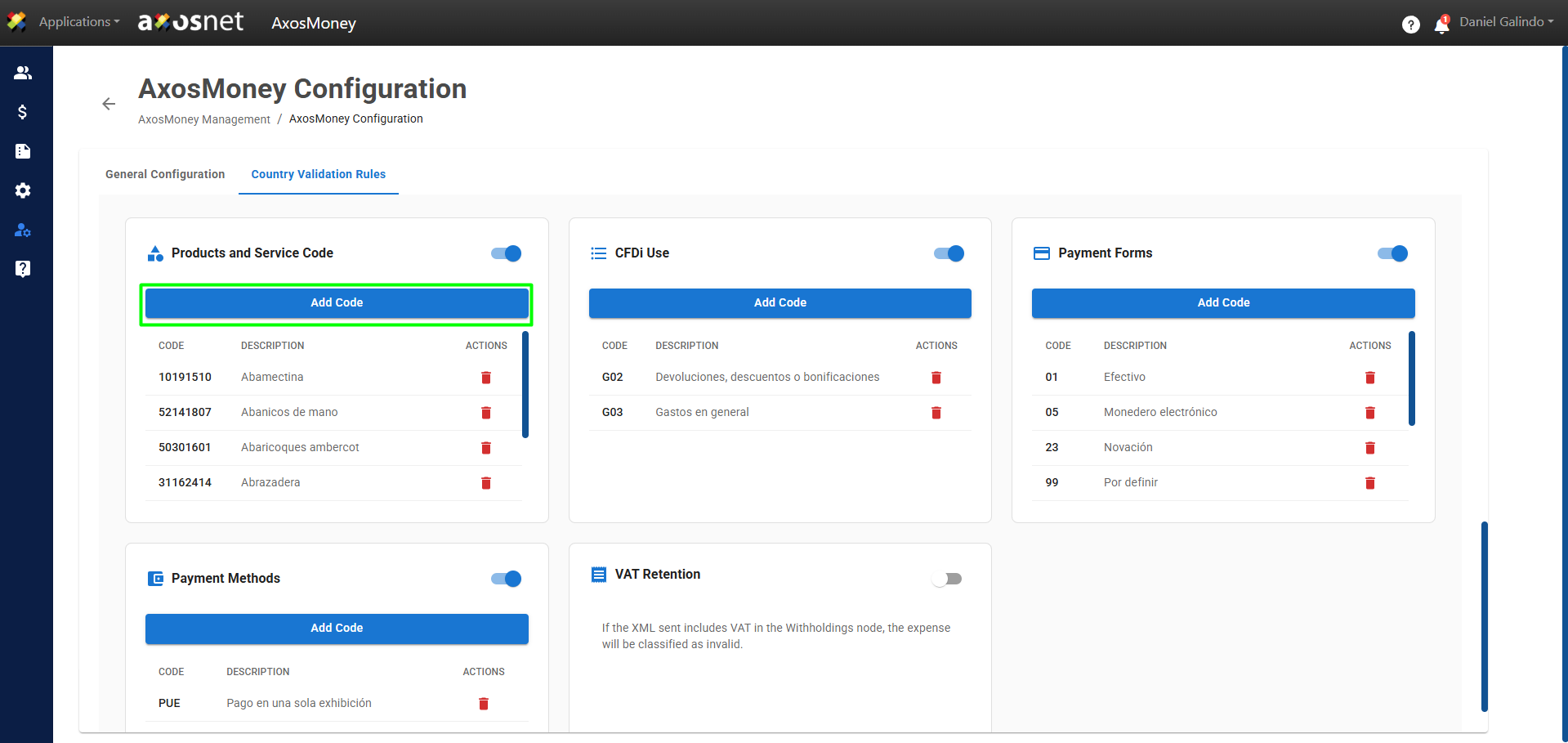
5. Once the feature is enabled, click Add Code.
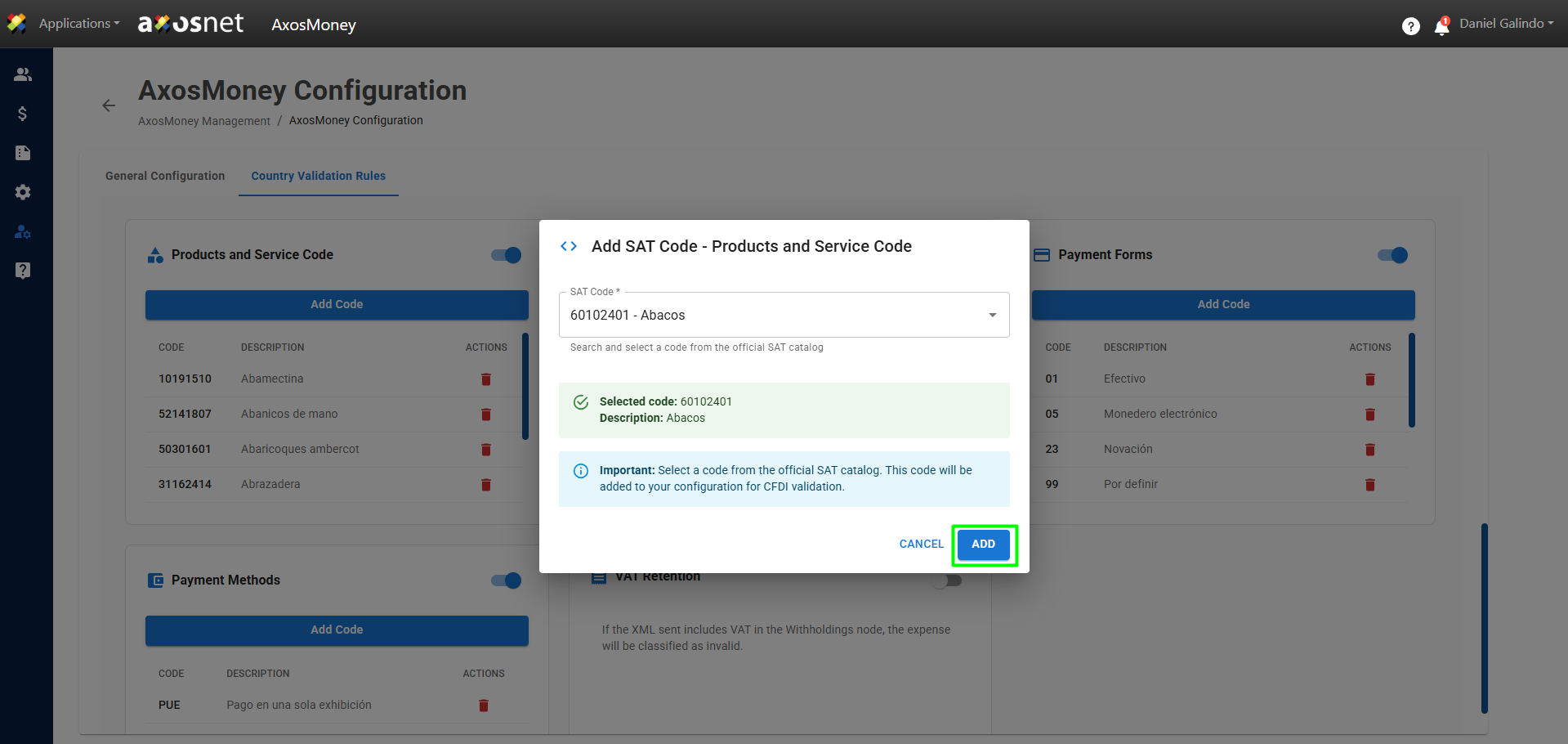
6. A pop-up window will appear. Click on the list of products or services and select the one that contains your invoices. Then, click Add to add it to your validations.
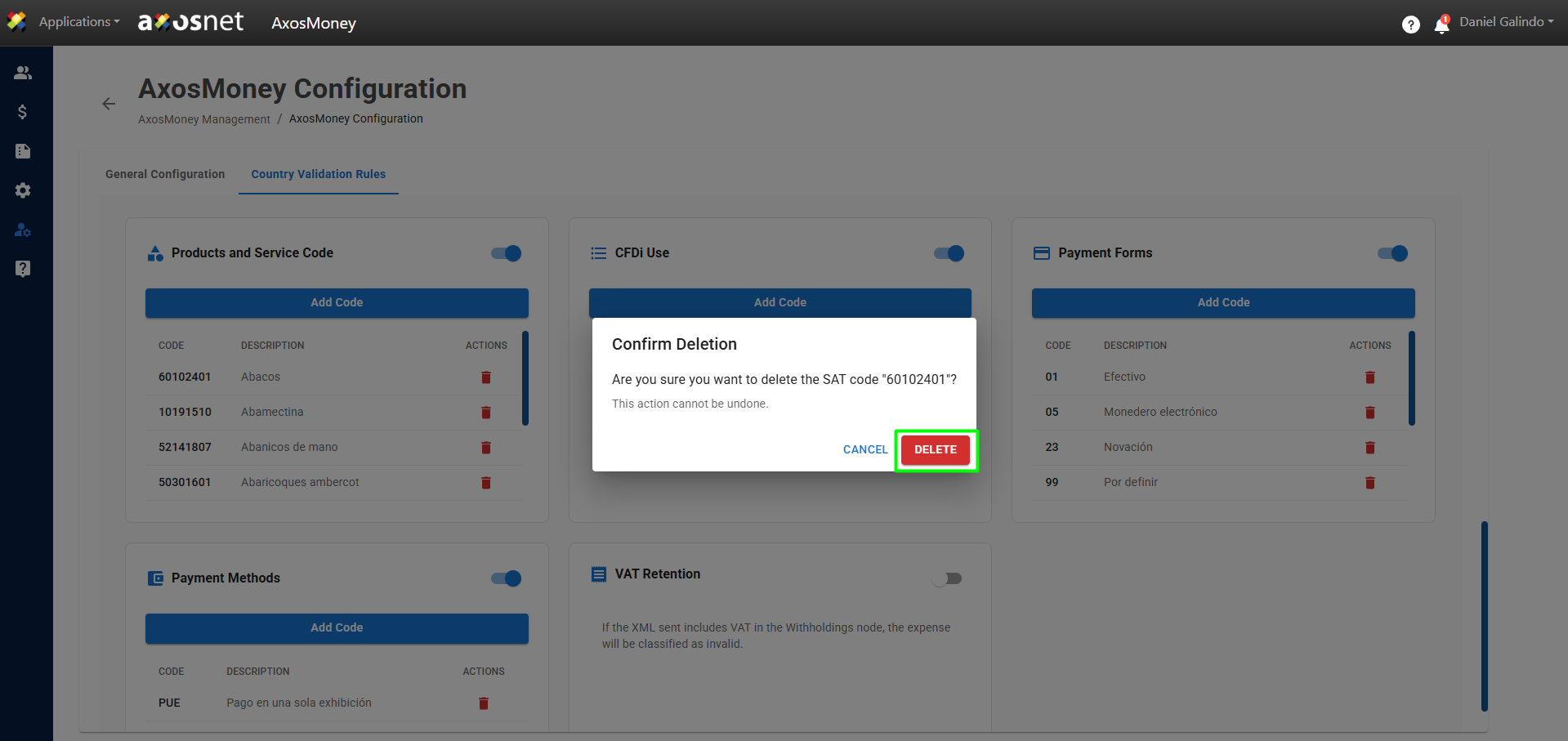
7. A confirmation message will appear, and the product or service key will be displayed in the list of added validations.
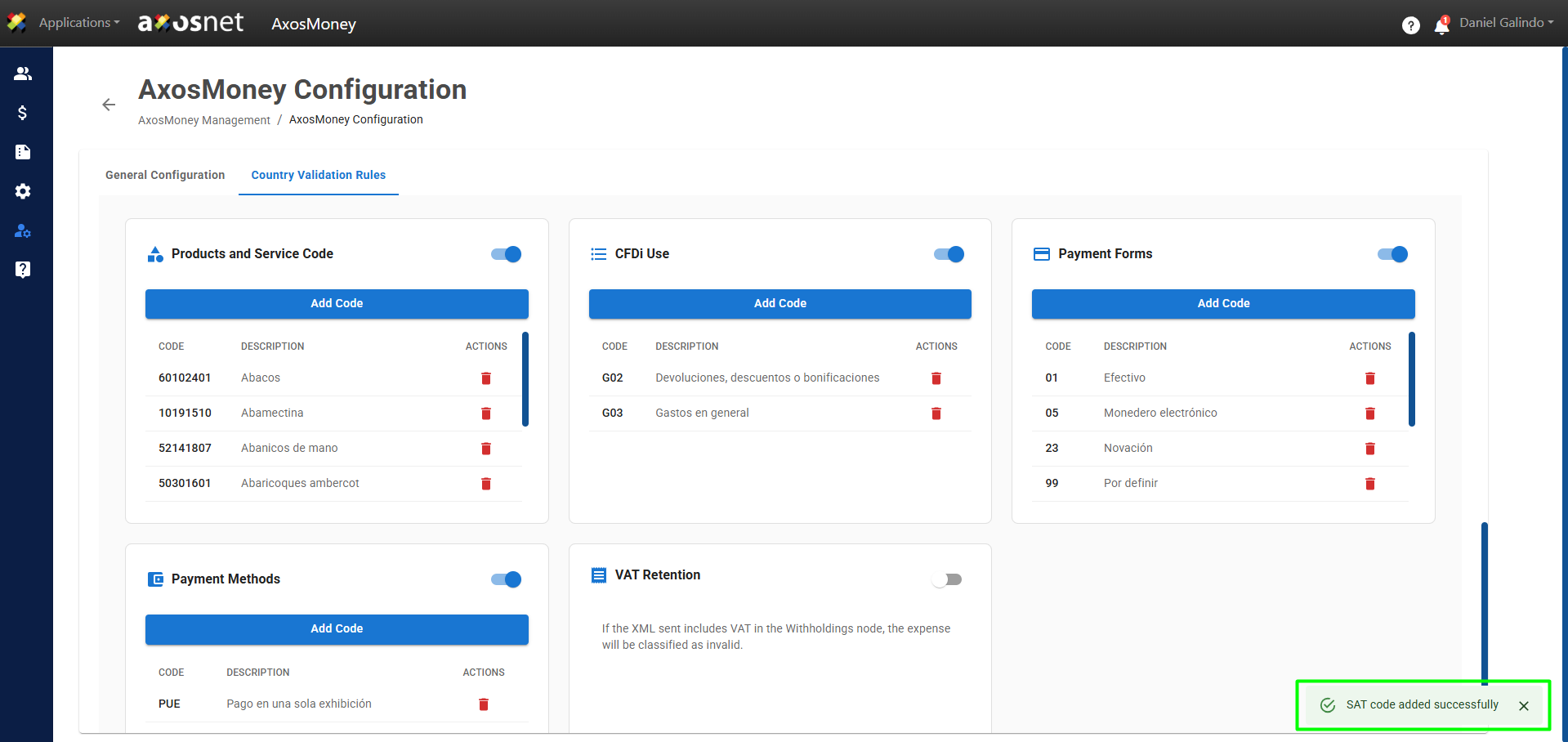
8. If you want to remove a code from the validation table, click the red button with the trash can icon, and it will be removed from the validations.