Remote Access Management
Remote access requests will allow Axosnet support users to access user accounts for technical support sessions. To manage this feature, you can follow these steps:
Approve remote access request
Remote access requests must be approved by the account administrator and subsequently accepted by the user whose account access was requested. To approve a remote access request as an administrator, you can follow these steps:
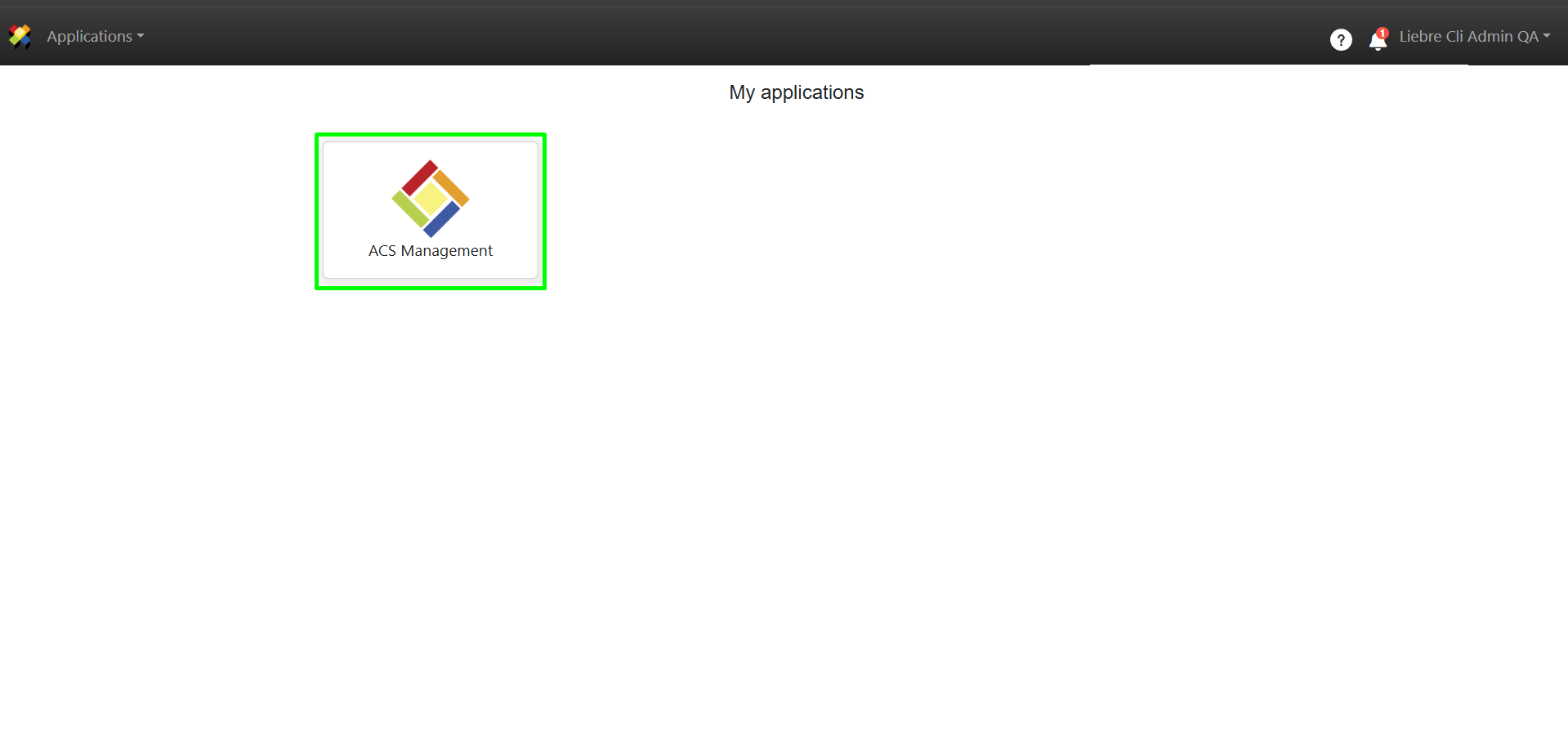
1. Go to ACS Management.
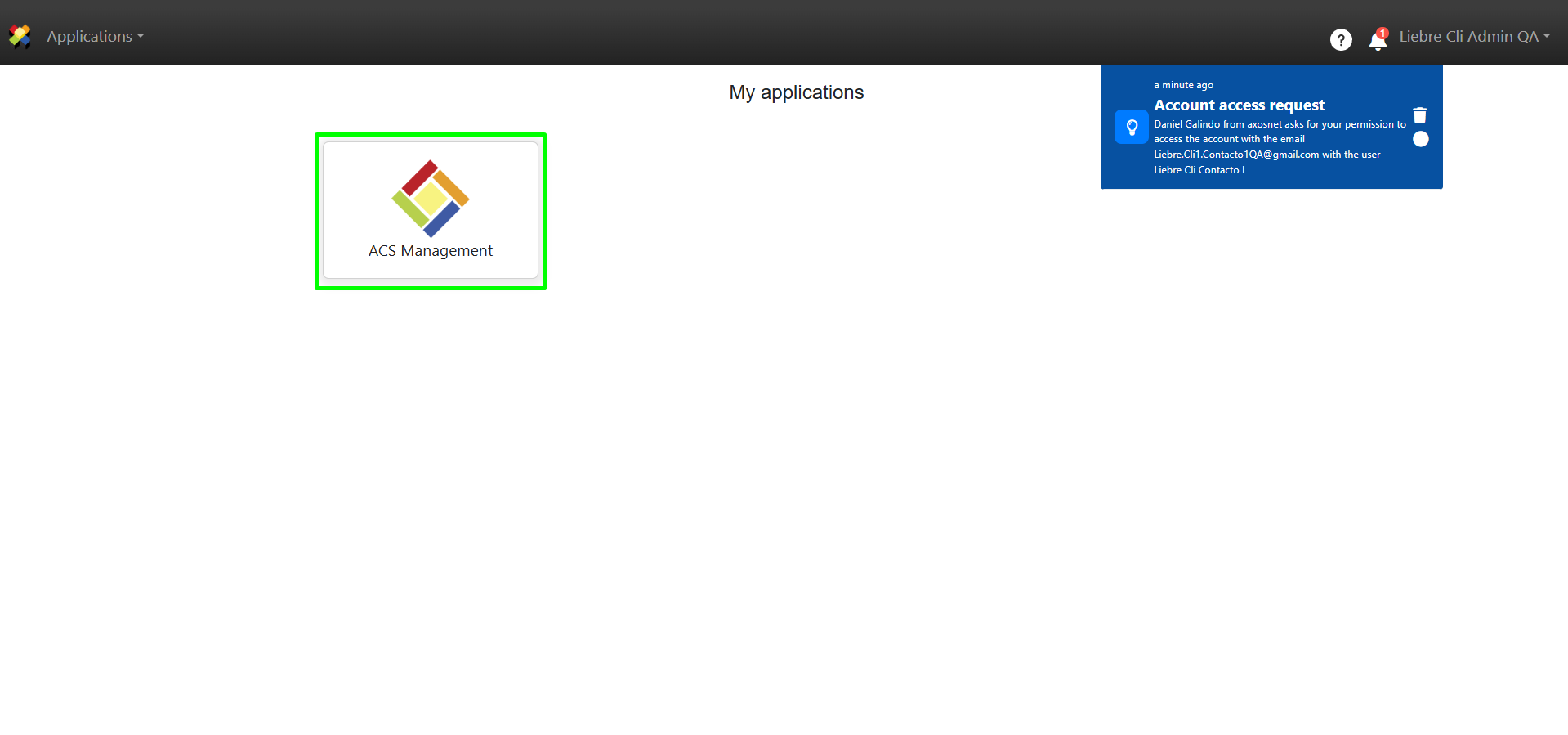
Note: Upon entering ACS, you will be able to see through notifications that a remote access request has been sent to you.
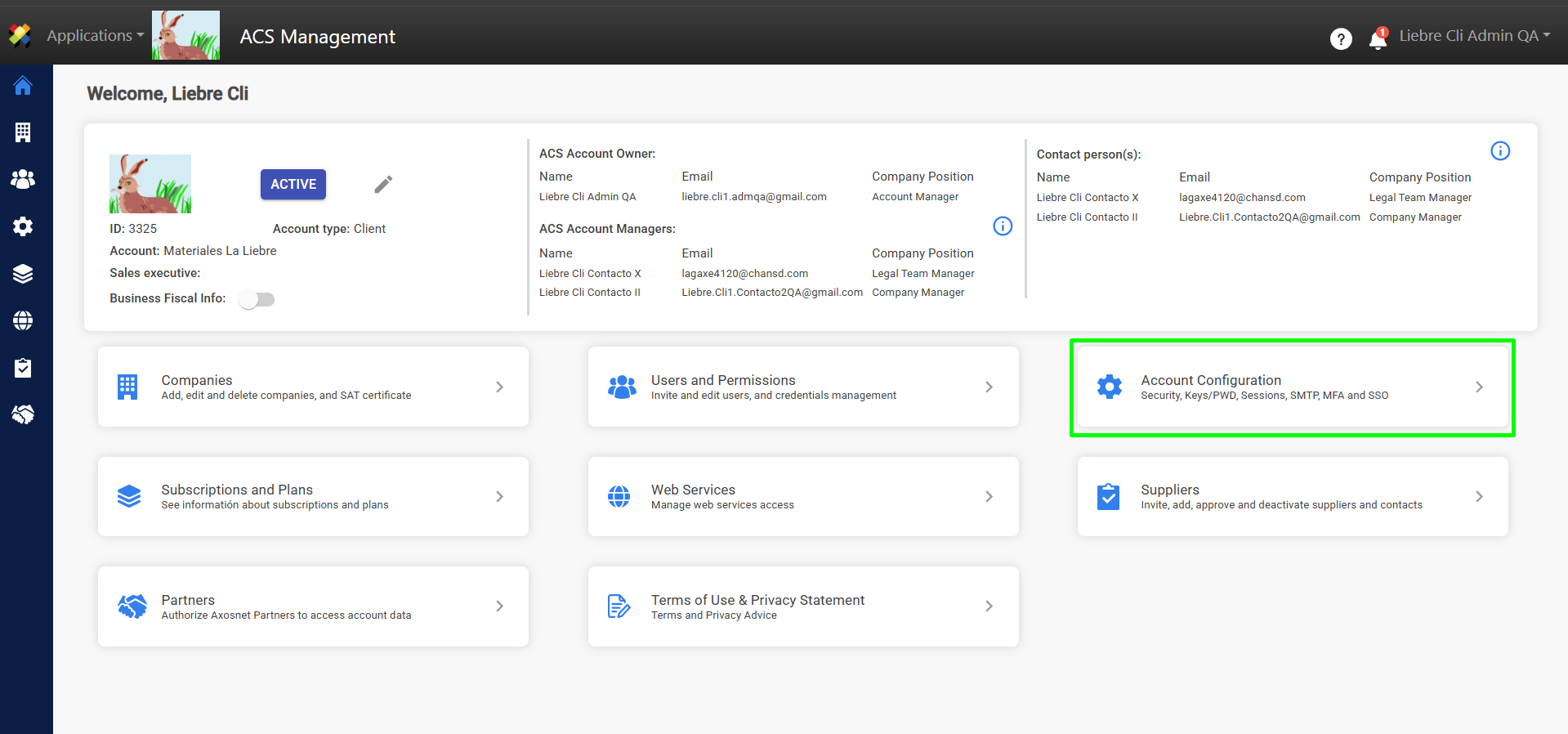
2. Go to the Account Configuration section.
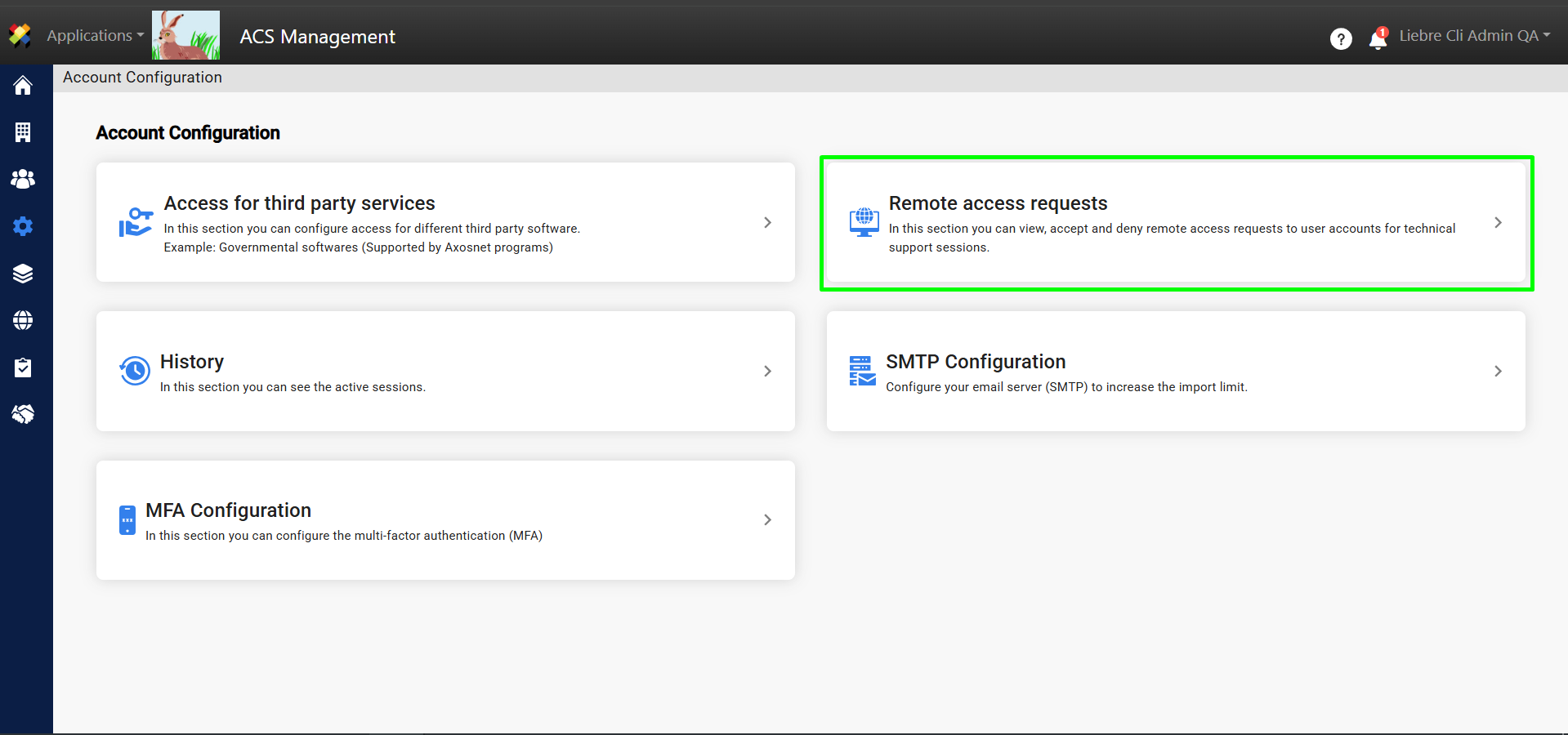
3. Go to Remote Access Requests.
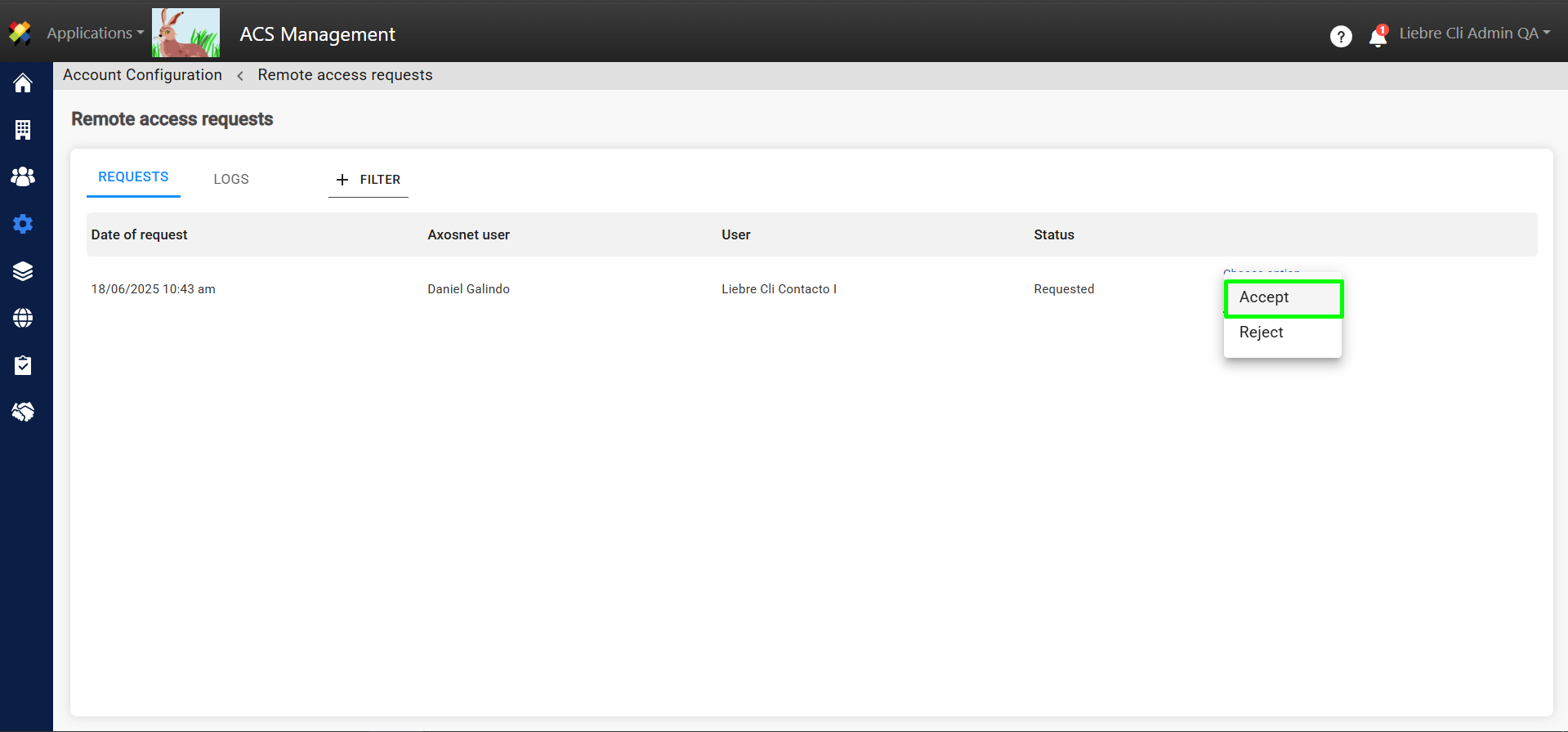
4. Click “Accept.” Pending requests will be shown in the “Requests” tab, where you can accept or reject them.
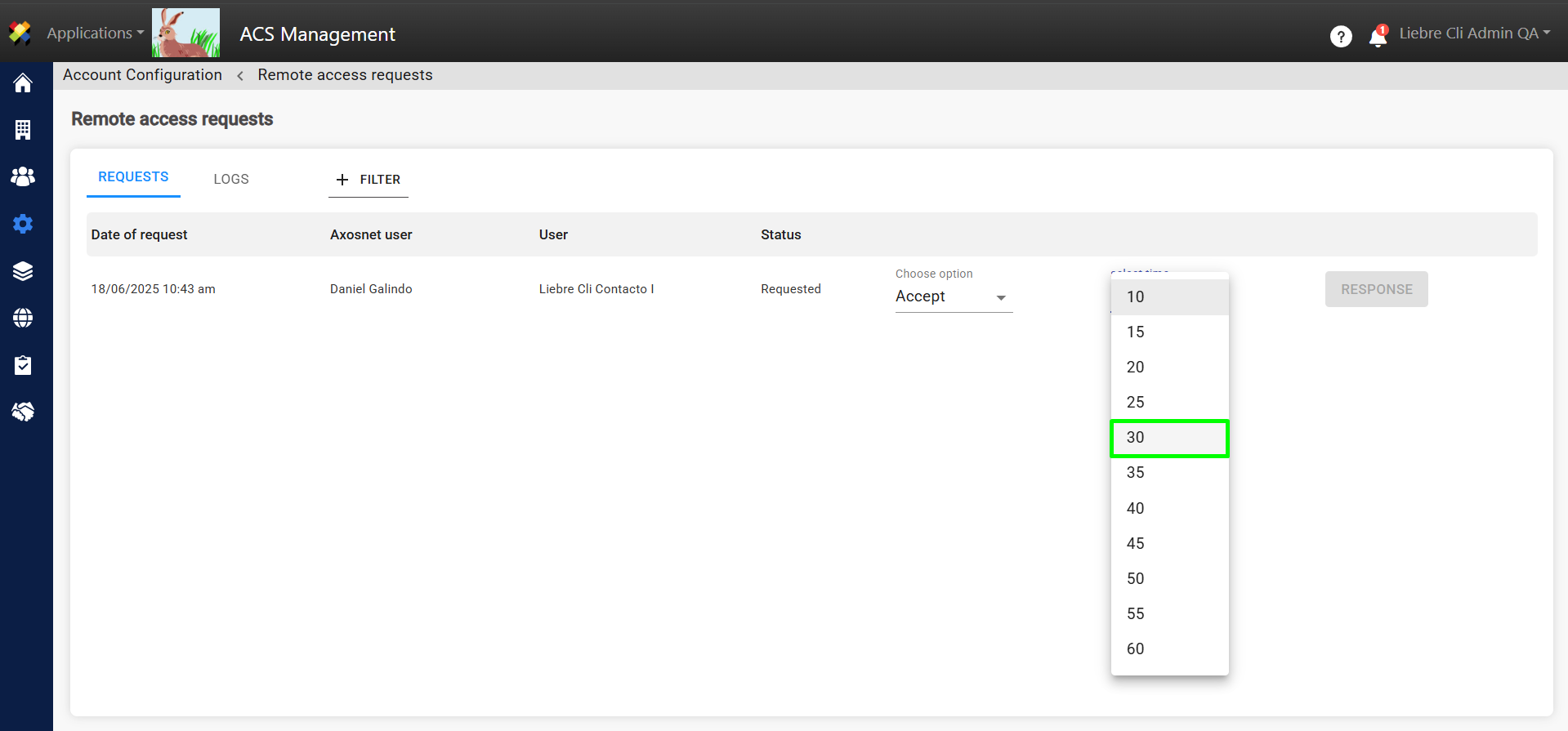
5. Upon accepting the request, you must specify the duration (in minutes) during which the Axosnet support user will be able to use the account.
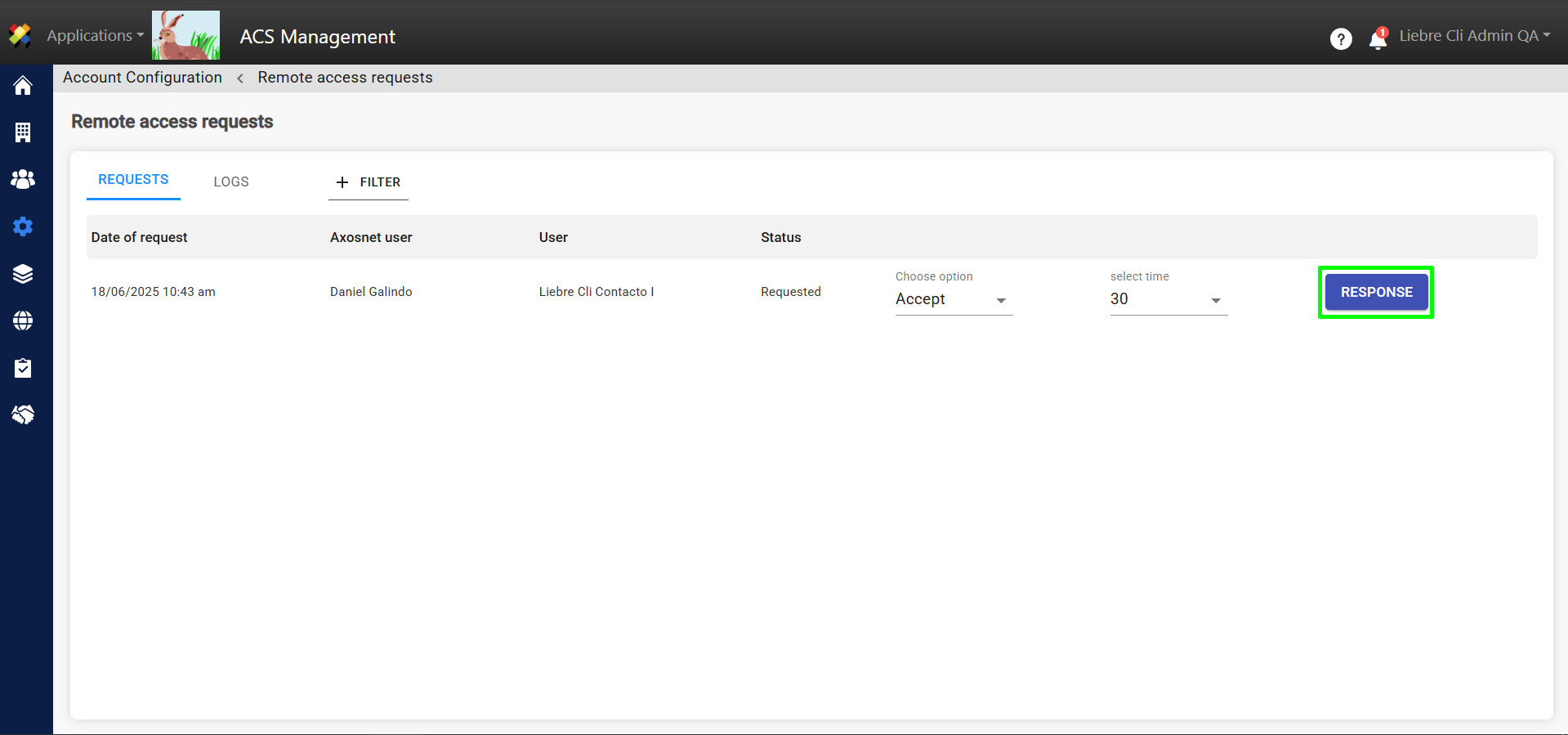
6. Once you have finished configuring the request, click on “RESPONSE”.
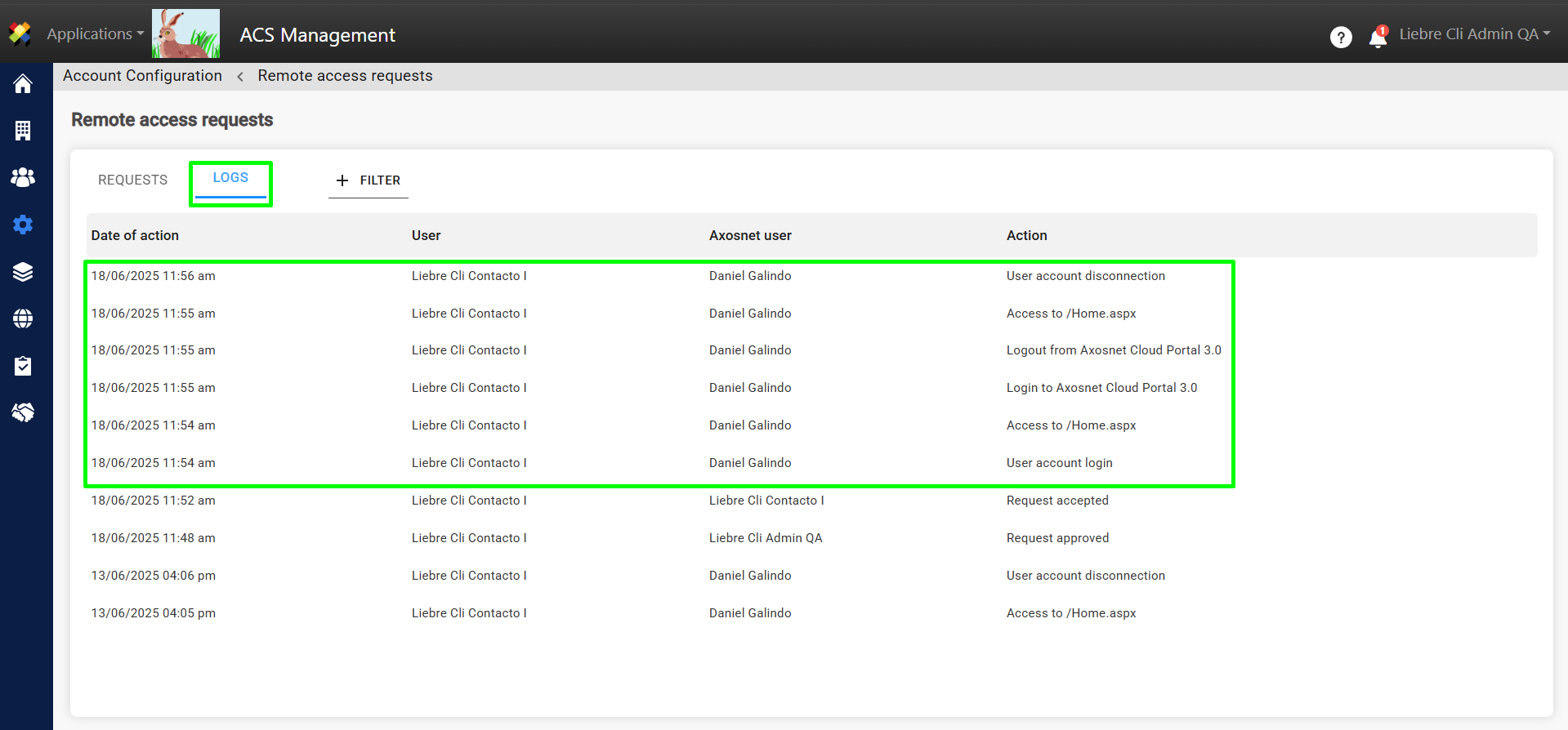
7. In the “LOGS” tab you will be able to see that the request has been approved.
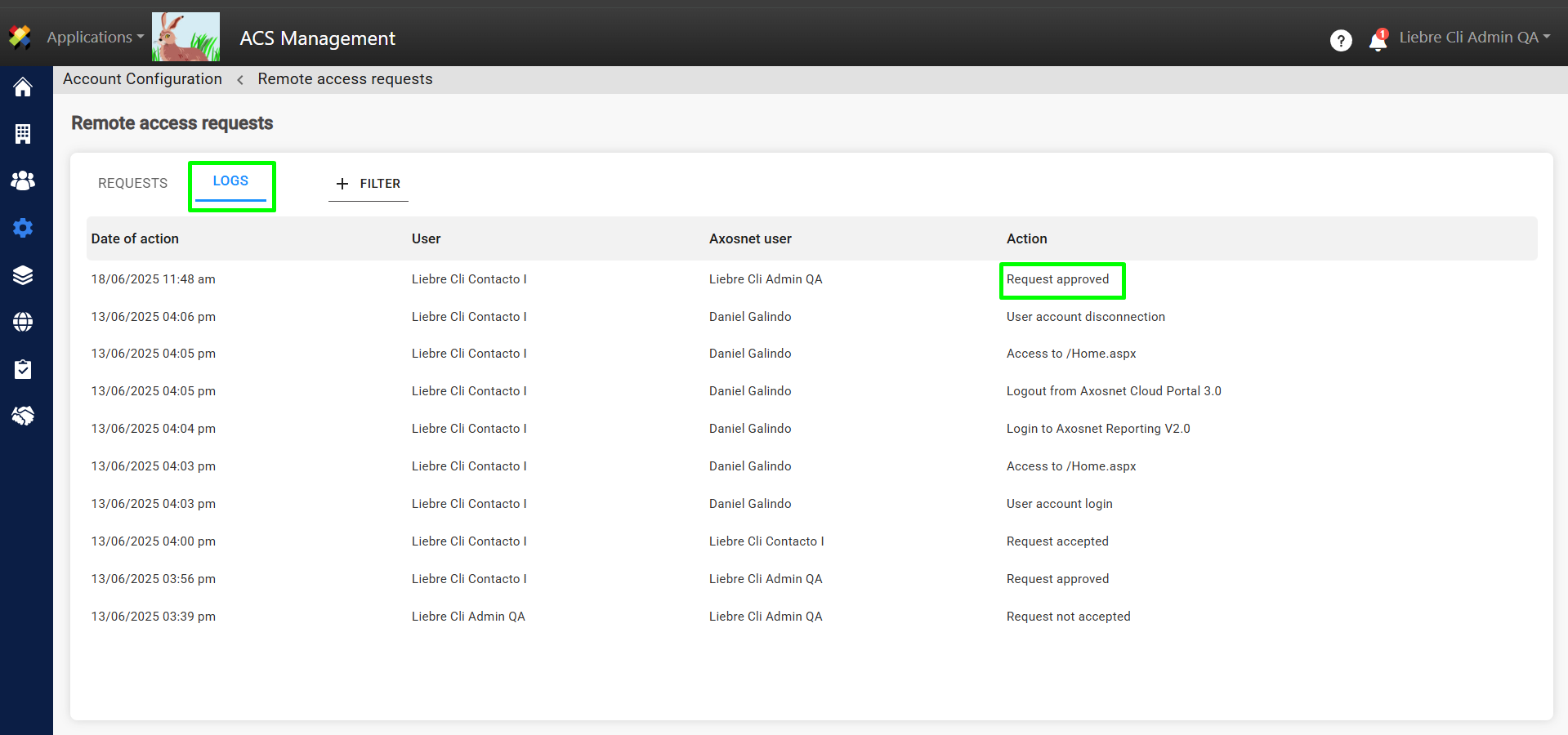
Note: Now the user must accept the request to finalize the process.
Accept remote access request
Remote access requests must be approved by the account administrator and subsequently accepted by the user whose account access was requested. To accept a remote access request as a user, you can follow these steps:
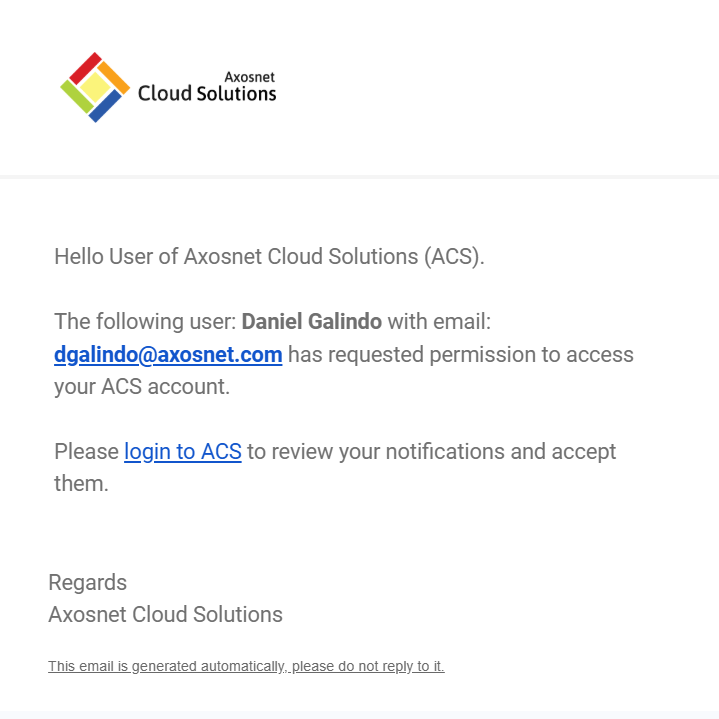
1. The user will receive an email notifying that an Axosnet support user has requested permission to access their ACS account. To accept, log in to ACS.
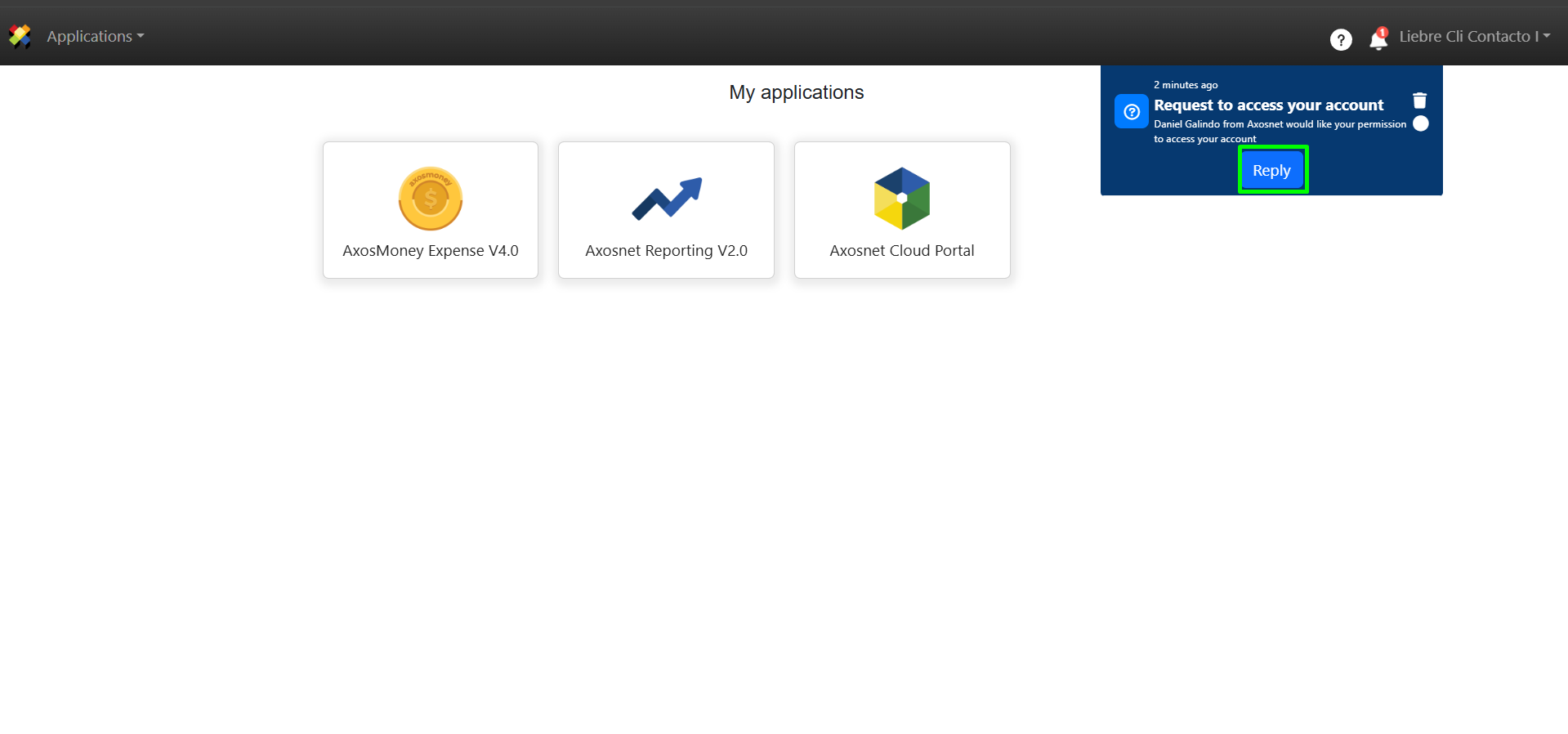
2. Upon logging into ACS, you will be able to accept the request from the notifications section by clicking on “Reply”.
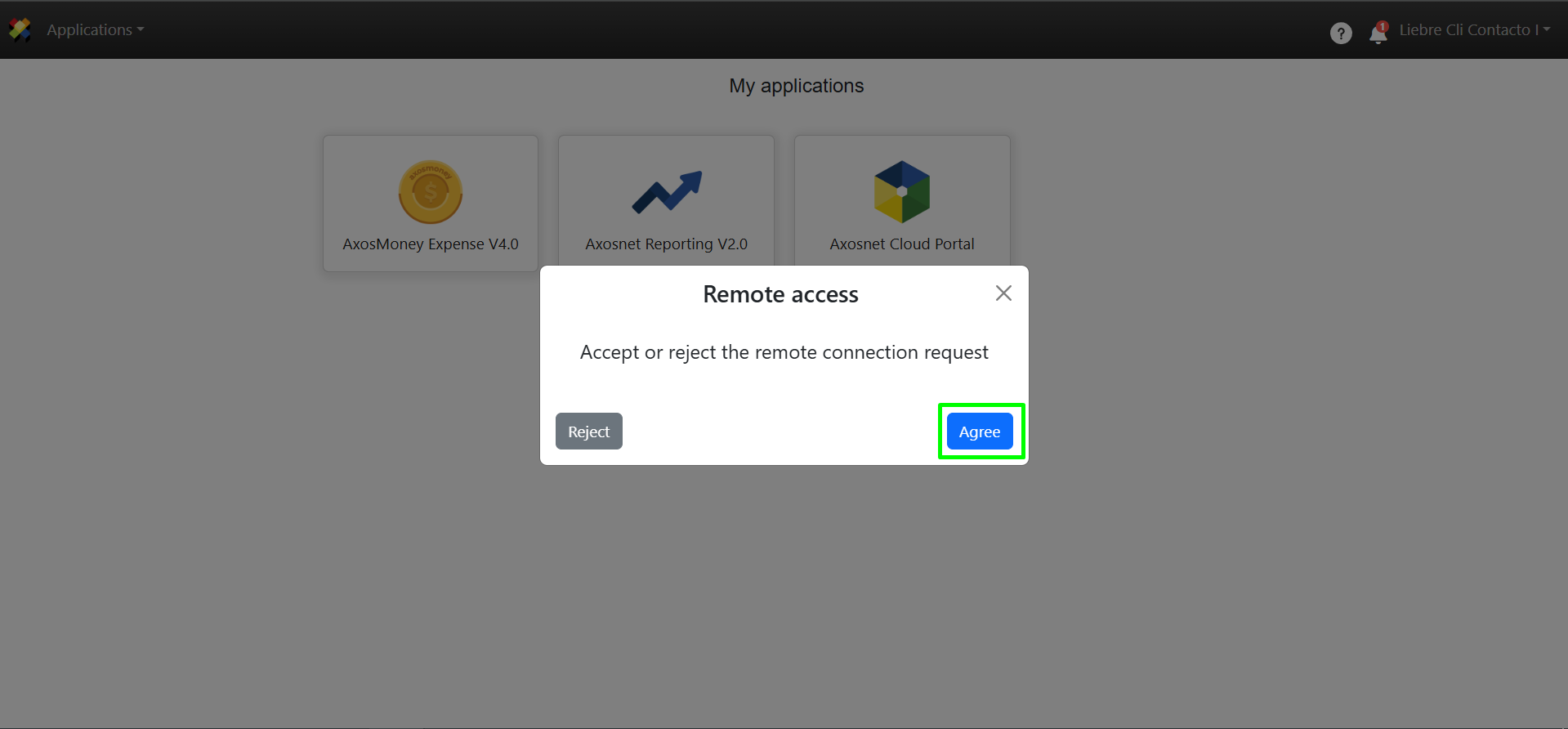
3. A pop-up window will appear where you can Agree or Reject the remote access request.
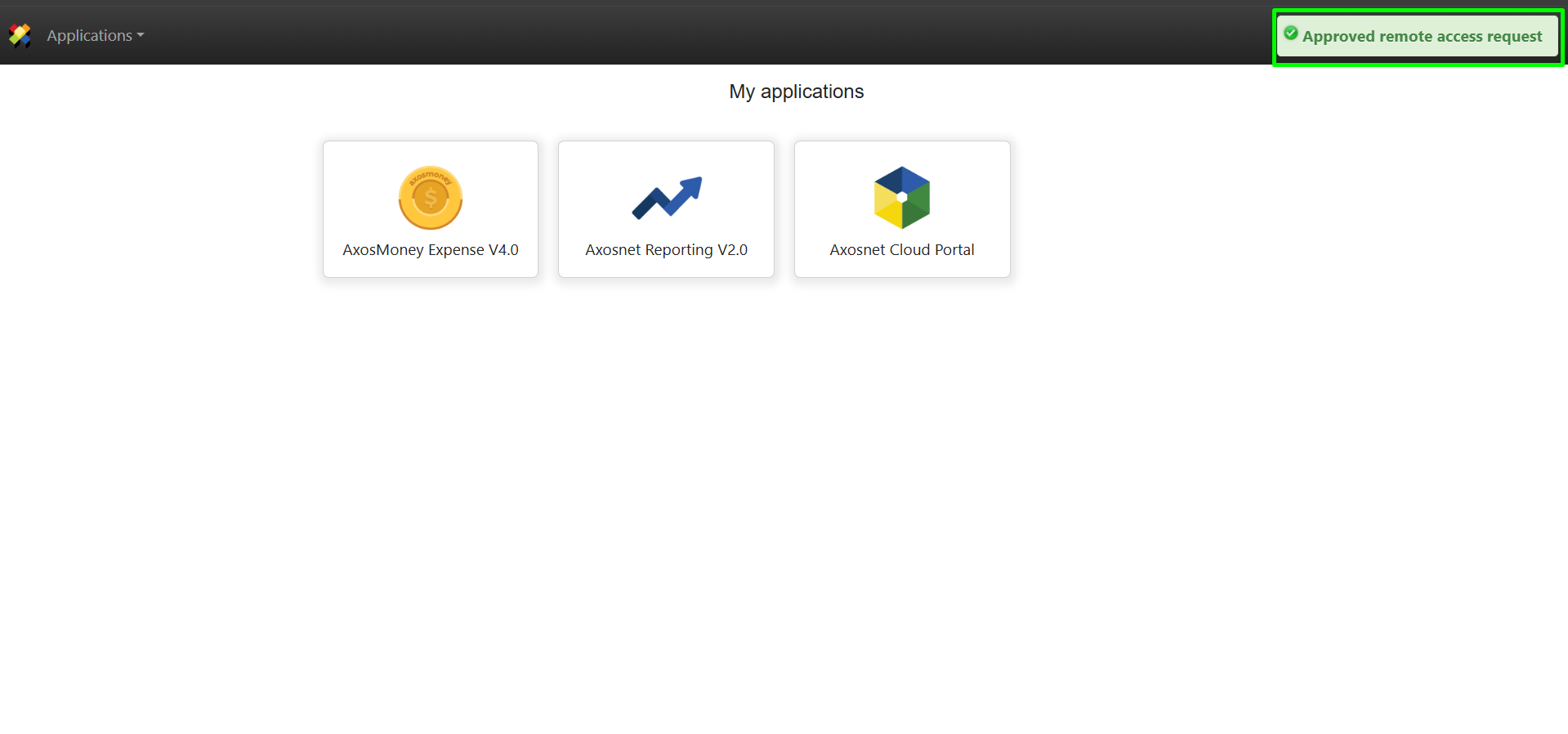
4. Once the request has been accepted, a confirmation message will appear in the upper right corner.
Review remote access activity
The account administrator can review the activity performed on the user’s account via remote access. To review the account activity, you can follow these steps:
1. Go to ACS Management.
2. Go to Account Configuration.
3. Go to Remote Access Requests.
4. Select the “Logs” tab; here you will be able to see the activity that the Axosnet support user performed on the user’s account via remote access.