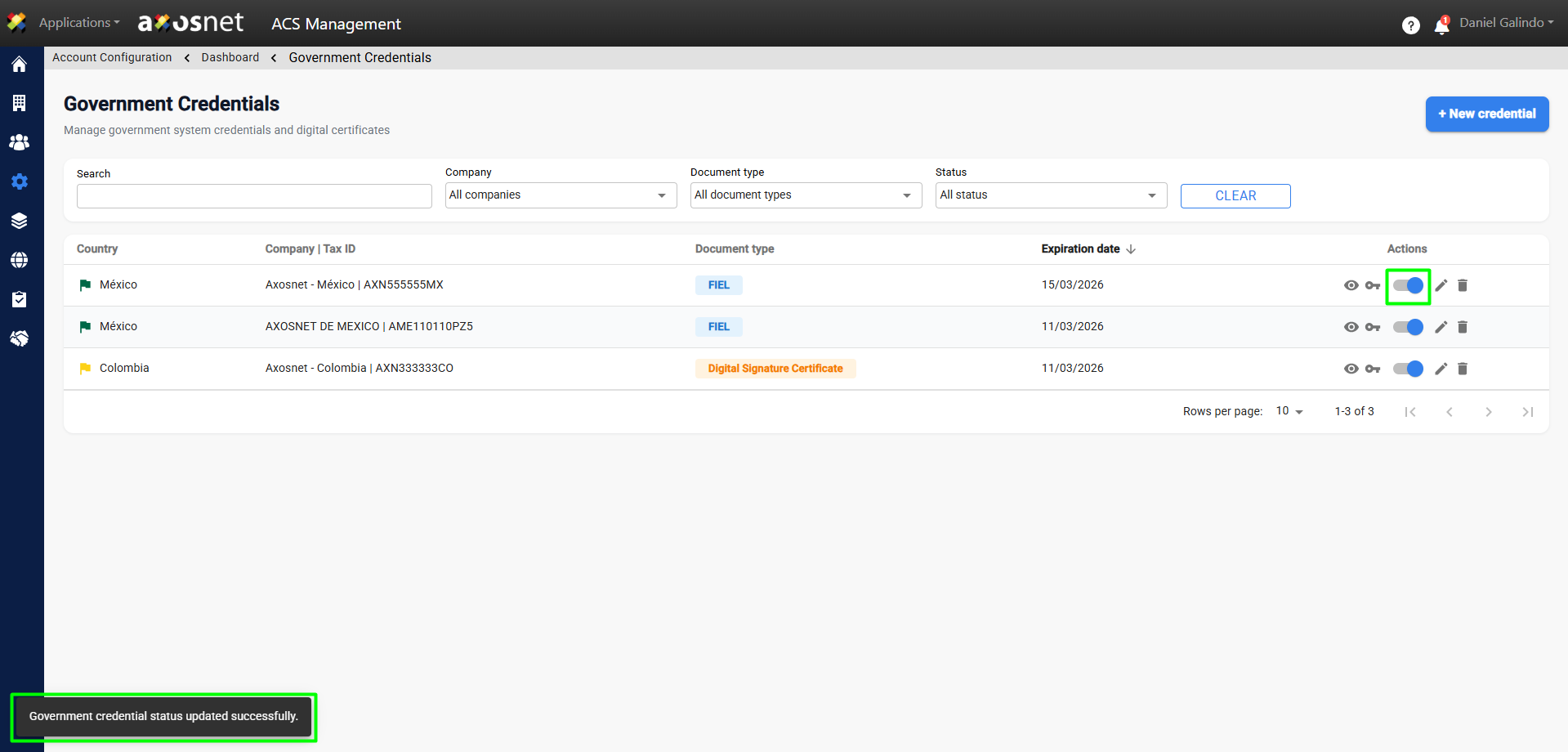
To activate a new credential, follow these steps:
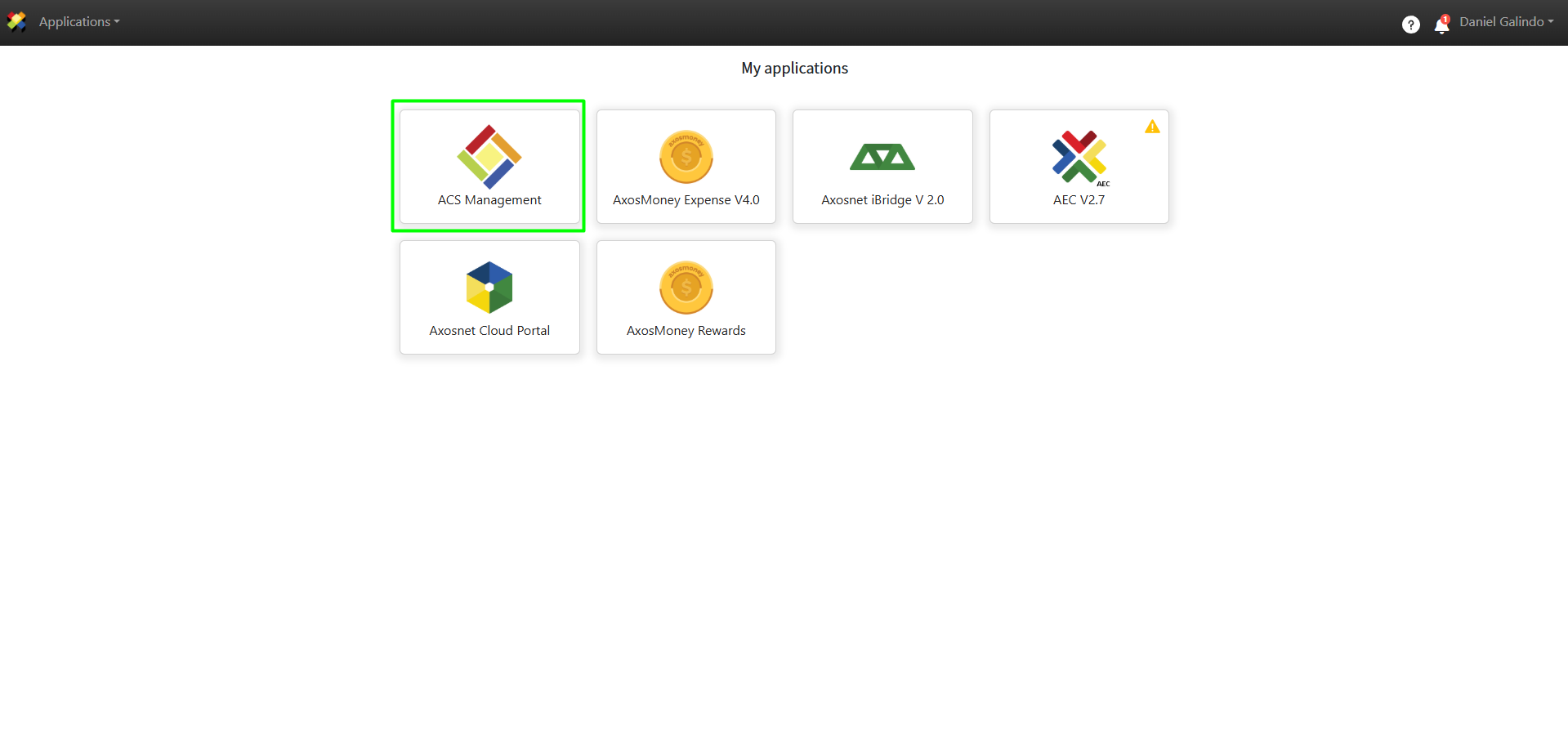
1. Log in to ACS Management.
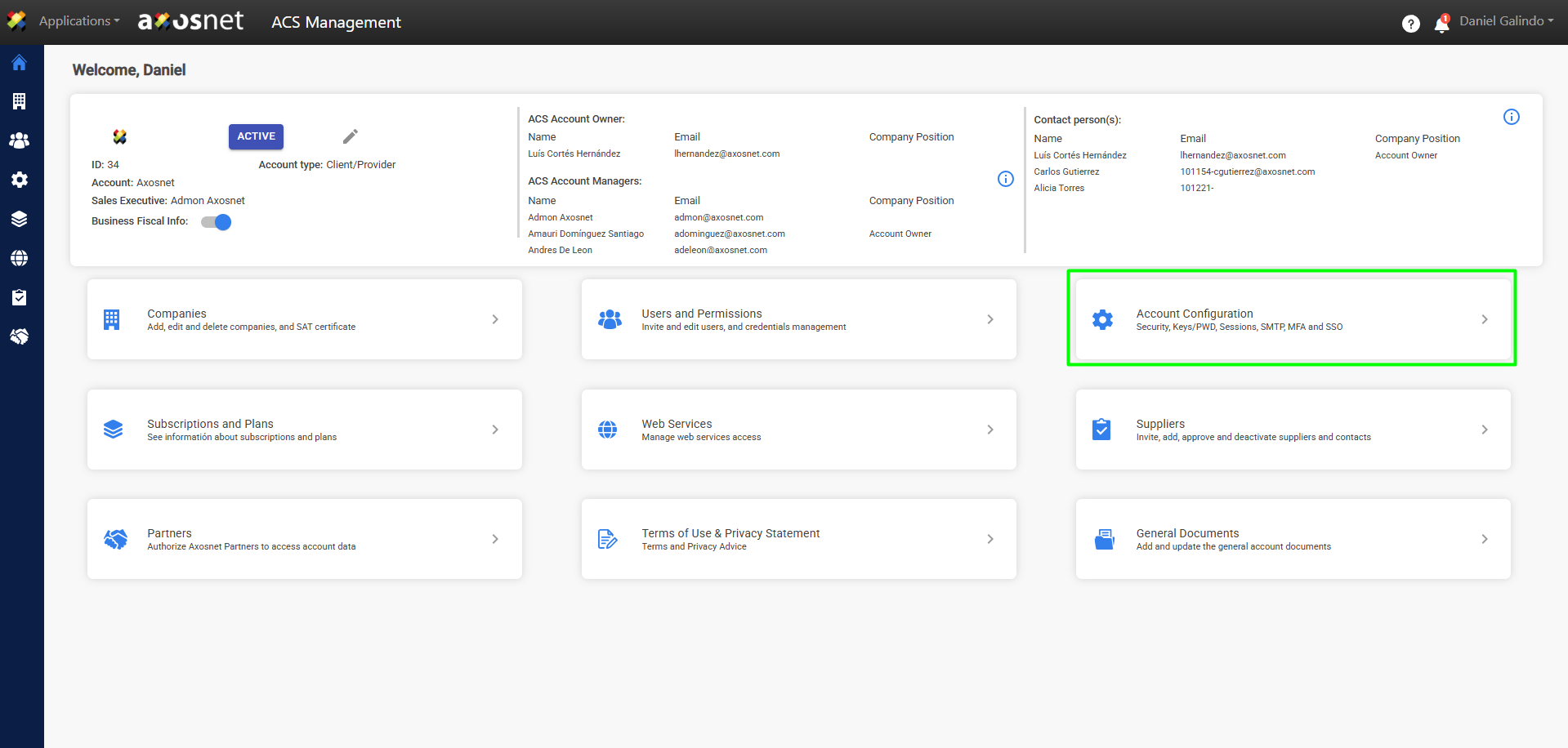
2. Go to the Account Configuration section.
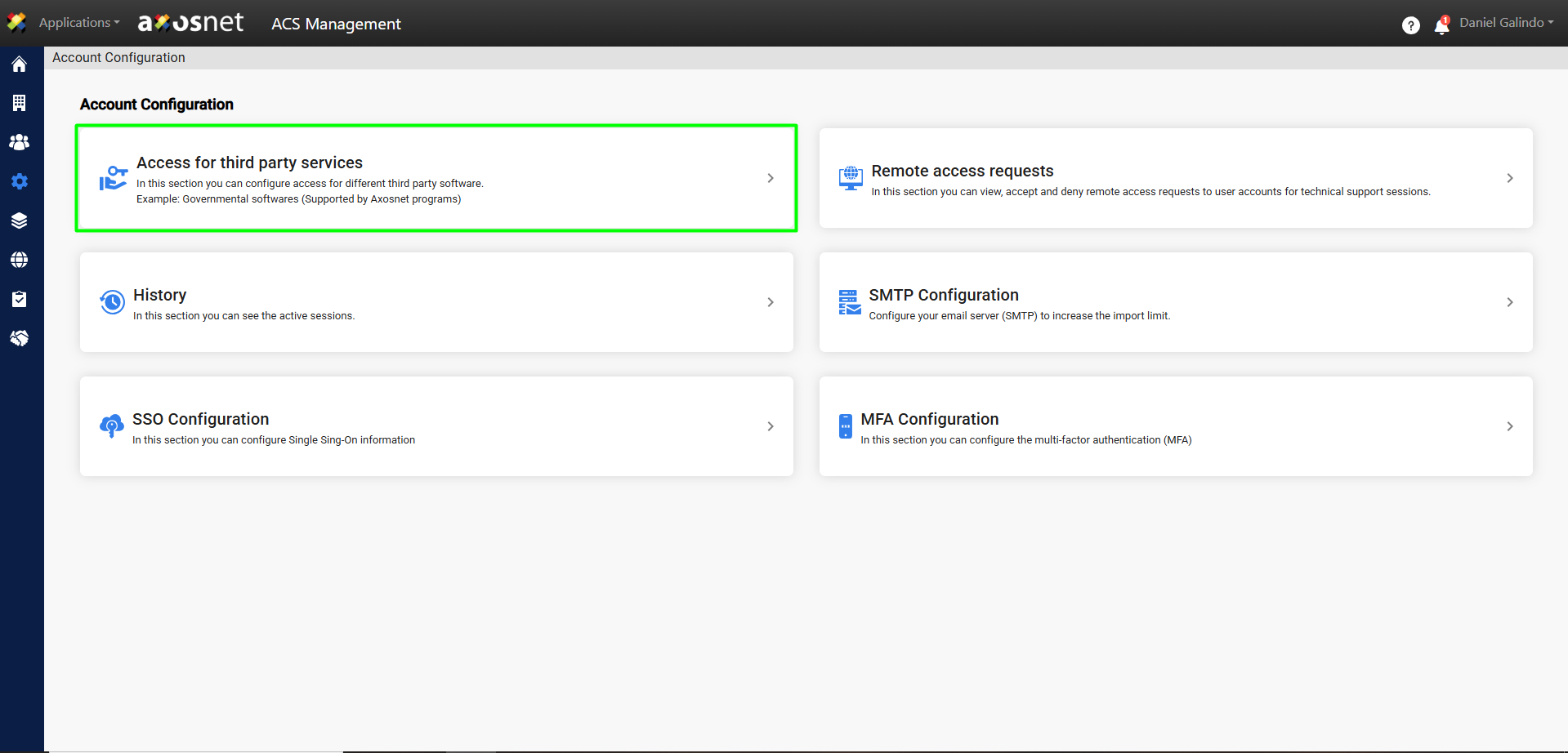
3. Click on Access to Third-Party Services.
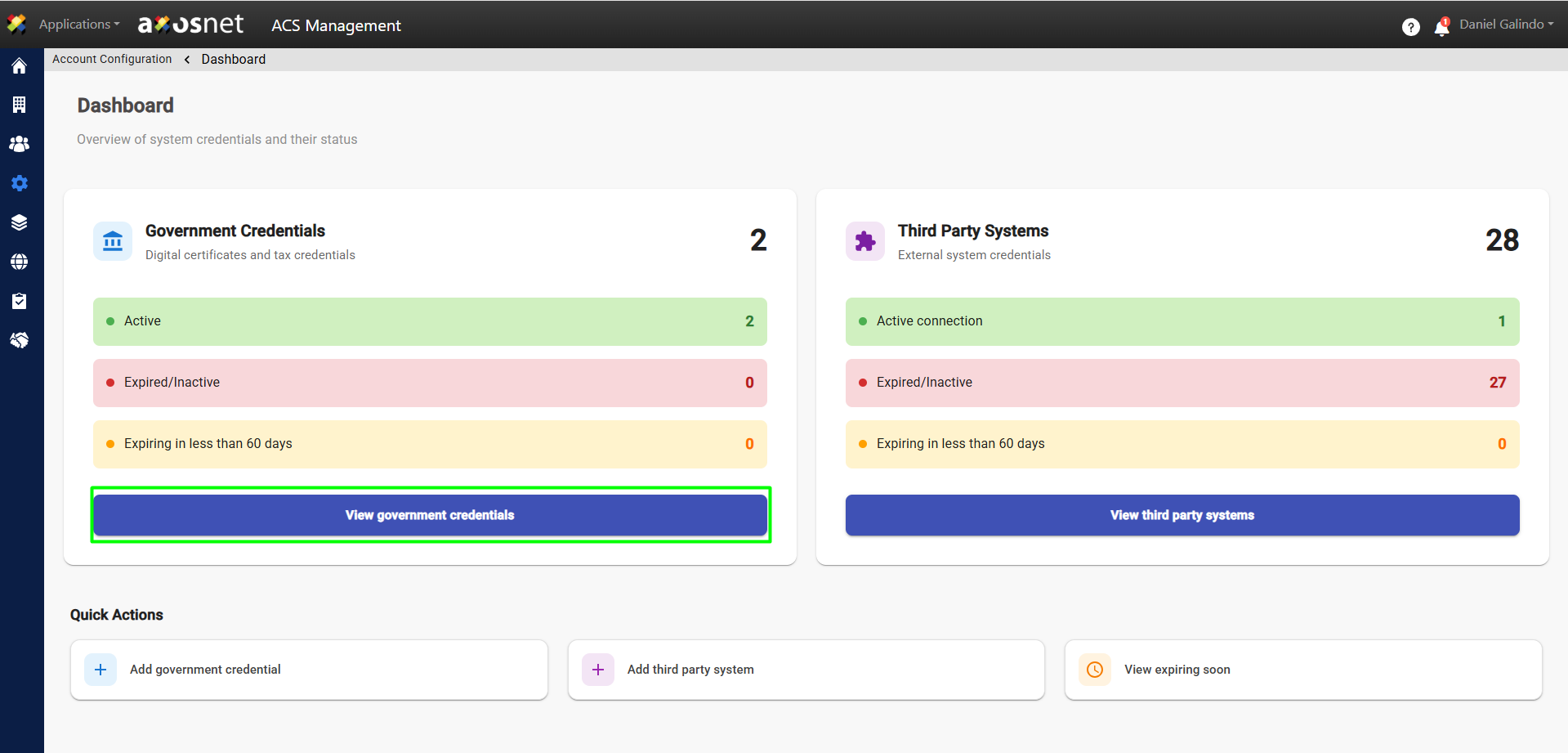
4. Click View Government Credentials.
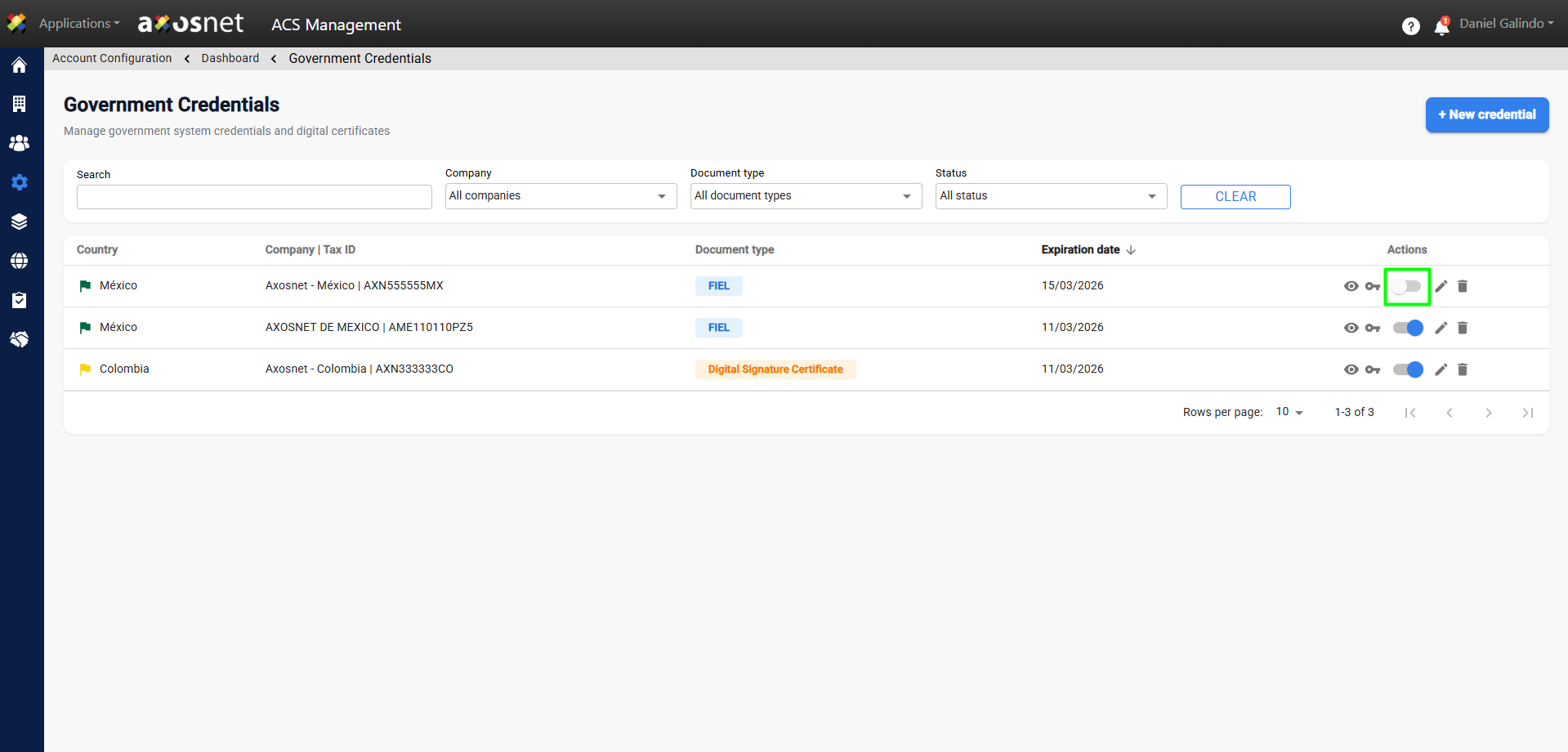
5. Identify the credential to activate and click the switch button to activate it.
6. A pop-up window will appear to confirm the action; click OK.
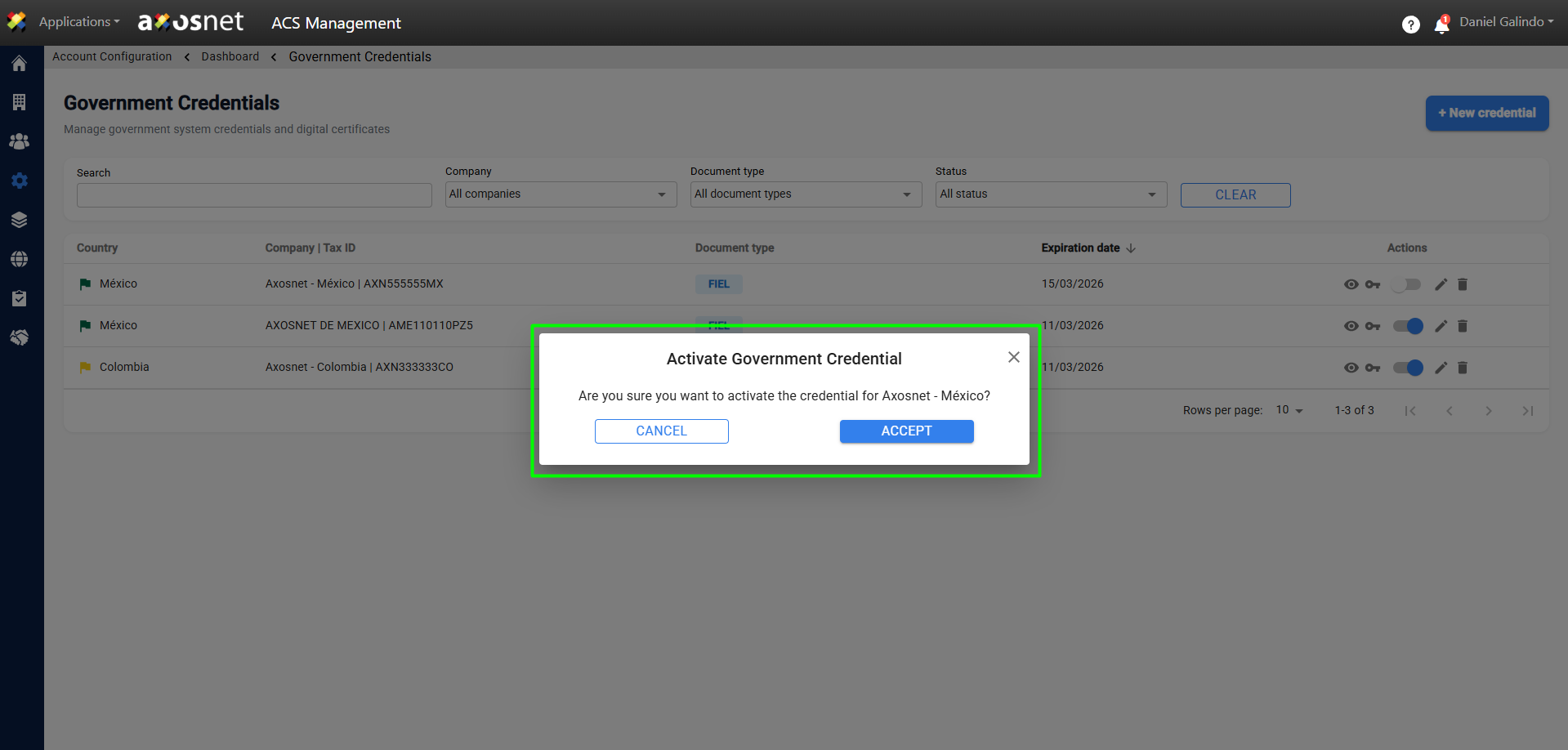
7. Upon acceptance, the credential will be activated and a confirmation message will appear.