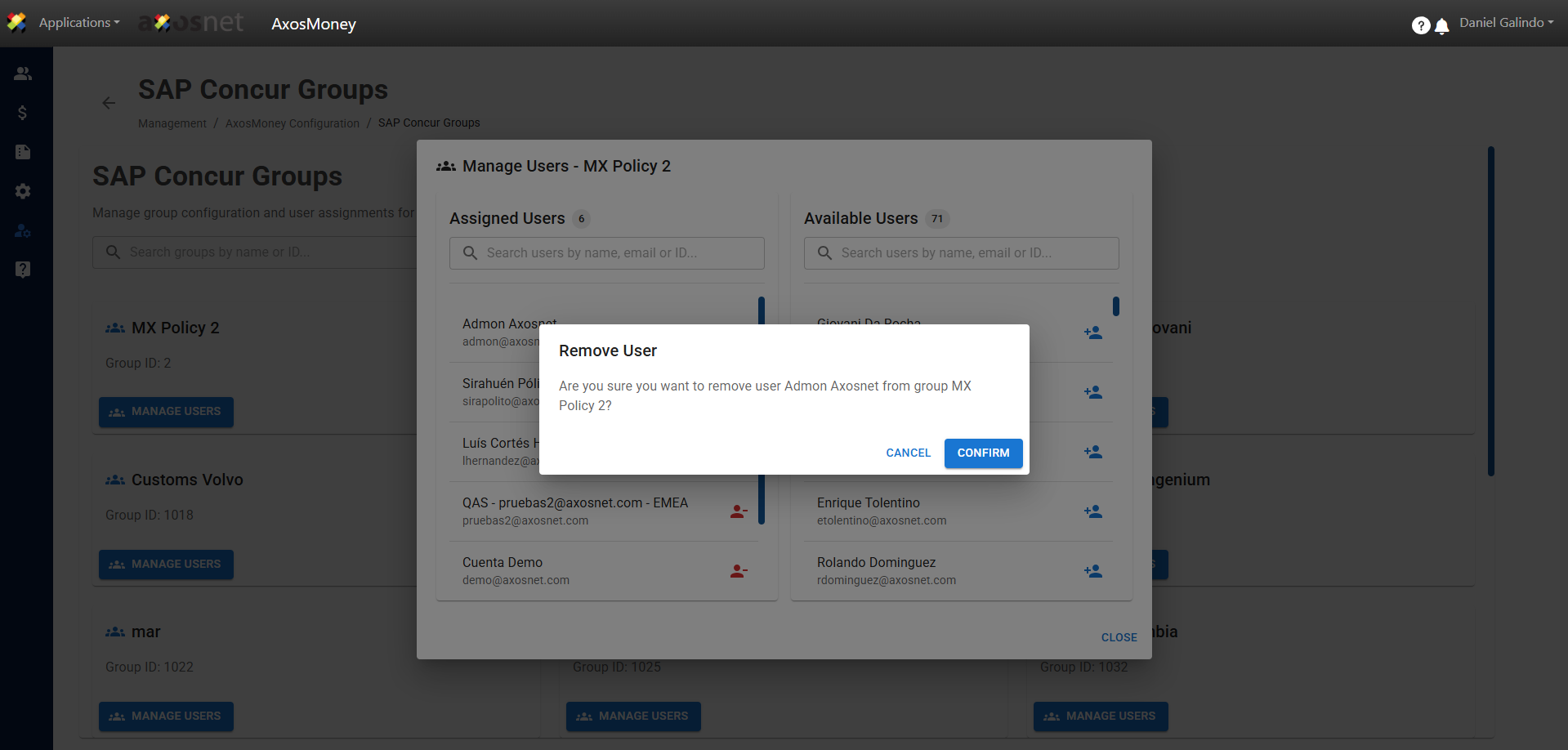
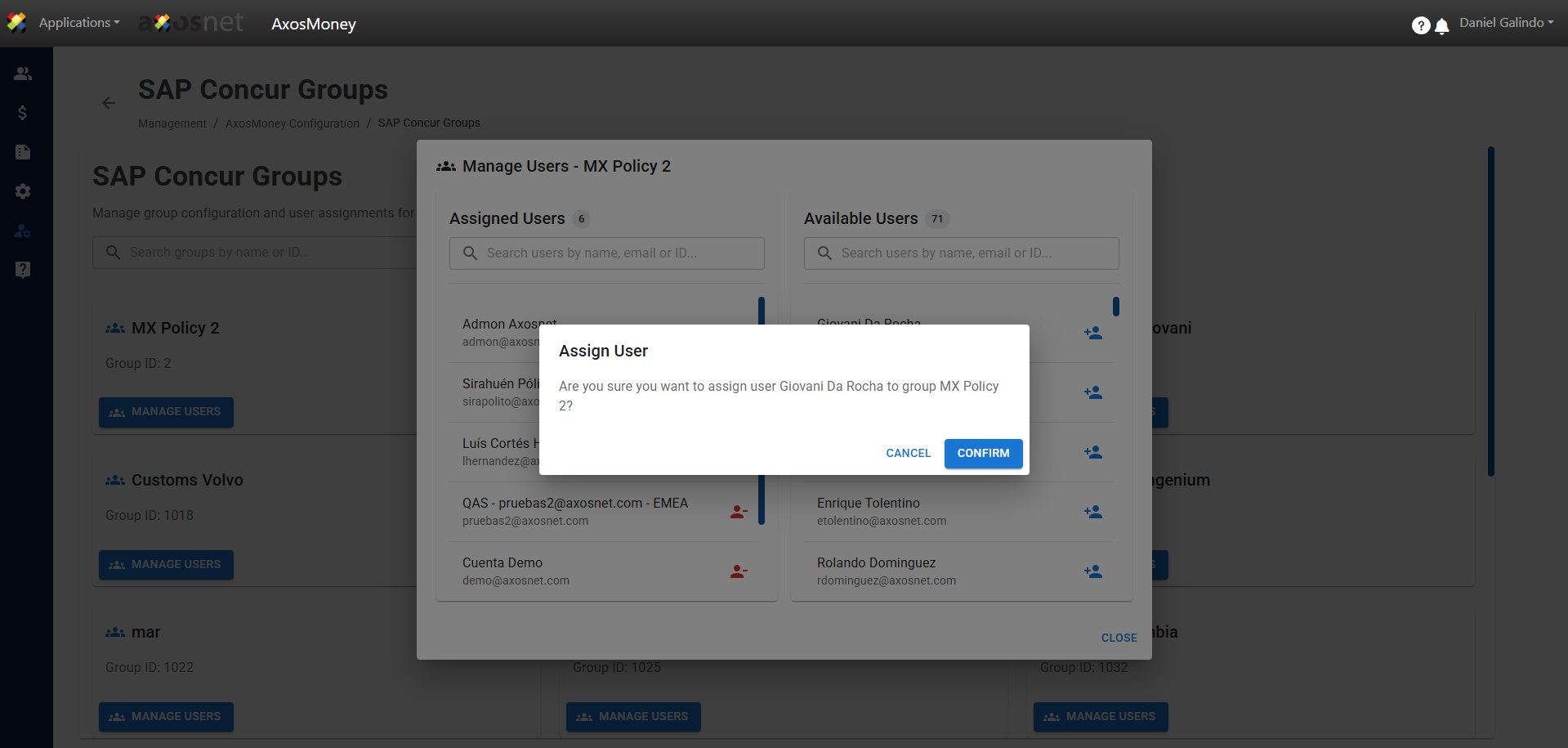
SAP Concur has the functionality to create policies with specific specifications for each one. This section will allow account administrators to assign a specific policy to their users based on their needs. To assign users, follow these steps:
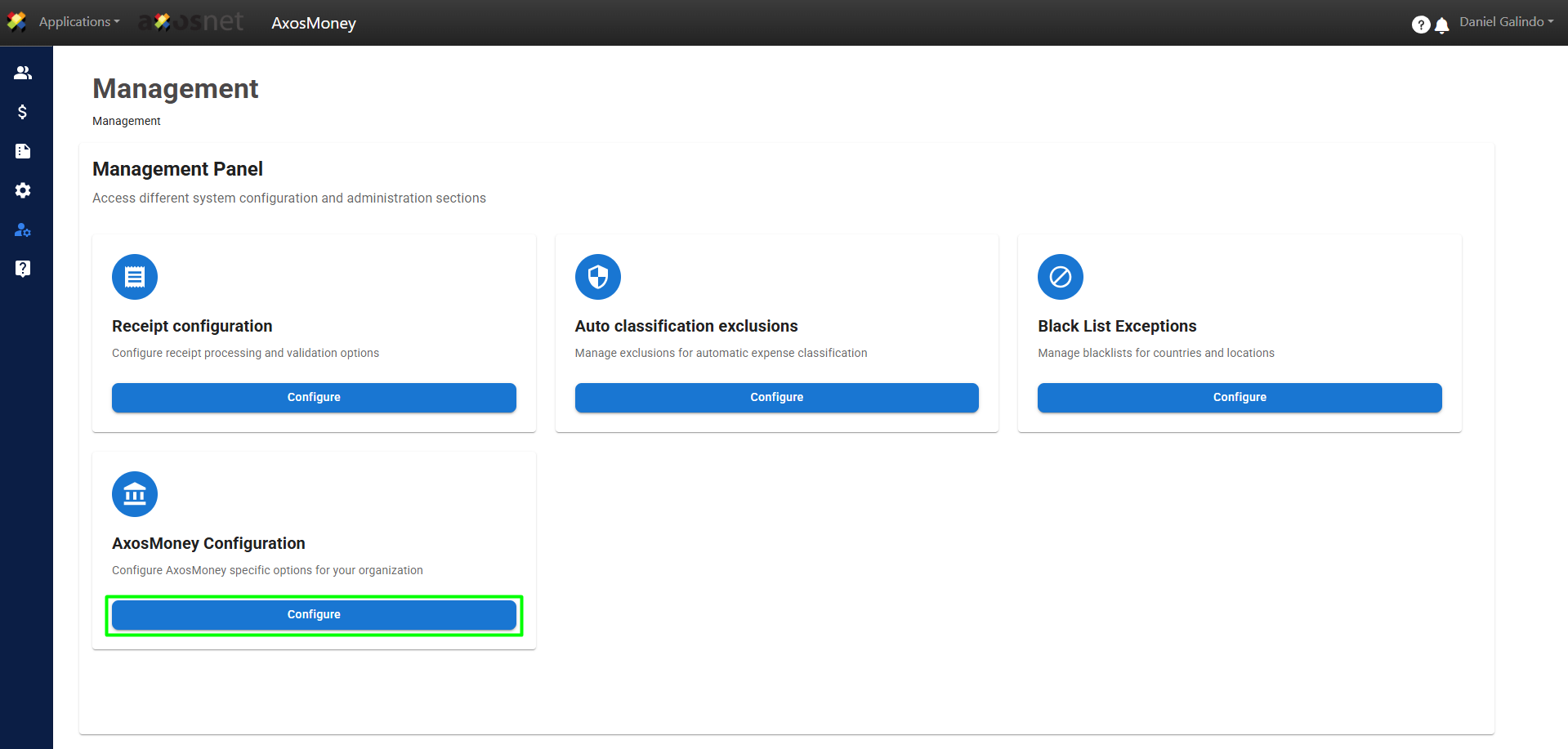
1. Go to the Administration section in the left side menu and click on AxosMoney Configuration.
2. In the SAP Concur Groups section, click Configure.
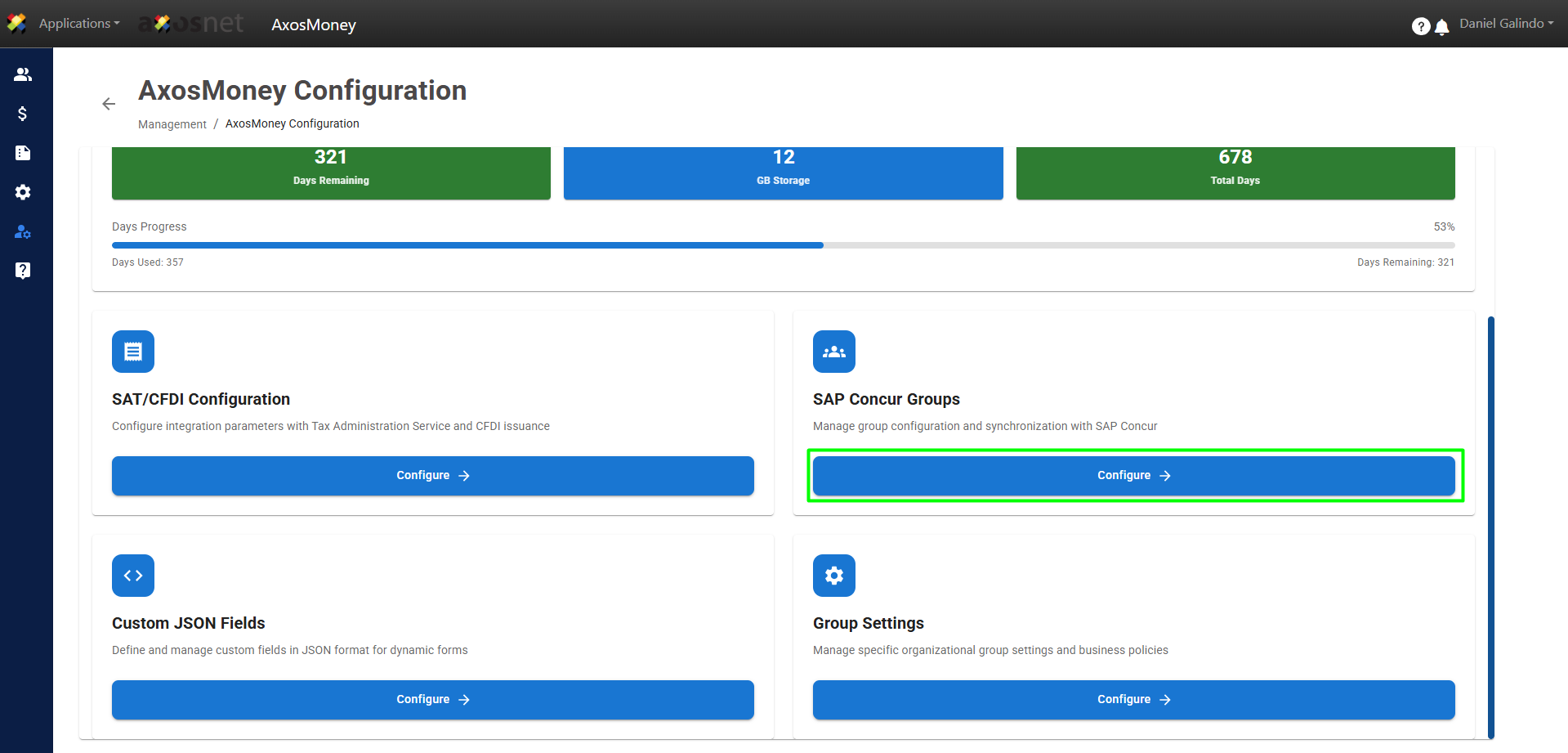
3. To assign a user to a group, click Manage Users.
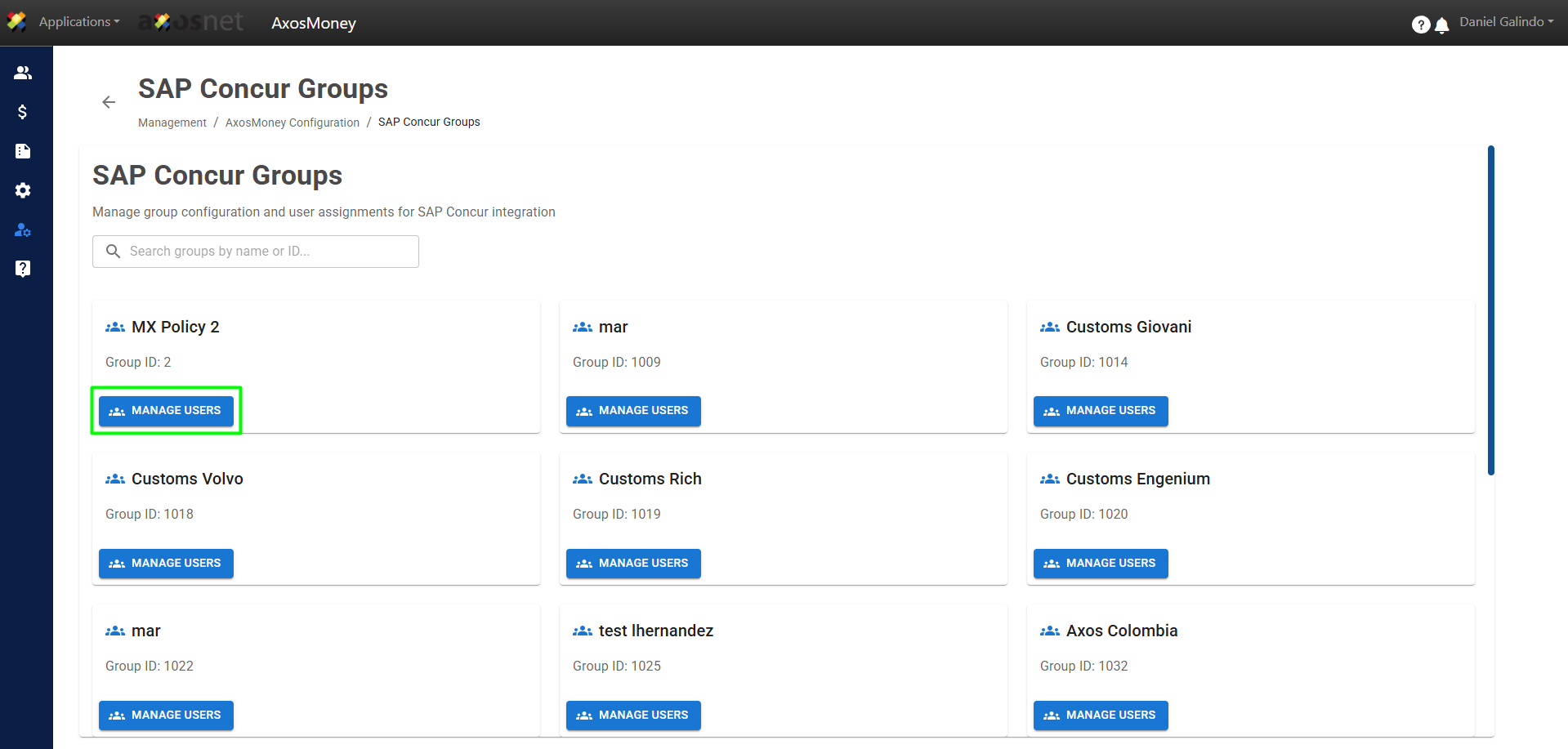
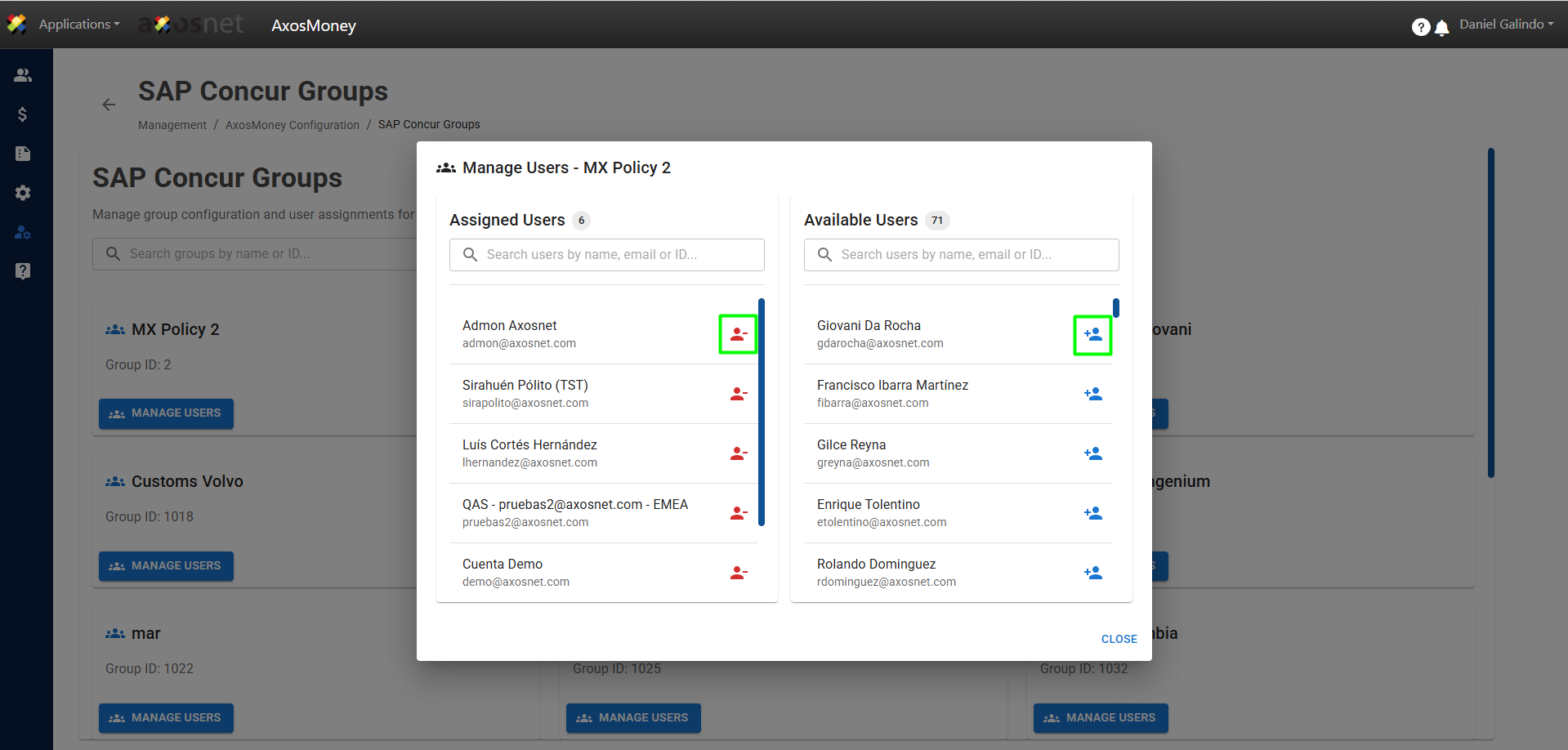
4. A pop-up window will open where you can see Assigned Users and Available Users.
To remove a user from the group, simply click on the red icon in the Assigned Users section, as shown in the image. Similarly, you can add users by clicking on the blue icon in the Available Users section.
Note: You can use the search field to find a specific user.
5. When removing or assigning users to a group, a pop-up window will appear to confirm the action.