
This section lists all orders placed by collaborators from different teams within each company. Records are categorized as “Approved” and “Delivered”.
1. In the Rewards control panel, select the “My Activity” option.
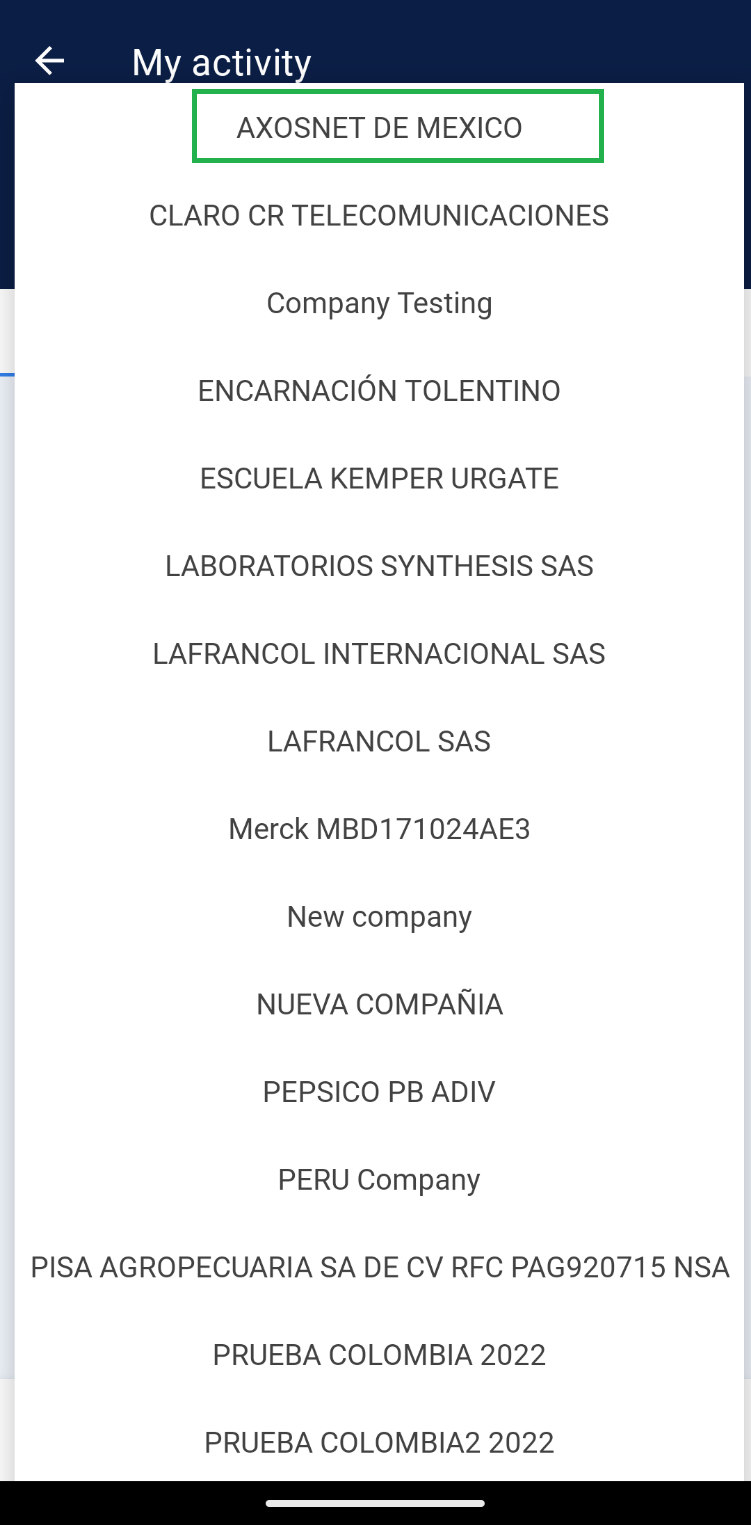
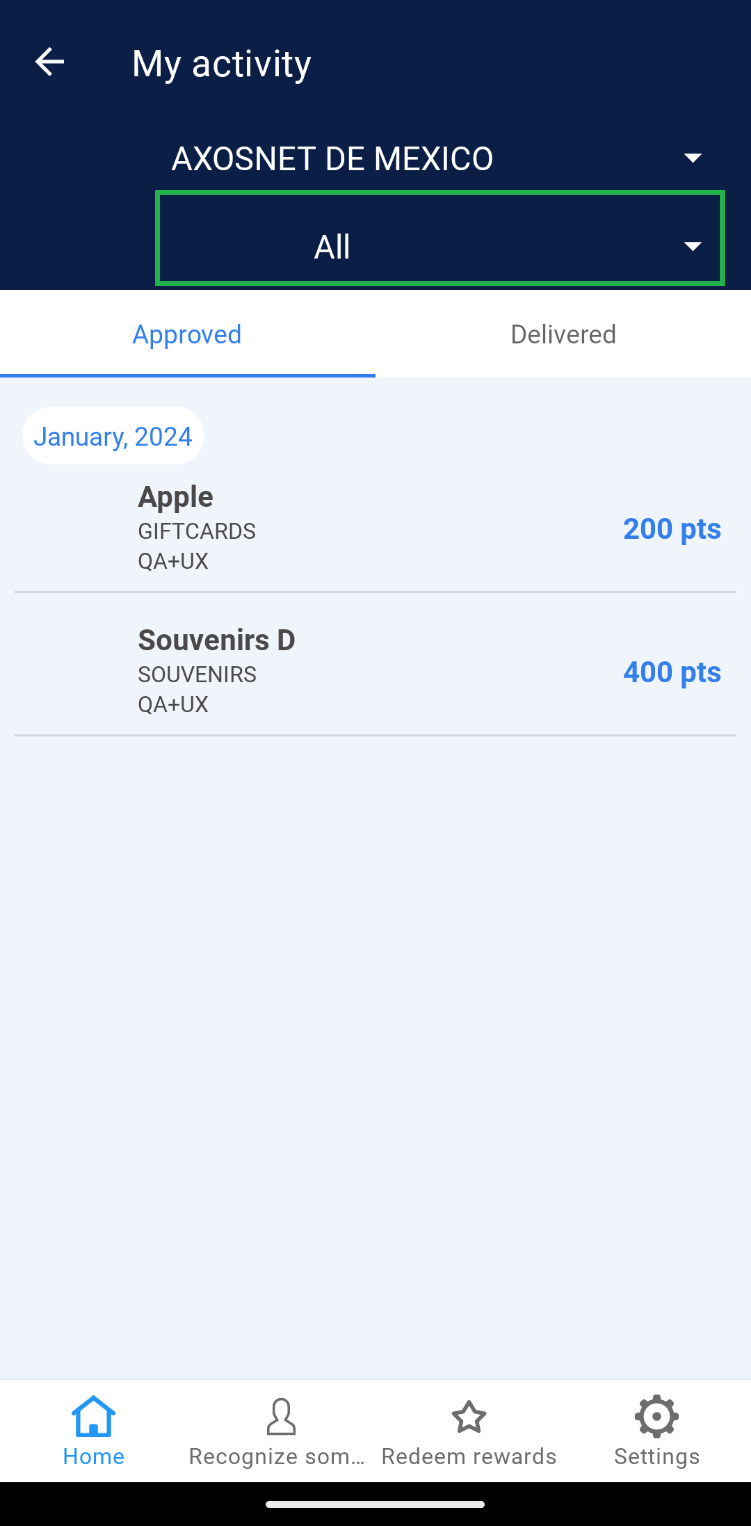
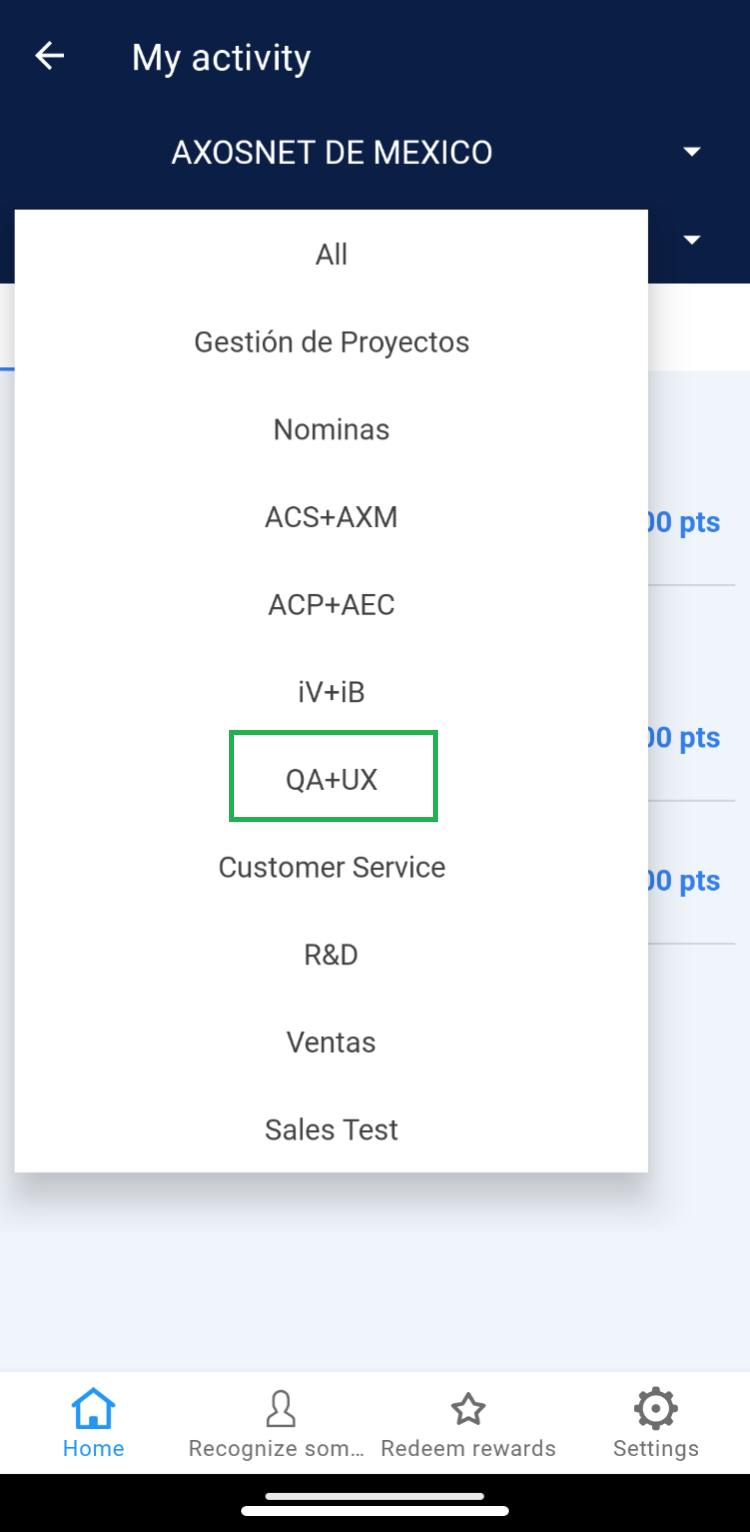
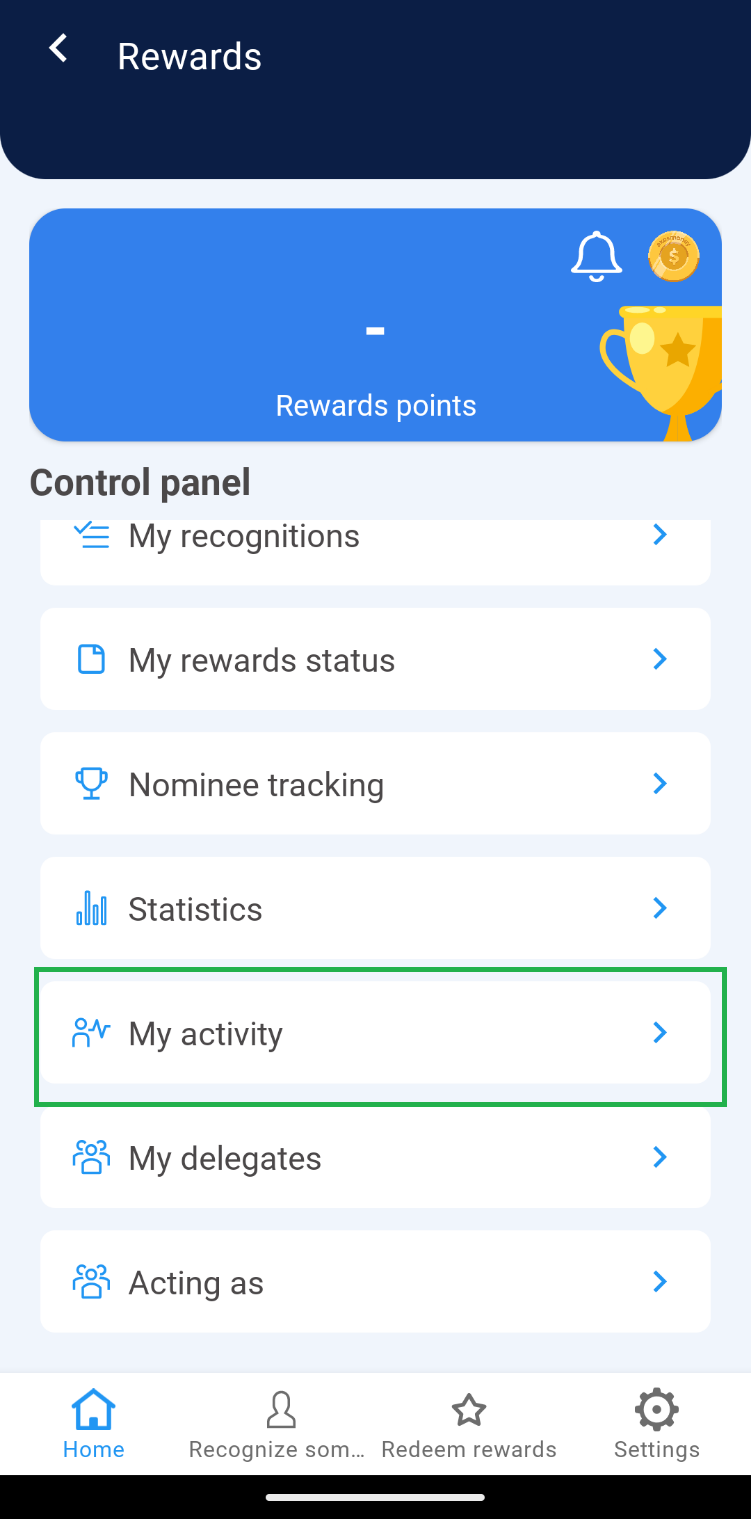 2. In the dropdown menu, you’ll find the default option “All”. If needed, select a team to view specific information.
Note: Ensure the company to which the teams needing management are integrated is selected.
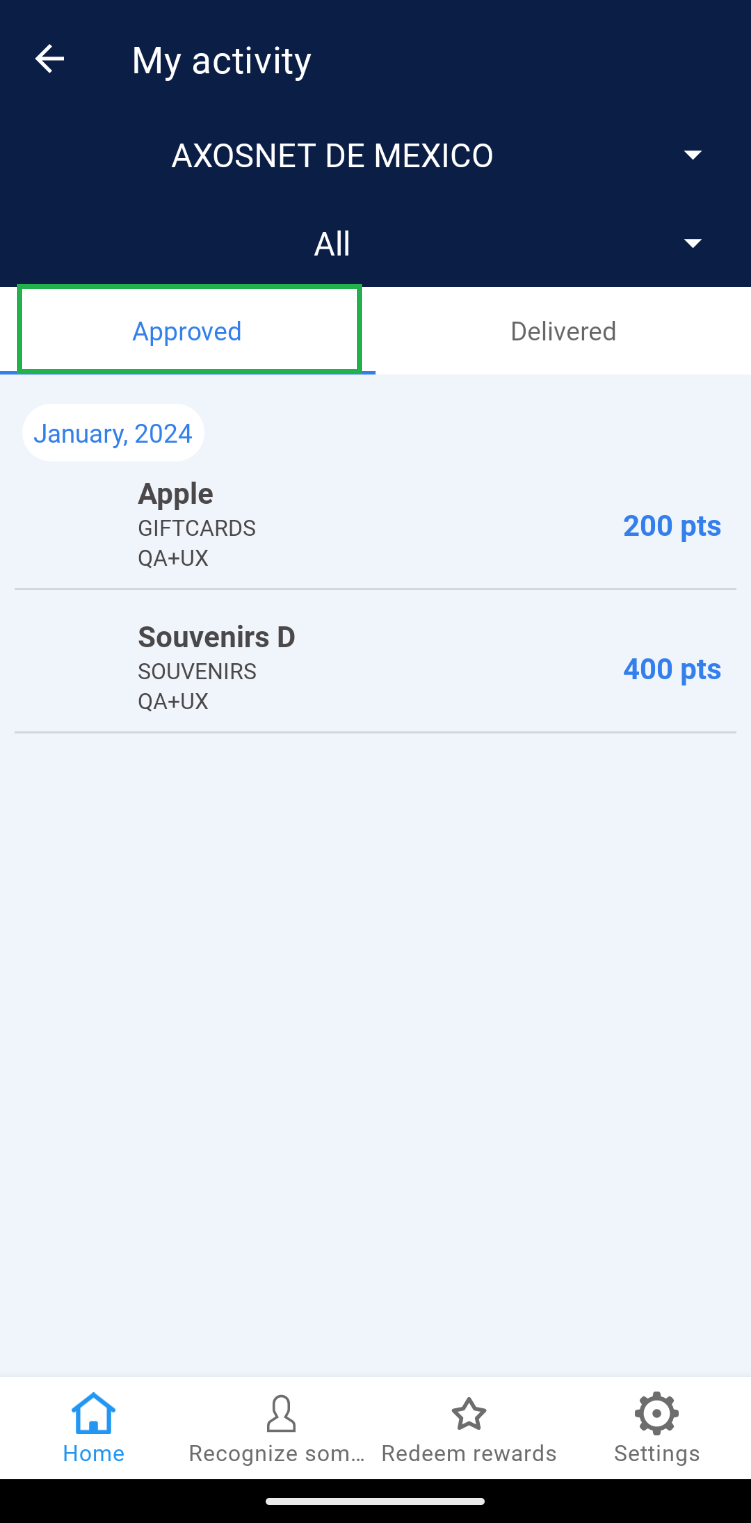 2. You will identify the list of orders that have been approved. Click on an order.
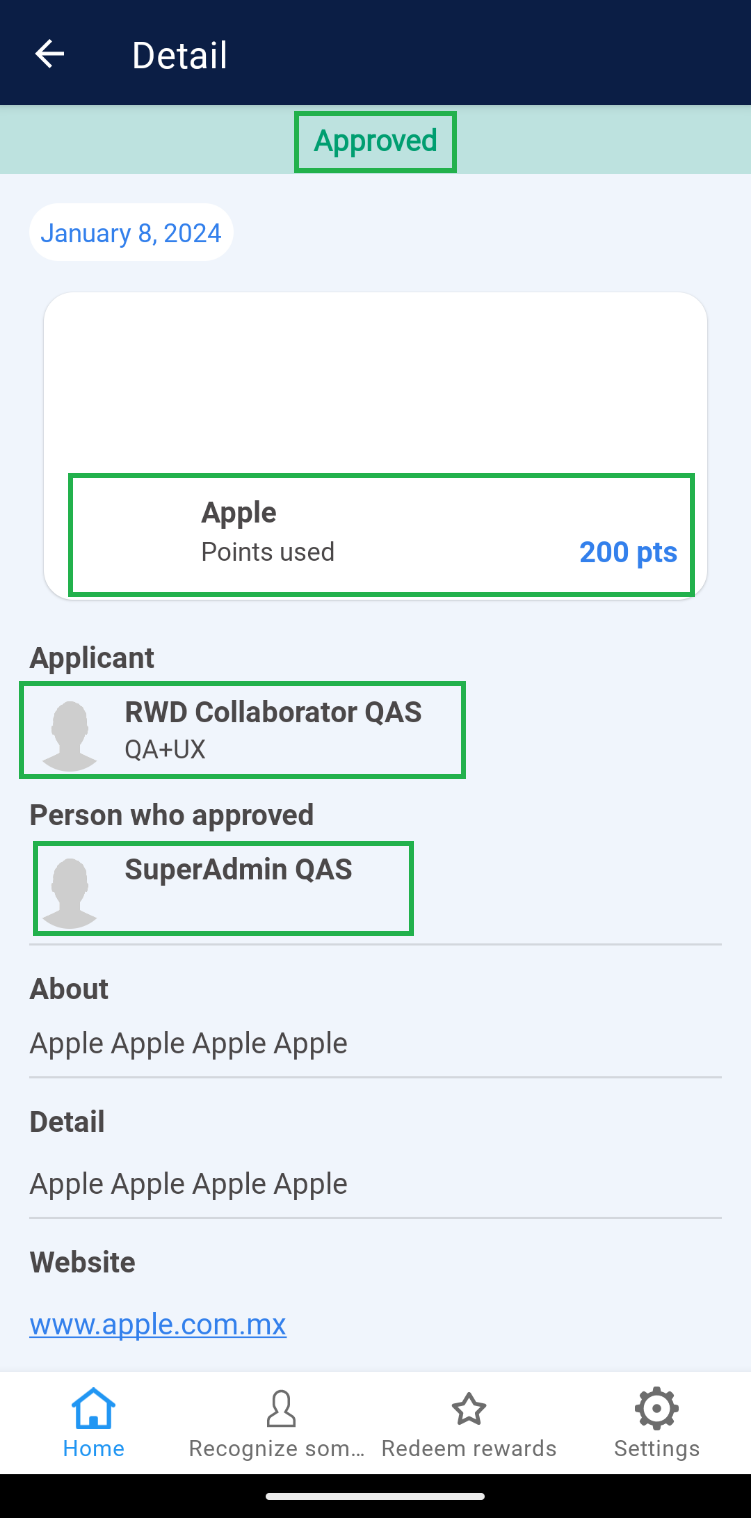
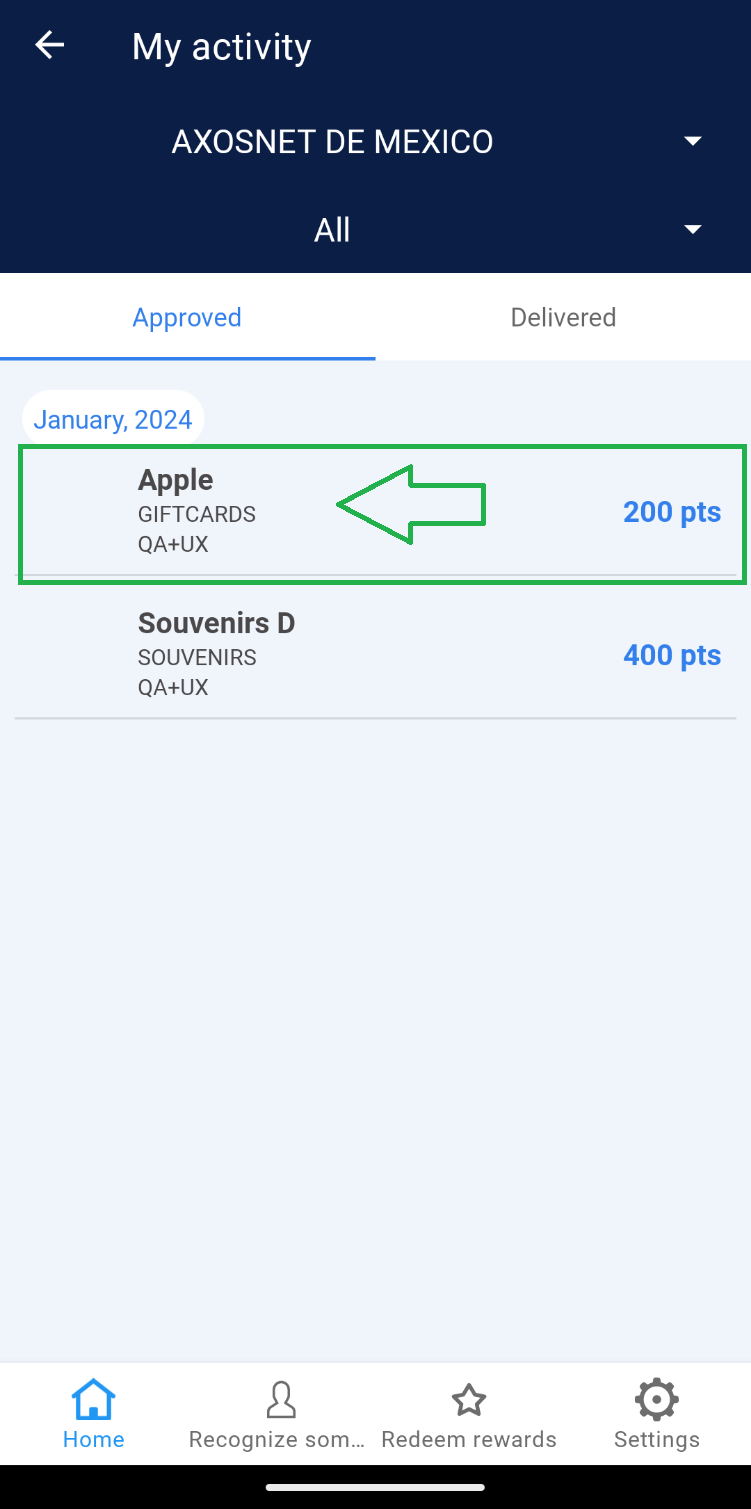 3. Within the details, you will see the redeemed product, the requester, and the name of the user who approved the order.
 Note: The “Approved” tab within this section serves solely as a tracking record; modifications cannot be made to approved orders here. Refer to “Tracking My Orders” if you need to proceed with delivery.
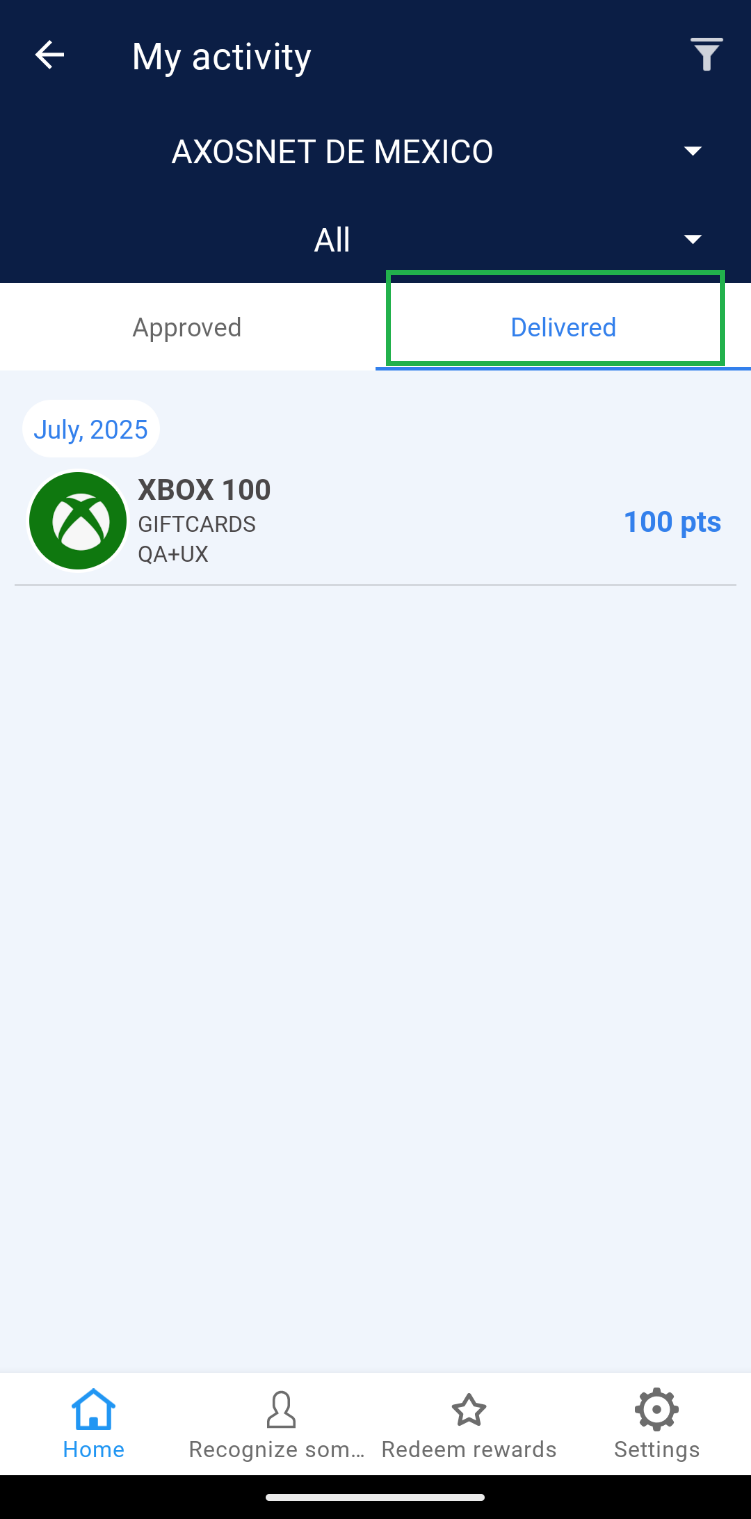 2. Within this section, the orders that have already been delivered to the requesting collaborator are listed.
 Note: When the collaborator’s order goes through the Delivery process (in the “Deliver an order” section), the record will be deleted from “Approved” and you will be able to see it reflected in the “Delivered” tab.
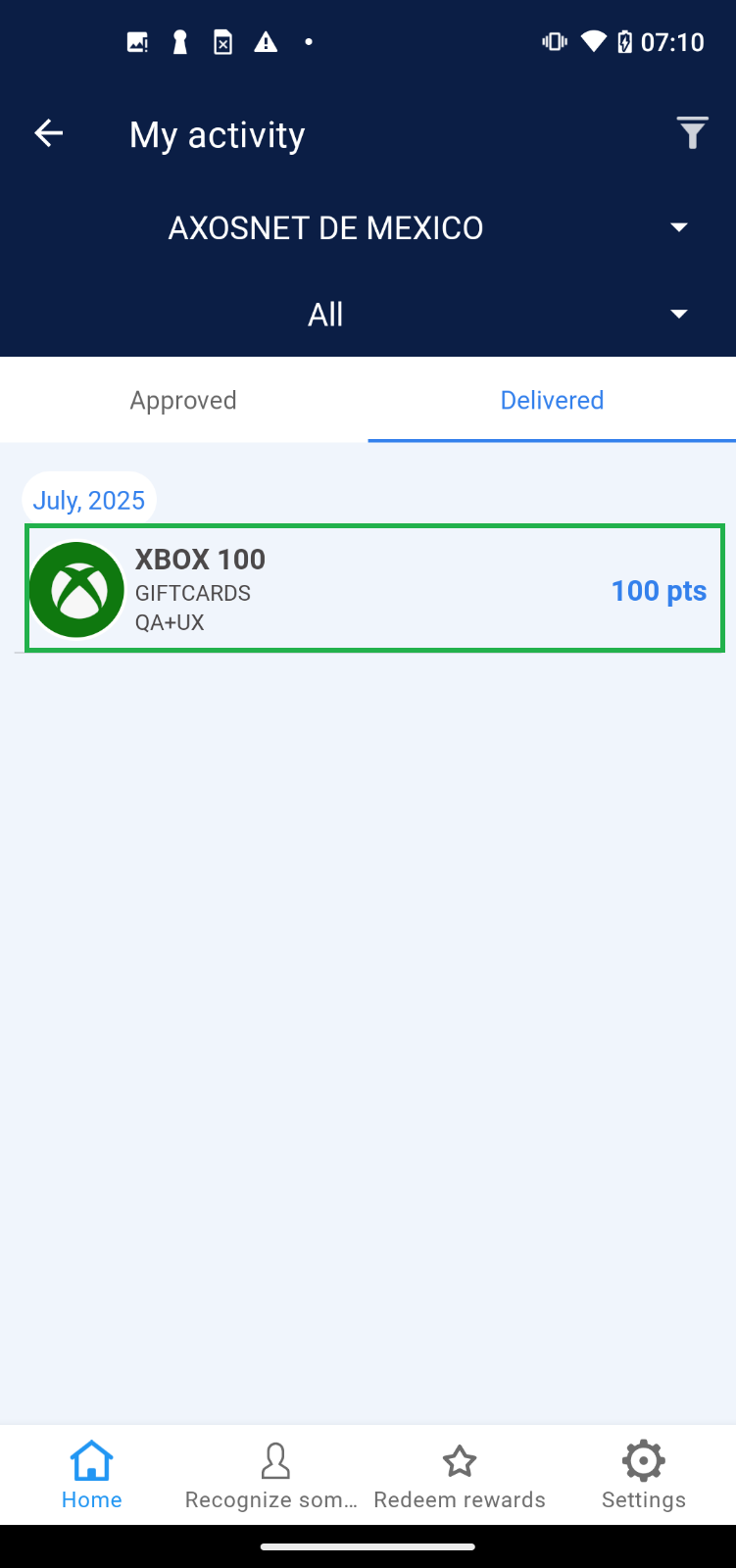
3. Select a record to view the delivery details.
Note: When the collaborator’s order goes through the Delivery process (in the “Deliver an order” section), the record will be deleted from “Approved” and you will be able to see it reflected in the “Delivered” tab.
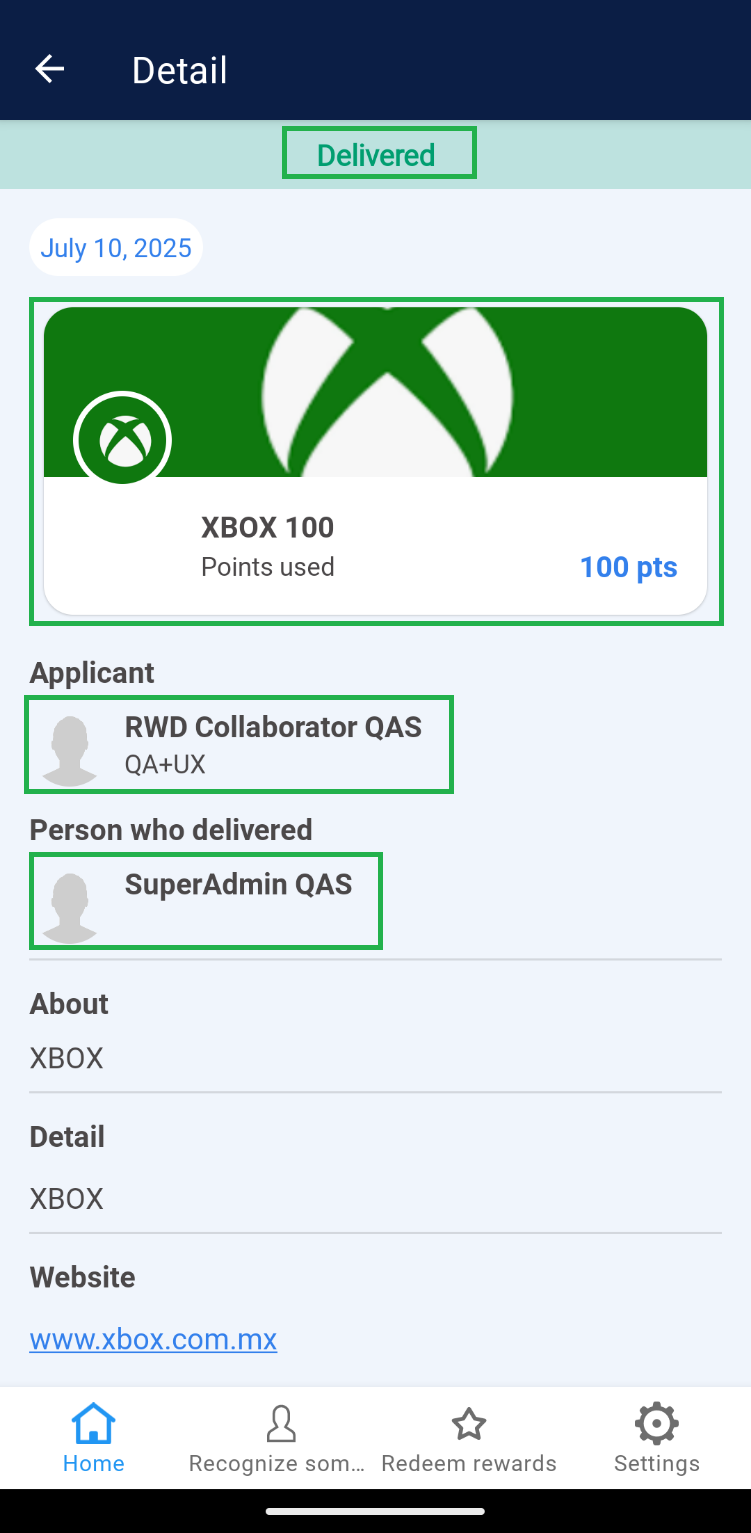
3. Select a record to view the delivery details.
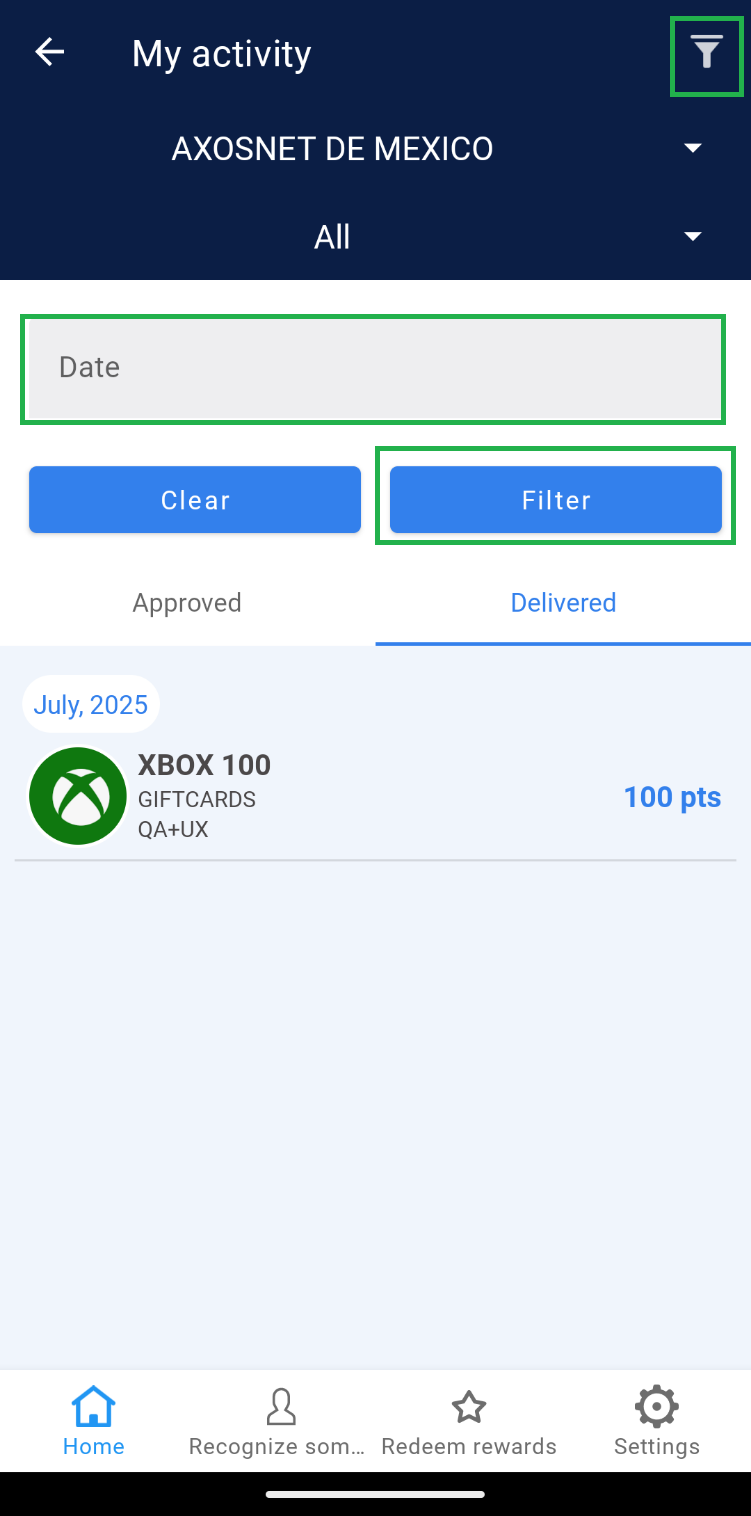
 Note: If you have records of orders with dates prior to the current month, use the “Date” filter to view the records within the list.
2. In the dropdown menu, you’ll find the default option “All”. If needed, select a team to view specific information.
|
|
Approved Orders
1. Select the “Approved” tab.
2. You will identify the list of orders that have been approved. Click on an order.
3. Within the details, you will see the redeemed product, the requester, and the name of the user who approved the order.
Note: The “Approved” tab within this section serves solely as a tracking record; modifications cannot be made to approved orders here. Refer to “Tracking My Orders” if you need to proceed with delivery.
Delivered
1. Select the “Delivered” tab.
2. Within this section, the orders that have already been delivered to the requesting collaborator are listed.
Note: When the collaborator’s order goes through the Delivery process (in the “Deliver an order” section), the record will be deleted from “Approved” and you will be able to see it reflected in the “Delivered” tab.
3. Select a record to view the delivery details.
Note: If you have records of orders with dates prior to the current month, use the “Date” filter to view the records within the list.