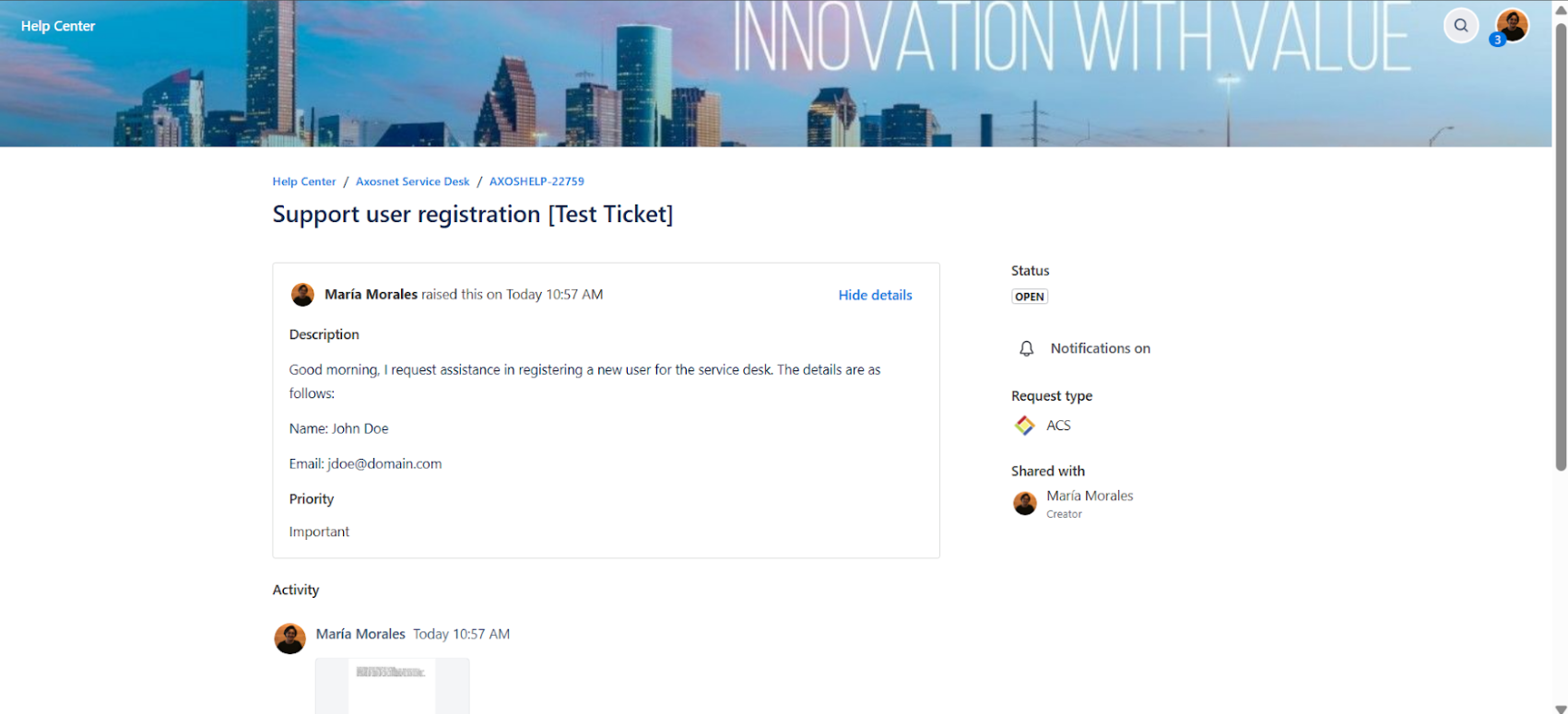
To check the status of your open tickets follow the next steps.
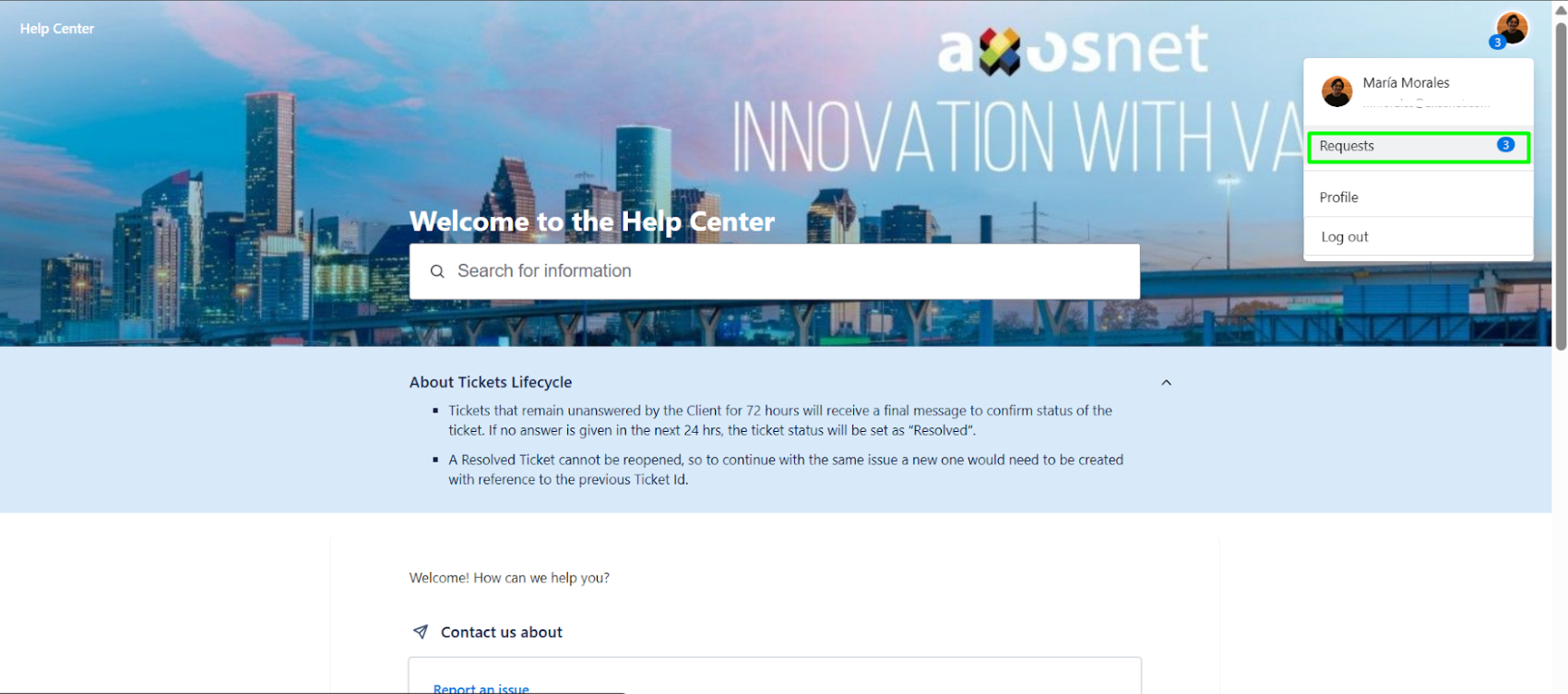
1. Click on your profile icon (top right) and select the Requests option.
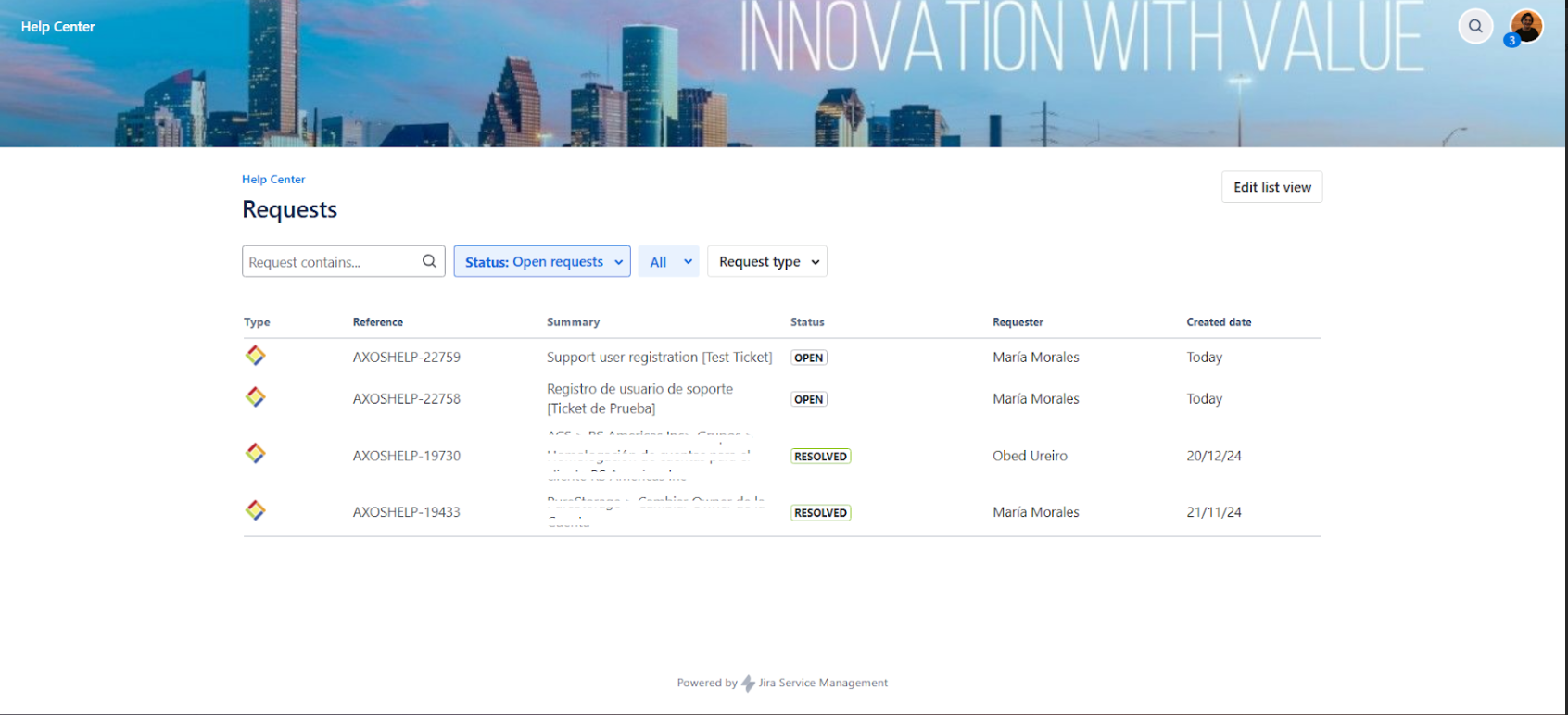
2. You will then be shown a list of all tickets and their status.
3. If you would like more information or to reply to the ticket, click on the reference, and all the information on the responses submitted by the support team will be displayed.