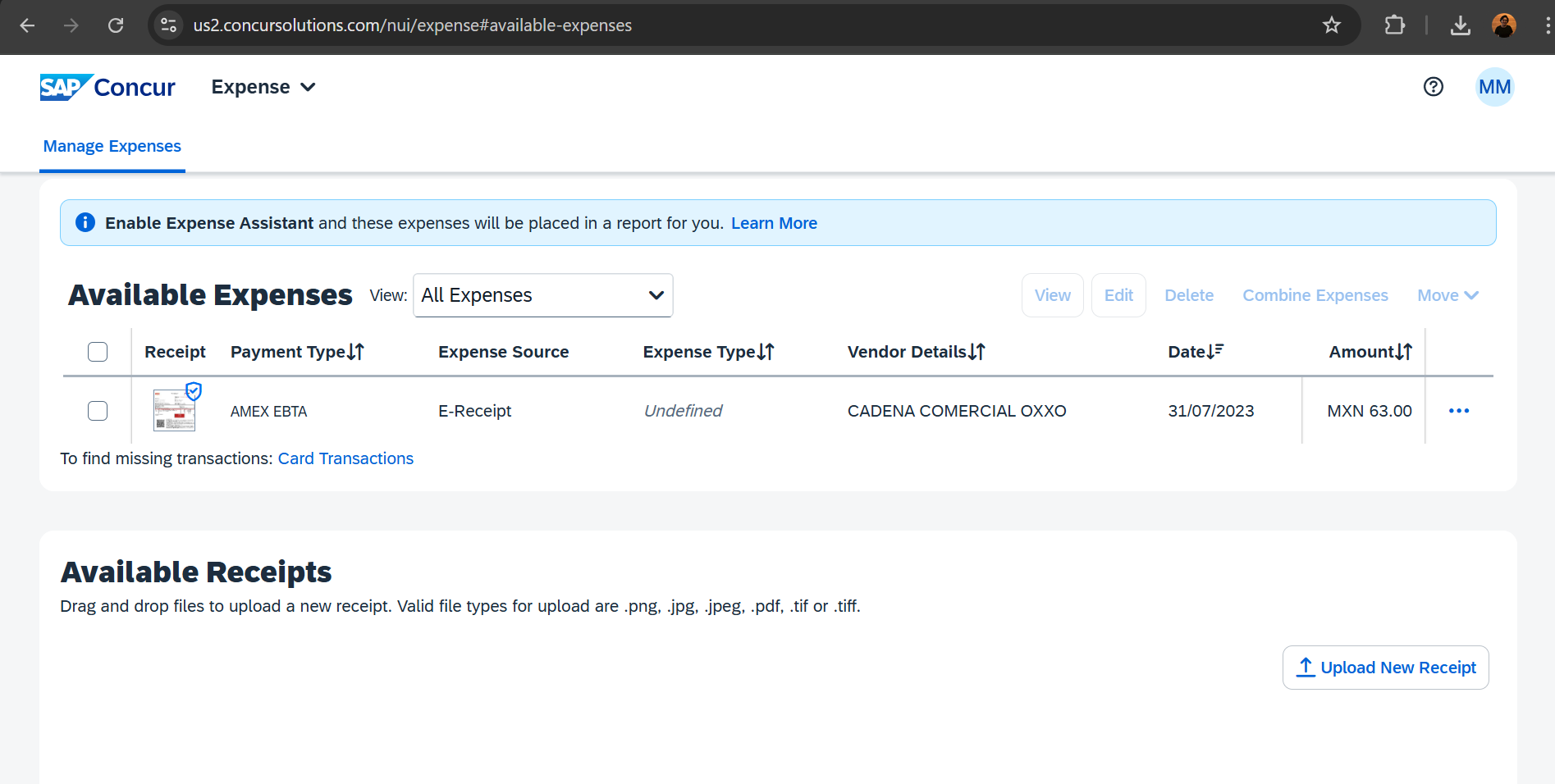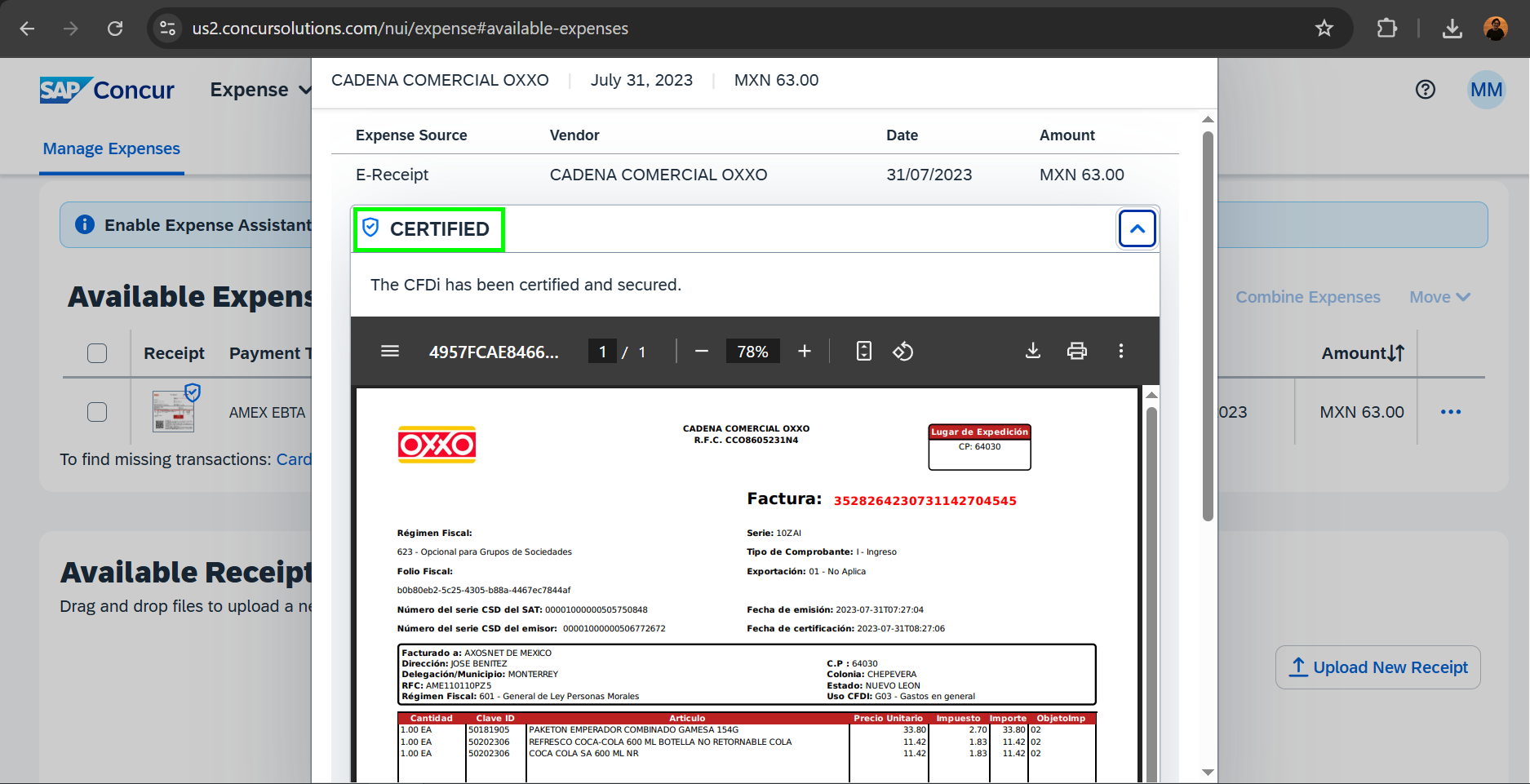
To send an expense to SAP Concur via email verified by ADIV ESS, follow the steps below.
1. To send your invoice, create a new email and attach the corresponding XML and PDF files. The recipient of this email should be receipts@concur.com
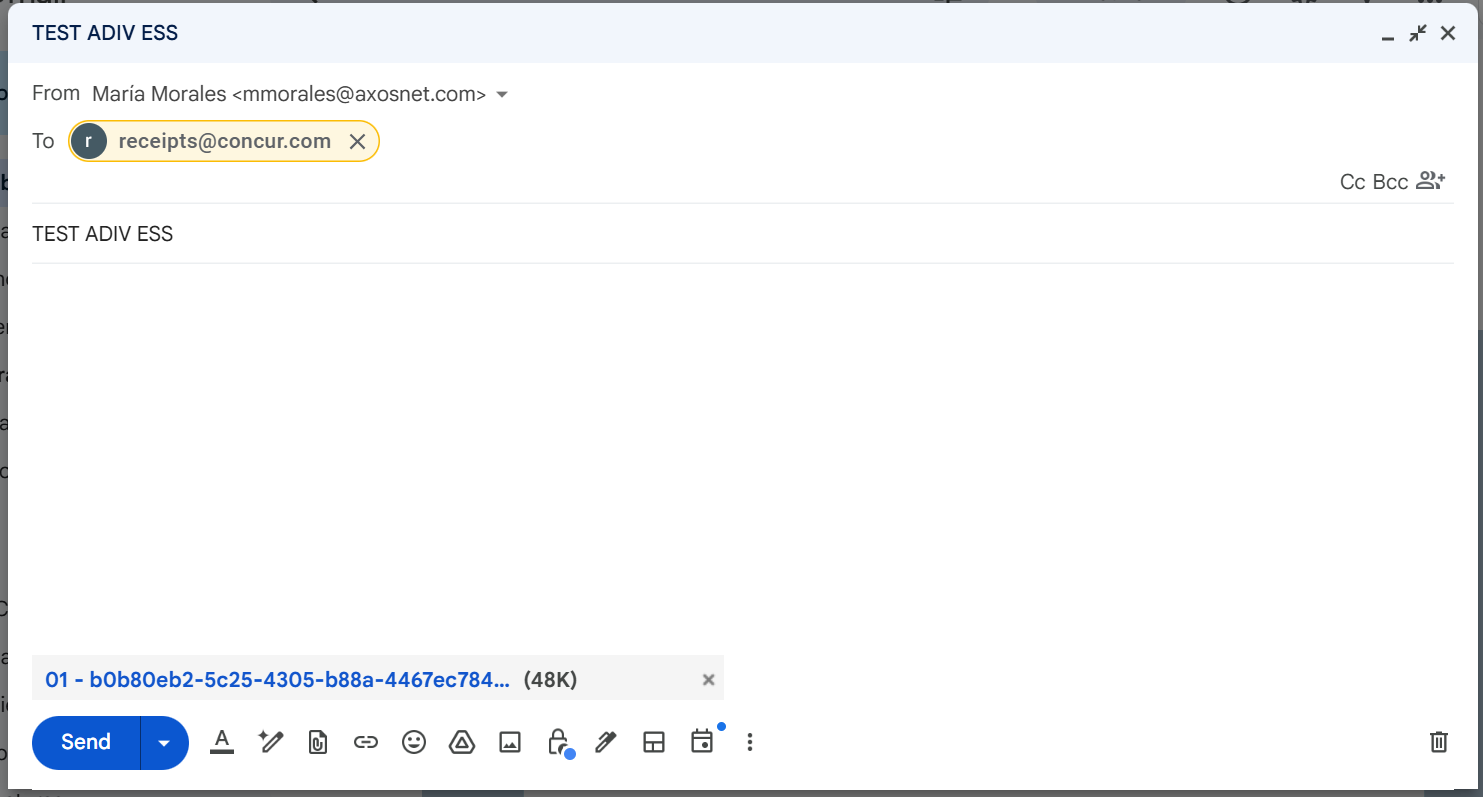
2. Once the email is sent, the invoice will appear in the Available Expenses section in SAP Concur.
Note: Expense validation by ADIV ESS may take a few minutes to appear. It is important that your email address is verified in your SAP Concur account.
If a submitted expense is older than 23 months, it will no longer appear in the “Available Expenses” section. Please note that this 23-month period is permanent, so it cannot be modified or disabled.
For detailed information, see the SAP Data Retention Guide.
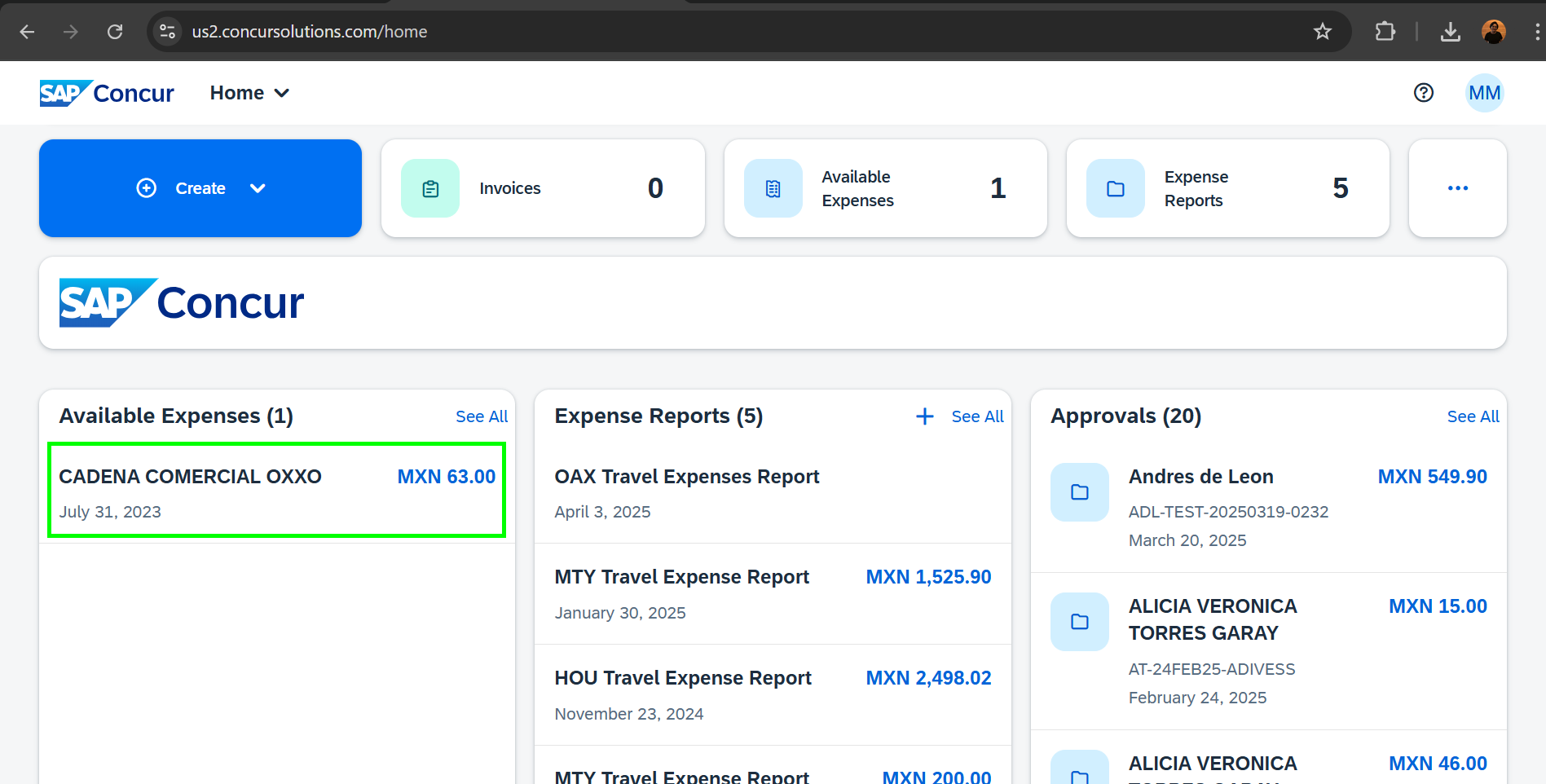
3. If you click on the expense, you will be able to see the details and that it appears as a CERTIFIED expense, which means that it has been successfully validated by ADIV ESS. At this point we can proceed to add the expense to a new report.