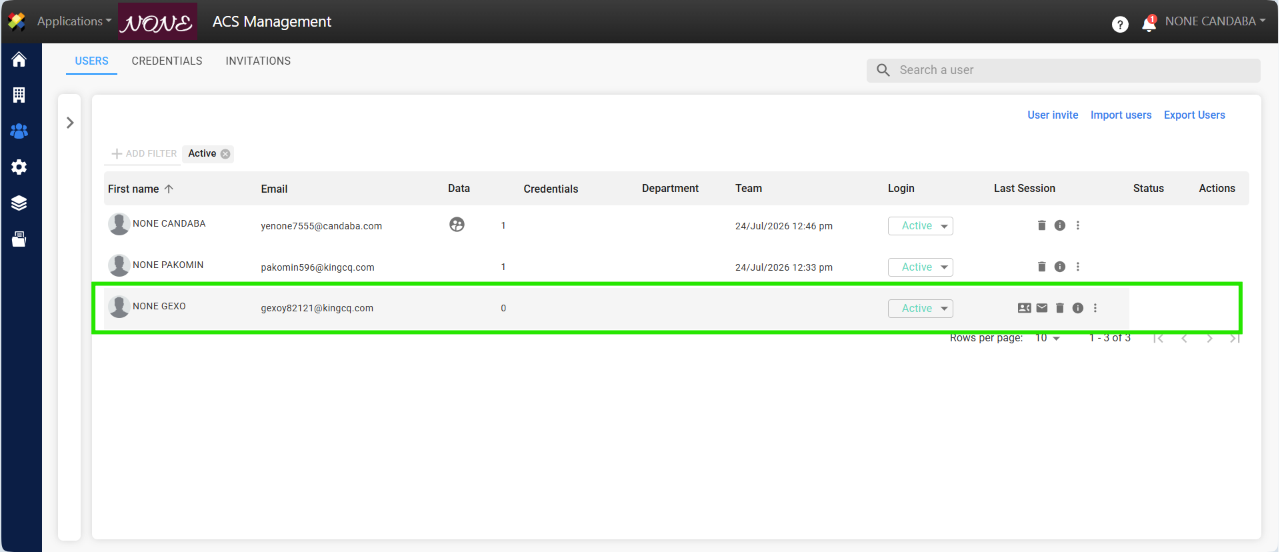
This manual outlines the steps a supplier must follow to approve or reject a contact request.
The supplier administrator can approve or reject a contact request by following these steps:
1. After the customer submits the request, they will receive an email to register a new supplier contact.
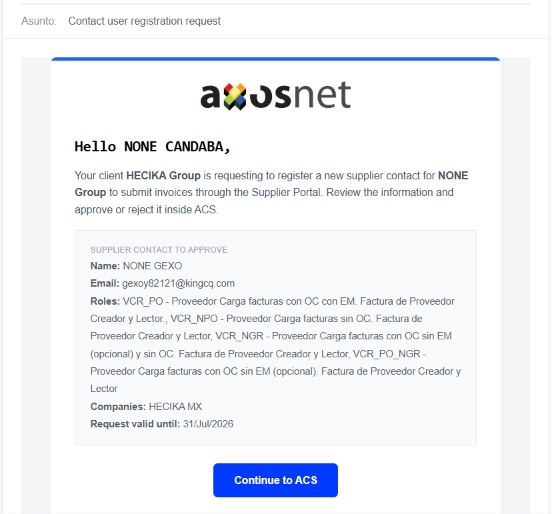
2. Once submitted to ACS, an application can be approved in two ways. The steps for both processes are detailed below:
A. Approve / Reject Request from Pop-up Window
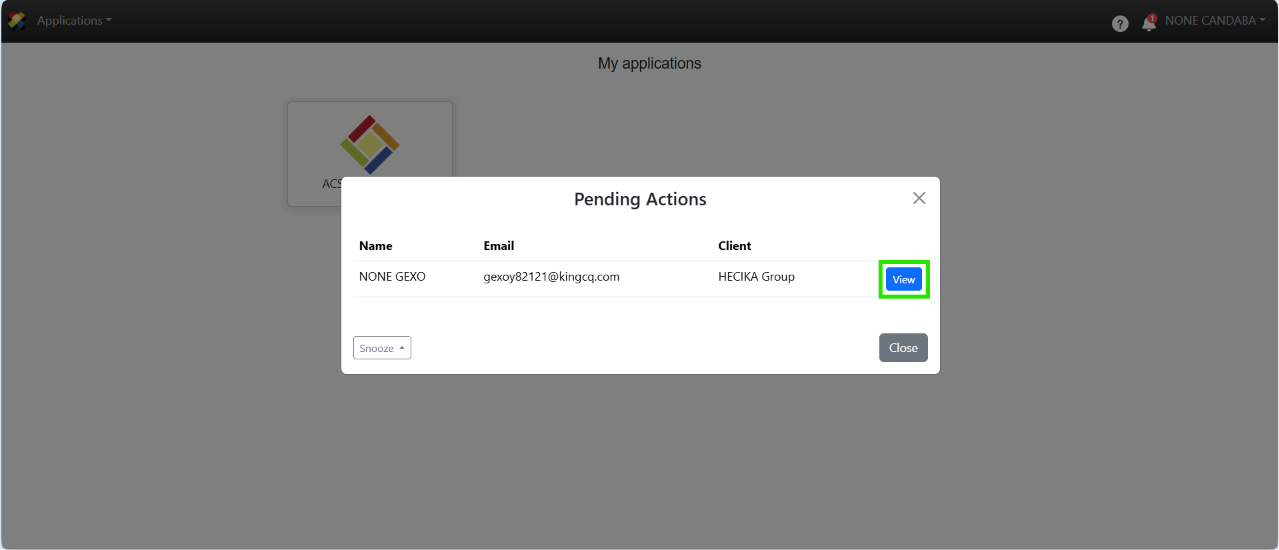
1. When you log in to ACS Management, a pop-up window will appear showing the requests submitted by the client. Click View to see the details of the request.
Note: You can postpone this pop-up window to prevent it from appearing for a specified period of time; however, it will reappear if a new request is received.
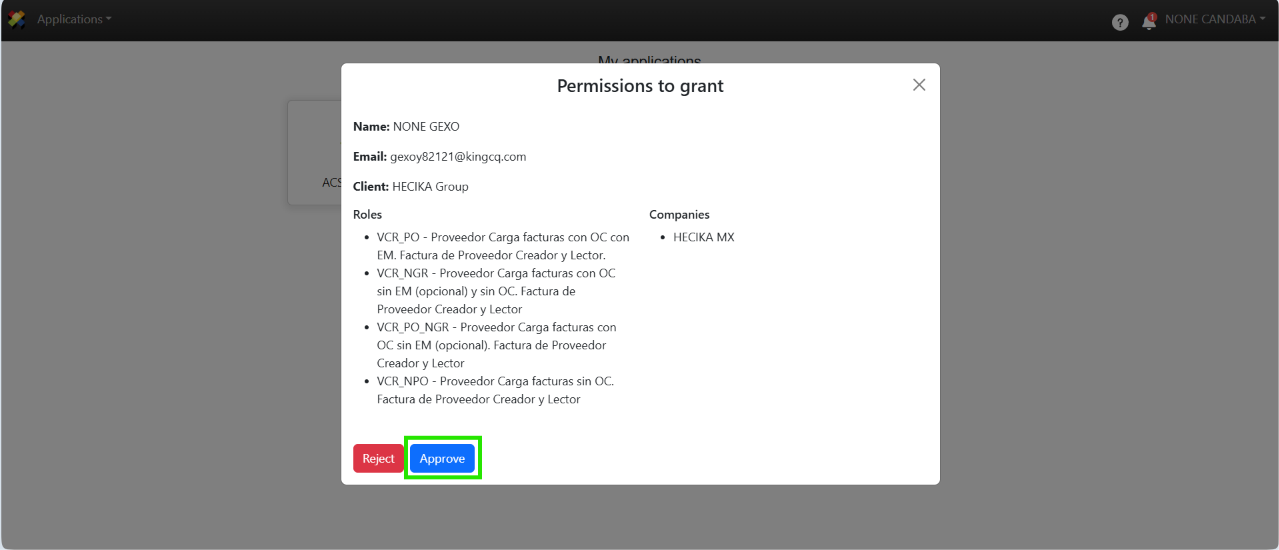
2. When you view the details of the request, you can approve or reject it. If you reject the request, you must provide a reason for the rejection.
3. If you close the pop-up window, you’ll also be able to see your pending requests in the notifications section.
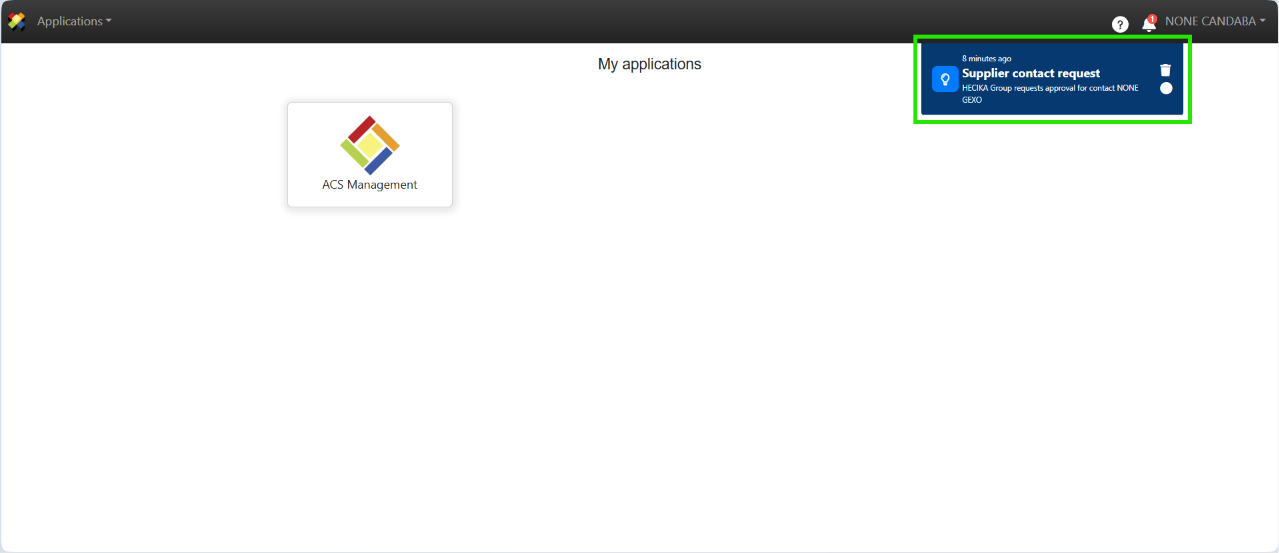
B. Approve / Reject a request from Invitations in Users and Permissions
To accept or reject requests from the Users and Permissions section, follow these steps:
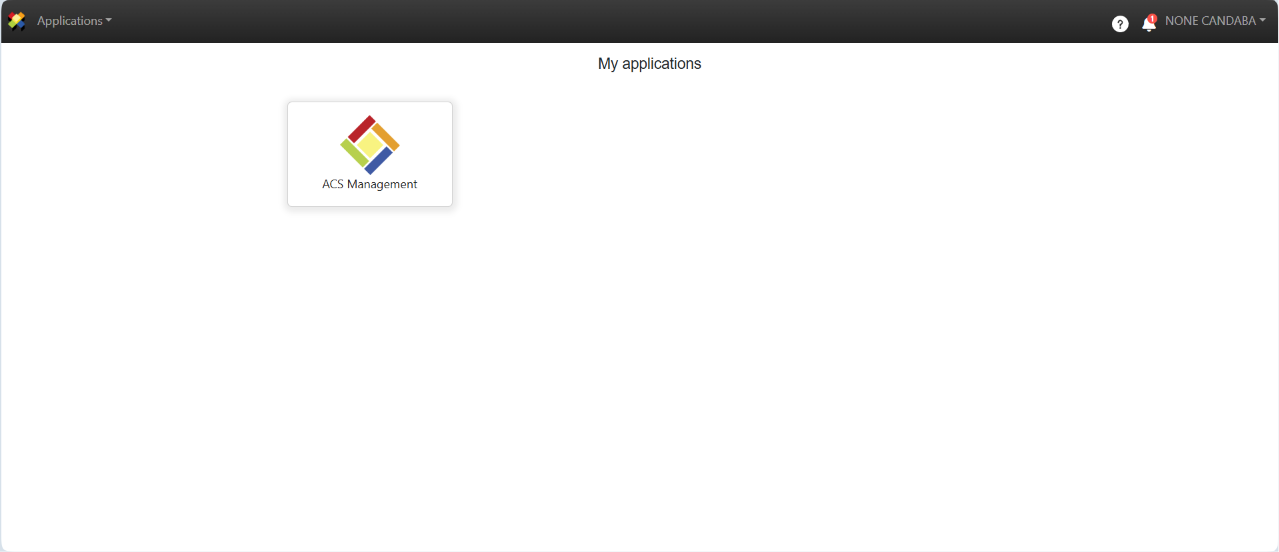
1. Log in to ACS Management.
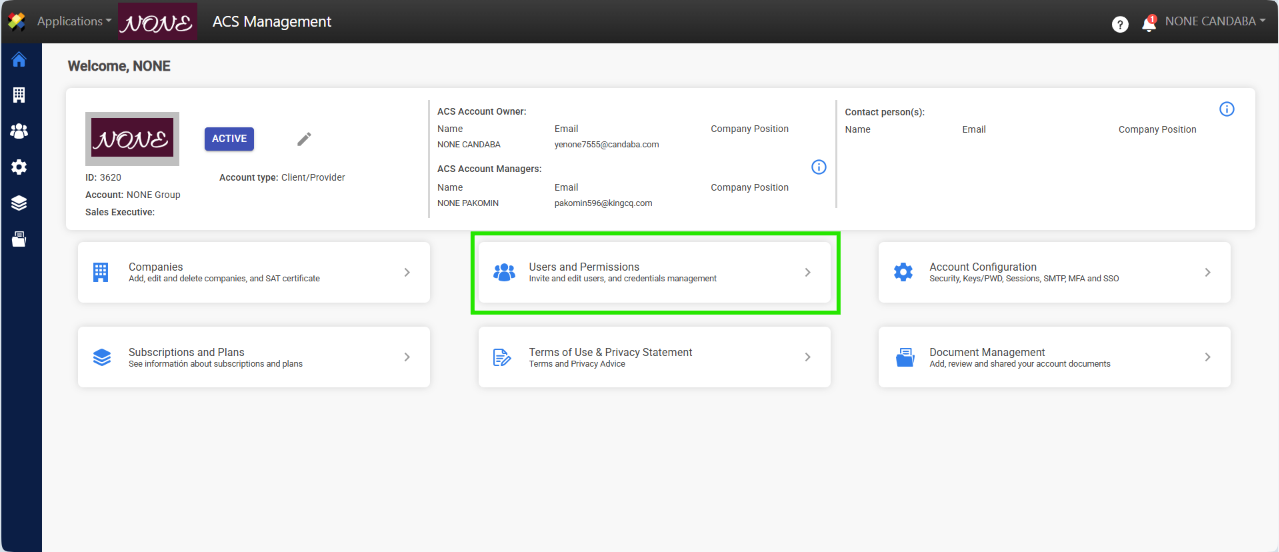
2. Click on Usuers and Permissions.
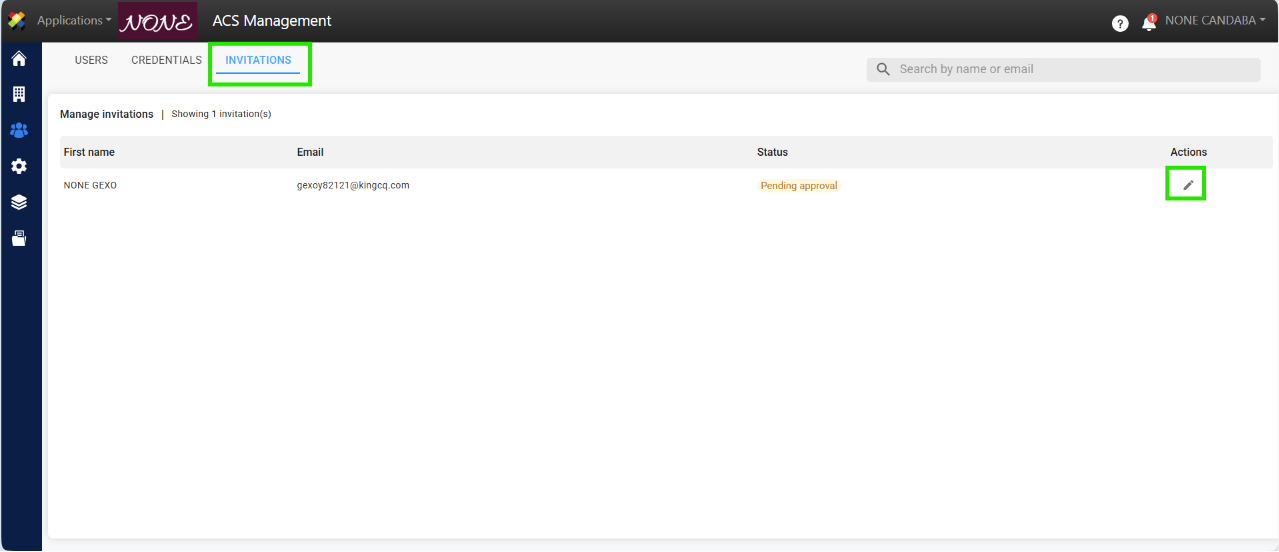
3. Go to the Invitations tab and click the edit button for the corresponding request.
4. A pop-up window will appear where you can Approve or Reject the request.
Note: If the request is denied, you must provide a reason for the denial.
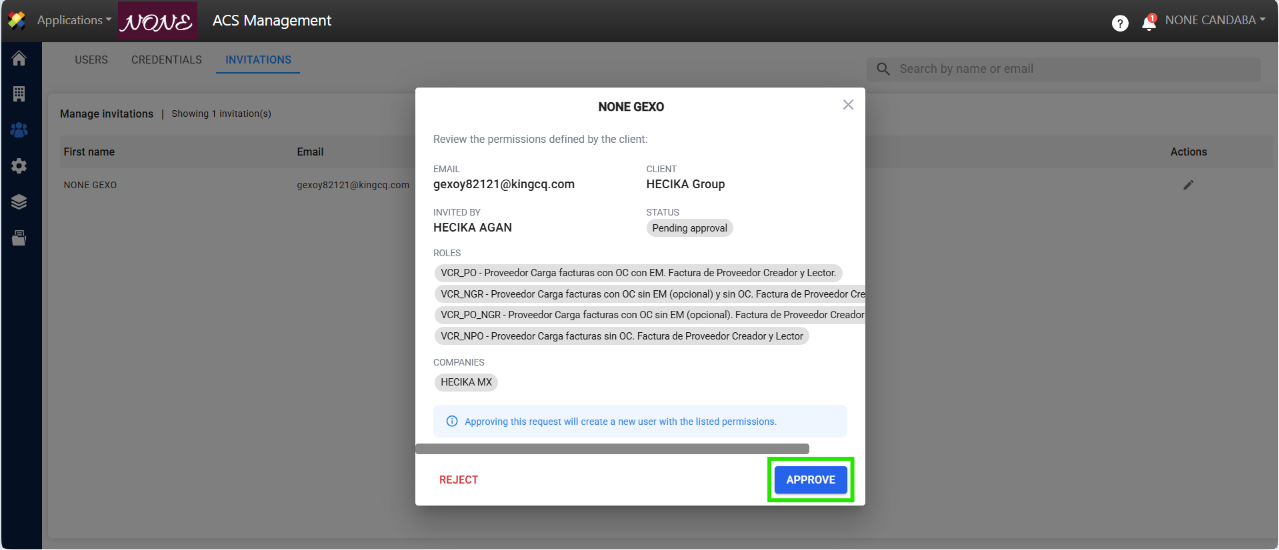
5. Once approved, a message will appear confirming the action, and the entry will be removed from the invitation list.
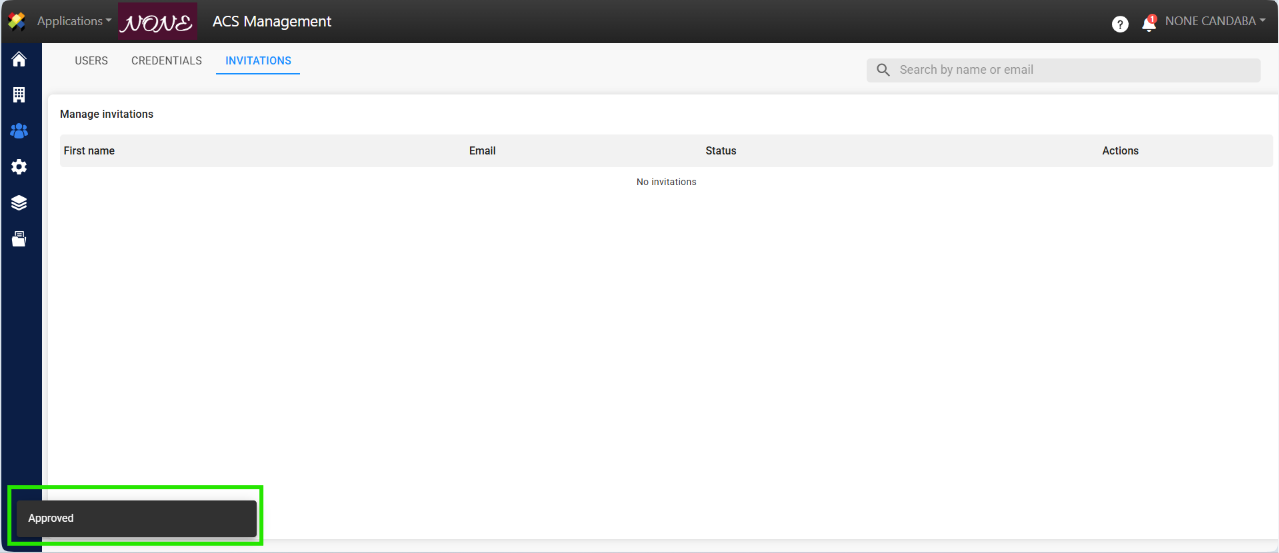
6. The user will appear in the Users tab and will automatically receive an invitation to register with ACS Management, where they can set up their account and password.